
Kinovea
Category of Kinovea:
Tags:
Open SourceDesktop AppChrome Extension
Description:
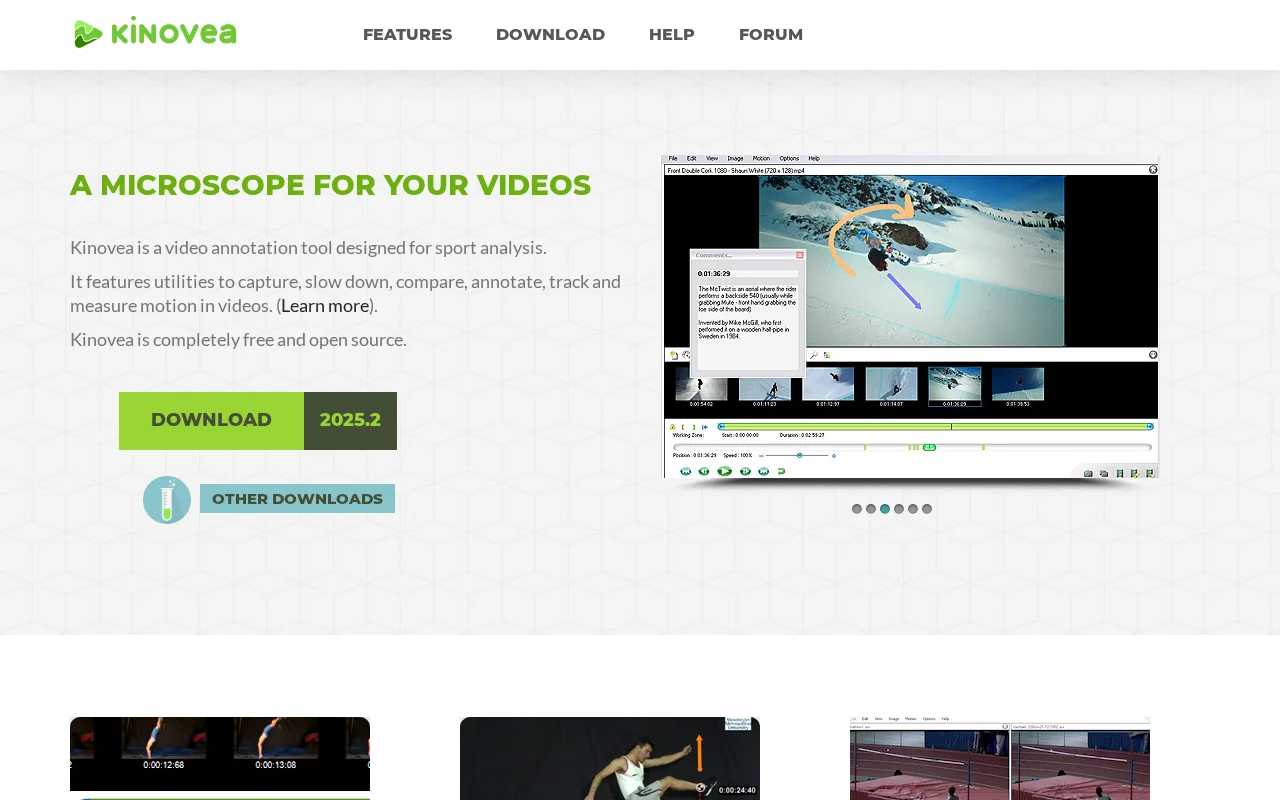
Kinovea is a free, open-source video analysis tool for sports performance. It offers features like video capture, slow-motion playback, annotation, motion tracking, and measurement to help athletes and coaches improve technique and performance.
Kinovea: Advanced Video Analysis for Sports Performance
Kinovea is a powerful, free, and open-source video analysis software designed for sports performance. It acts as a 'microscope' for video footage, enabling users to dissect motion with tools for capturing, slowing down, comparing, annotating, tracking, and measuring key metrics. Its intuitive interface makes it suitable for educational purposes while providing the advanced capabilities required for professional training and analysis.
Key Features of Kinovea for Athletes and Coaches
- Video Capture: Record new video footage directly within the application for immediate analysis.
- Playback Control: Slow down, pause, and step through videos frame by frame to observe critical moments.
- Annotation Tools: Add arrows, text, and drawings to highlight specific actions or areas within the video.
- Motion Tracking: Manually or semi-automatically track the trajectory of points or objects across video sequences.
- Measurement Utilities: Calculate angles, distances, and time intervals for quantitative analysis of movement.
- Comparison Feature: Observe two videos side-by-side and synchronize them on a common event for detailed comparison.
- Data Export: Export analyzed data for further scientific study and customization to specific analytical needs.
Ideal Use Cases for Kinovea
- Sports performance analysis and technique refinement.
- Coaching and athlete development feedback.
- Physical therapy and rehabilitation assessment.
- Educational purposes for teaching biomechanics and sports science.
- Motion study and research in various fields.
Getting Started with Kinovea
Download the latest version from the official Kinovea website. Once installed, import your video files and begin exploring the core features. The interface is designed for intuitive navigation, allowing you to quickly start capturing or analyzing existing recordings. Familiarize yourself with the annotation, measurement, and tracking tools to enhance your analytical workflow.
Support and Community for Kinovea
Kinovea is developed by Joan Charmant and relies on community support. For inquiries, reach out via email to asso@kinovea.org. Community discussions and support are available on the official Kinovea forum. You can also support the project through platforms like Ko-Fi and Patreon.
Reviews0
Would you recommend Kinovea? Leave a comment
No reviews yet. Be the first to share your experience!
Alternatives
The best modern alternatives to Kinovea
Canvas
5.0
Last update: 3 days ago
Canvas by Instructure is the world's leading learning management system designed to simplify teaching and enhance student learning across K-12, higher education, and corporate training environments.
View CanvasTags:Web AppMobile AppDesktop App
View CanvasGoogle Sites
5.0
Google Drive is a cloud storage and file synchronization service that allows users to store files, share documents, and collaborate in real-time. It integrates seamlessly with Google Workspace apps like Docs, Sheets, and Slides, enabling teams to work together from anywhere.
Web AppMobile AppDesktop App
View Google Sites
Twine
5.0
Twine is an open-source interactive fiction tool that empowers storytellers to create nonlinear, branching narratives without requiring programming knowledge. It provides an intuitive visual interface for writers, educators, and game developers.
Open SourceFreeDesktop App
View Twine
RosarioSIS
5.0
RosarioSIS is a free, open-source Student Information System (SIS) for K-12 and higher education. It offers modules for student data, grades, scheduling, attendance, billing, and more, with a responsive, multilingual web interface. Ideal for streamlining school administration.
Open SourceWeb AppMultilingual
View RosarioSIS
TypingGym
5.0
TypingGym is a free online typing tutor designed to significantly enhance your typing speed and accuracy. Through a variety of engaging exercises and practice sessions, users can effectively improve their keyboarding skills. The platform offers detailed progress tracking and statistics, allowing individuals to monitor their improvement over time. With customizable typing sessions and a focus on te
FreeOpen SourceFor Students
View TypingGym
New Tools Releases
Recently added tools
Spamgourmet
5.0
Spamgourmet provides free, auto-creating email addresses that forward messages to your primary inbox and then expire, acting as a powerful spam blocker. It's ideal for anyone who wants to protect their main email from spam when signing up for new services or giving out contact information. The tool requires no installation and is designed for minimal user intervention after initial setup, making i
FreeWeb AppPrivacy-Focused
View Spamgourmet
Crew
5.0
Crew is a high-yield checking account that actively manages your finances through automated 'pockets,' paycheck splitting, and bill management. It offers a subscription-free approach to personal finance, empowering users with control and clarity over their money, alongside features like parental controls and competitive APY on deposits. Banking services are provided by Bangor Savings Bank, Member
Trial AvailableSubscription-BasedMobile App
View Crew
Ludwig
5.0
Ludwig is an open-source declarative deep learning framework that simplifies building, fine-tuning, and deploying ML models using a YAML file. It supports various data modalities and scales seamlessly from a laptop to distributed clusters, offering the flexibility of PyTorch with the ease of AutoML.
Open SourceFor DevelopersAutomation
View Ludwig
Reeder
5.0
Reeder is a modern news reader that unifies RSS feeds, videos, podcasts, and social media into a single timeline. It features seamless cross-device syncing via iCloud, powerful custom filters, and a simple way to save links. Reeder prioritizes a clean interface and user privacy, making it an efficient tool for content consumption.
Desktop AppMobile AppmacOS
View Reeder
SurveyJS
5.0
SurveyJS is a powerful JavaScript library that enables developers to build custom survey and form management systems directly within their applications. It offers unparalleled flexibility through JSON-based configuration, ensuring users retain full ownership of their data and can handle an unlimited number of responses. The latest version, v3.0, introduces significant enhancements like a shared st
Open SourceFor Developers
View SurveyJS
Small Basic
5.0
Small Basic is a free, beginner-friendly programming language developed by Microsoft, designed to make coding accessible and fun for learners of all ages. It simplifies complex programming concepts with an easy-to-understand syntax and a built-in Integrated Development Environment (IDE) that includes helpful features like syntax highlighting and debugging tools. This educational tool empowers user
Open SourceFor StudentsFor Teachers
View Small Basic
Scenari Dokiel
5.0
Scenari Dokiel is a high-performance distributed ledger technology utilizing a hybrid consensus mechanism for rapid transactions. Ideal for DeFi, supply chain management, and gaming, its scalable and secure architecture empowers developers to build next-generation decentralized applications with confidence and efficiency.
AutomationWeb3Open Source
View Scenari Dokiel
SpurtCMS
5.0
spurtCMS is a powerful, open-source Content Management System built with Golang, designed to be adaptable for diverse industry needs and content delivery requirements. It offers a robust admin panel powered by Golang and integrates seamlessly with TailwindCSS for modern, stylish front-end development. Developers can leverage its GraphQL APIs for efficient data fetching and scalability, making it s
Open SourceFor DevelopersAPI
View SpurtCMS