Vizcom
Category of Vizcom:
Tags:
For DesignersAutomationWeb App
Description:
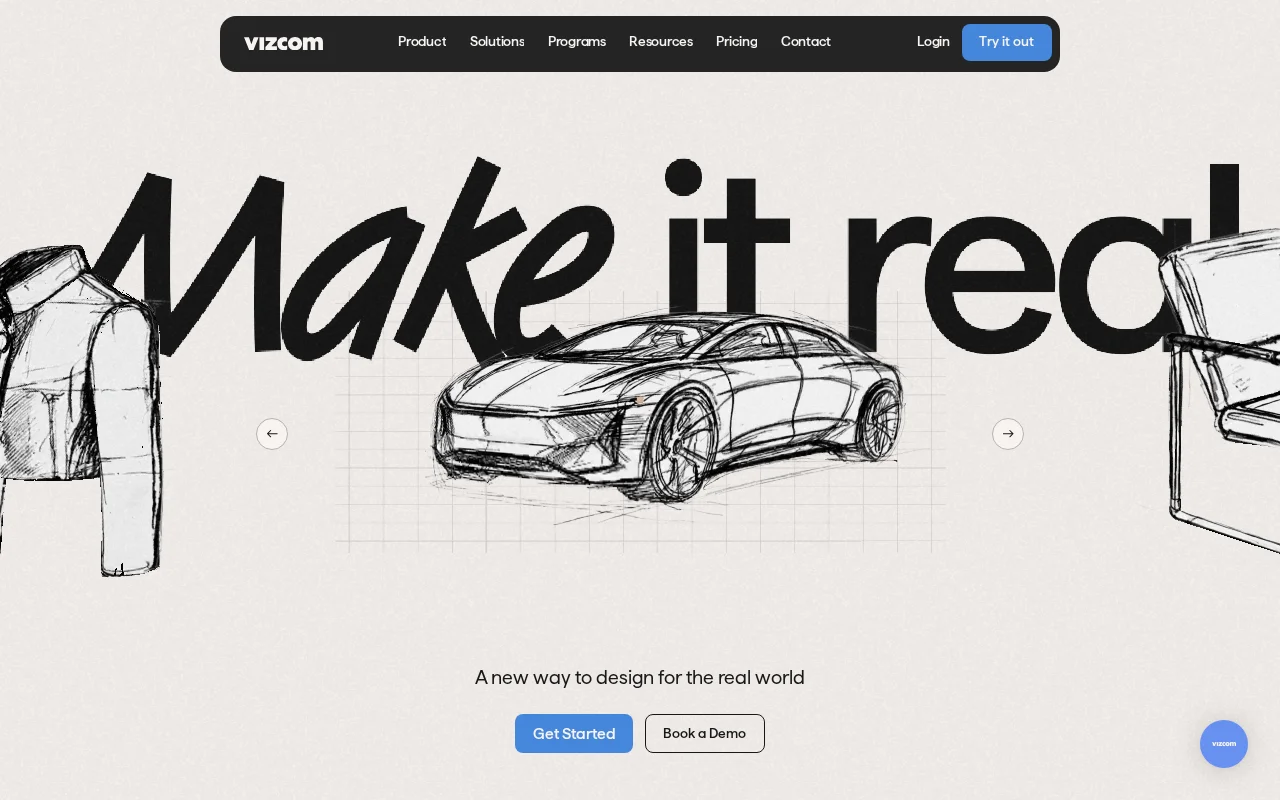
Vizcom is an AI-powered design tool that transforms sketches into high-fidelity, photorealistic 3D renders in seconds. It accelerates product design workflows, enabling rapid visualization, iteration, and refinement of concepts for designers and their teams.
Vizcom: AI-Powered Sketch-to-3D Rendering Tool
Vizcom is an innovative AI-powered design platform that transforms hand-drawn sketches into photorealistic 3D renders almost instantly. It is built for product designers and teams looking to significantly speed up their design iteration cycles. By automating the complex process of 3D rendering from initial concepts, Vizcom allows for rapid visualization and validation of ideas, making it easier to communicate design intent and make informed decisions.
The tool is designed to streamline the workflow from ideation to final output. Users can upload their sketches, and Vizcom's AI interprets them to generate detailed 3D models and renders. This capability is invaluable for industries such as footwear, automotive, industrial design, and gaming, where quick visual feedback and high-quality rendering are crucial for development and client presentations.
Vizcom Quick Start: First Steps
Getting started with Vizcom is straightforward. Begin by visiting the Vizcom website and signing up for an account to access the free tier. Once logged in, you can upload your initial design sketches directly through the web interface. The AI will then process your sketch, generating a preliminary 3D render that you can begin to refine and iterate upon.
Explore the various tools and settings within the platform to adjust materials, lighting, and camera angles to achieve your desired aesthetic. Vizcom encourages experimentation, allowing you to quickly see the impact of your changes and collaborate with team members in real-time to perfect your designs.
Core Functions and Tools in Vizcom
- Sketch-to-3D Rendering: Instantly convert 2D sketches into 3D models and photorealistic renders.
- AI-Powered Iteration: Rapidly generate multiple design variations from a single sketch.
- Photorealistic Visualization: Create high-quality renders for product presentations and marketing.
- Real-time Collaboration: Share and work on designs with team members simultaneously.
- Material and Lighting Control: Adjust visual properties to achieve desired aesthetics.
Ideal Use Cases for Vizcom
- Accelerating product design cycles
- Visualizing concepts for client feedback
- Rapid prototyping and iteration
- Creating marketing and presentation assets
- Enhancing team collaboration on design projects
- Exploring diverse design options quickly
Contact and Support Options for Vizcom
For any inquiries or assistance, Vizcom offers dedicated support. You can reach their team via email at support@vizcom.com. Their website also provides resources and documentation that may help answer common questions.
Reviews0
Would you recommend Vizcom? Leave a comment
No reviews yet. Be the first to share your experience!
Alternatives
The best modern alternatives to Vizcom
Intangible AI
5.0
Last update: October 6, 2026
Intangible AI is a spatial intelligence platform for creative industries, revolutionizing image and video generation with intuitive 3D control. It offers professionals in film, advertising, and marketing unparalleled precision and speed, moving beyond text-based prompting to amplify human creativity.
View Intangible AITags:For CreatorsFor DesignersContent Generation
View Intangible AIMaterial Maker
5.0
Material Maker is a powerful, open-source procedural material authoring tool designed for creating PBR materials through an intuitive node-based graph system. Artists and developers can craft intricate textures by connecting and transforming nodes, with over 200 available and the option to create custom GLSL nodes. The software facilitates seamless export of PBR materials compatible with major gam
Open SourceFor DevelopersFor Designers
View Material Maker
Maker 3D
5.0
Maker 3D is a comprehensive 3D modeling software for beginners and professionals. It offers an intuitive interface, advanced tools for creation, editing, and rendering, plus robust animation capabilities. Ideal for diverse creative projects, it ensures cross-platform compatibility and flexible pricing.
3D ModelingFor Designers
View Maker 3D
Mari
5.0
Mari is the industry-standard software for professional 3D digital painting, renowned for its powerful layer system and advanced brush engine. It empowers artists to create highly detailed textures with unparalleled control and efficiency, offering a non-destructive workflow that seamlessly integrates with existing pipelines. With its robust projection painting capabilities and optimized performan
Proprietary3D ModelingFor Designers
View Mari
YouTube
5.0
YouTube is the world's largest video-sharing platform where users can upload, watch, and share videos. It offers diverse content from entertainment and education to music and live streaming, with tools for creators to build audiences and monetize content.
YouTubeFor CreatorsFree
View YouTube
New Tools Releases
Recently added tools
Quiver
5.0
Quiver is a modern, user-friendly editor designed for creating commutative diagrams. It offers robust support for the popular tikz-cd package, making it an ideal tool for mathematicians, researchers, and students who need to visualize complex relationships and structures. The intuitive interface allows for efficient diagram construction, enabling users to focus on their mathematical content rather
Open SourceWeb AppWeb
View Quiver
Retro Game Trivia
5.0
Retro Game Trivia is a free, daily browser game for retro video game enthusiasts. Players guess classic video games using various methods, including letter reveals, textual clues, iconic screenshots, and box art. This engaging Wordle-style game provides a fun way to test and expand your knowledge of gaming history. With multiple game modes and an archive of past challenges, it caters to both casua
Browser-BasedFreeEarly Access
View Retro Game Trivia
Iron Marines
5.0
Iron Marines is a real-time strategy game blending action and tower defense. Players command heroes and units across a sci-fi universe to battle alien invaders. Available on mobile (iOS, Android) and PC (Steam), it offers engaging campaigns and tactical gameplay.
Gaming ToolsFor CreatorsMobile App
View Iron Marines
BiblioReads
5.0
BiblioReads is a free and open-source front-end for Goodreads, prioritizing user privacy. It allows users to search for book information directly from the Goodreads database without the privacy concerns associated with the official platform. Ideal for readers who want a clean, private way to track their reading, manage lists, and discover book details.
Open SourceFreePrivacy-Focused
View BiblioReads
IVentoy
5.0
iVentoy is a powerful and user-friendly network boot solution that transforms any computer into a PXE/HTTPBoot server. It allows for simultaneous operating system installation and booting across multiple machines without complex configuration. Supporting a wide range of operating systems and UEFI modes, including Secure Boot, iVentoy is ideal for IT professionals, system administrators, and anyone
Open SourceWindowsLinux
View IVentoy
PocketBase
5.0
PocketBase is an open-source backend solution that simplifies application development by bundling a real-time database, authentication services, file storage, and an integrated admin dashboard into a single, self-contained file. This all-in-one approach is ideal for developers seeking a lightweight yet powerful backend for rapid prototyping, small to medium-sized applications, and projects where m
Open SourceLinuxDev Tools
View PocketBase
OpenRCT2
5.0
OpenRCT2 is a community-driven, open-source re-implementation of RollerCoaster Tycoon 2, enhancing the classic game with bug fixes, improved performance, and new features. It offers modern gameplay enhancements, extensive customization, and robust multiplayer support, making it ideal for fans seeking a more stable and feature-rich theme park simulation experience. This free project is actively dev
Open SourcemacOSLinux
View OpenRCT2
MagicHow
5.0
MagicHow is an AI-powered SaaS platform that automates the creation of step-by-step guides, SOPs, and training manuals. It captures processes visually and uses AI to refine content, making documentation creation efficient and accessible for teams aiming to standardize operations and knowledge management.
View MagicHow