UltraVNC
Category of UltraVNC:
Tags:
Open SourceDesktop AppChrome Extension
Description:
UltraVNC is a free and open-source remote desktop control software that enables users to access and manage computers over a network. It offers robust features for remote administration, technical support, and file sharing, making it a versatile solution for IT professionals and individuals alike. Its intuitive interface and reliable performance ensure seamless remote connections, while its securit
Introduction to UltraVNC and Its Benefits
UltraVNC is a powerful, free, and open-source remote desktop control application. It allows users to remotely access and manage other computers over a network, facilitating tasks such as technical support, system administration, and file transfer. Its core strength lies in its ability to provide secure and efficient remote connections without the cost associated with commercial software.
The software is built upon the VNC protocol, offering a reliable foundation for screen sharing and remote control. Key benefits include its cost-free nature, comprehensive feature set, and the flexibility it offers to both individual users and businesses needing remote access solutions. Its open-source nature also allows for community contributions and customization.
Getting Started with UltraVNC: Quick Setup Guide
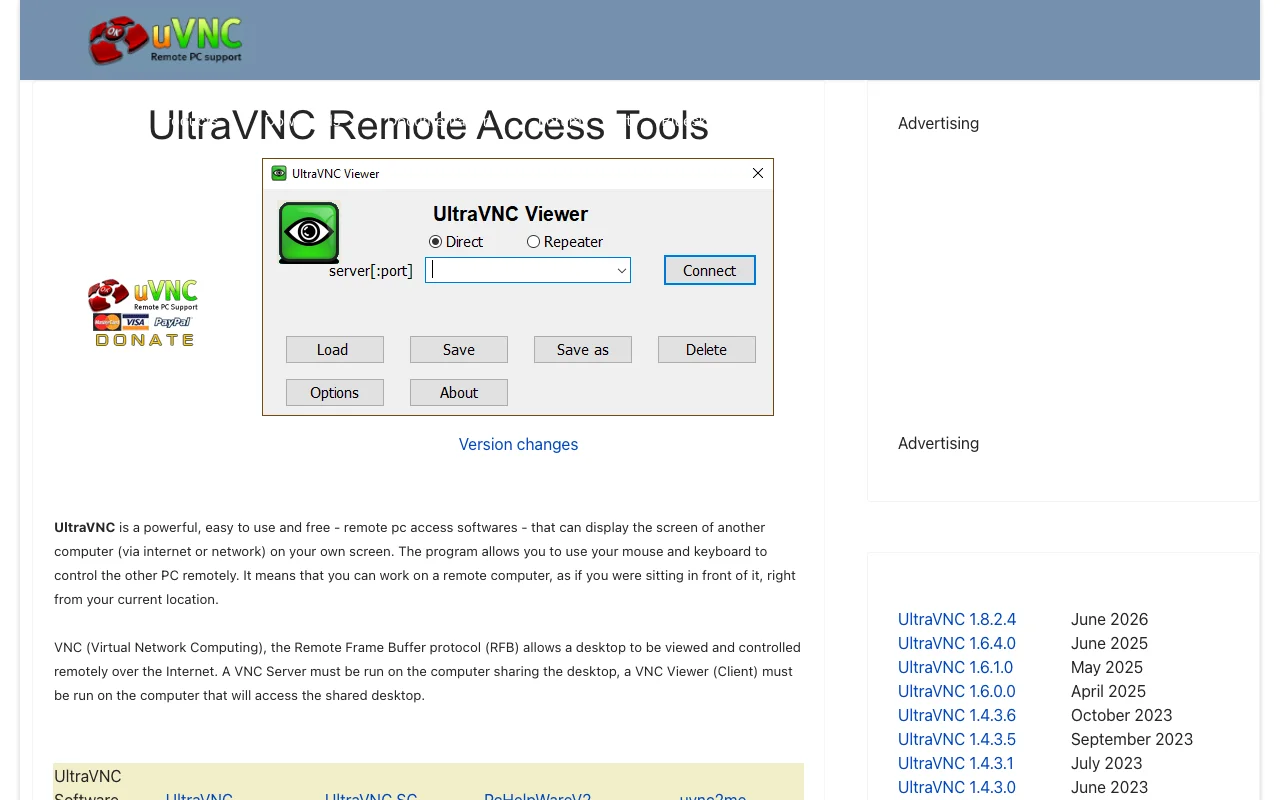
Setting up UltraVNC involves installing both the Server and Viewer components on the respective machines. The Server component is installed on the computer you wish to control, while the Viewer is installed on the computer from which you will access it. Ensure that both computers are on the same network or have appropriate network configurations for remote access.
Once installed, configure the Server with a secure password and note its IP address. Then, launch the Viewer on the remote computer, enter the IP address of the Server, and connect using the password. This straightforward process allows for quick establishment of remote control sessions.
Top Features of UltraVNC
- Remote Desktop Control: Access and manage desktops from afar.
- File Transfer: Securely move files between connected computers.
- Video Driver: Enhances display performance for remote sessions.
- Chat Functionality: Communicate with users on the remote machine.
- Server and Viewer Components: Provides both sides of the remote connection.
Who Benefits Most from UltraVNC
- IT professionals providing remote technical support.
- System administrators managing multiple networked computers.
- Users needing to access their work computer from home.
- Small businesses seeking cost-effective remote access solutions.
- Individuals requiring simple, reliable remote PC control.
- Students needing to access lab computers remotely.
UltraVNC Help and Support Resources
For assistance with UltraVNC, users can refer to the official website's documentation and community forums. These resources provide valuable information on setup, troubleshooting, and advanced usage. For direct inquiries, users can reach out via the community support channels available on the website.
Reviews0
Would you recommend UltraVNC? Leave a comment
No reviews yet. Be the first to share your experience!
Alternatives
The best modern alternatives to UltraVNC
RustDesk
5.0
Last update: 6 days ago
RustDesk is a free, open-source remote desktop application offering a secure and private alternative to solutions like TeamViewer and AnyDesk. It supports self-hosting for enhanced data control and provides seamless cross-platform compatibility for Windows, macOS, Linux, Android, and iOS devices.
View RustDeskTags:Open SourceWindowsmacOS
View RustDeskApache Guacamole
5.0
Apache Guacamole is a clientless remote desktop gateway that provides seamless access to VNC, RDP, and SSH connections through a web browser. Its HTML5-based client eliminates the need for plugins or separate software, making it incredibly convenient to access your machines from anywhere with an internet connection. This open-source solution is ideal for individuals and organizations seeking a fle
Open SourceWeb AppBrowser-Based
View Apache Guacamole
MeshCentral
5.0
MeshCentral is a powerful, open-source remote management solution that provides comprehensive web-based control over computers and devices. Whether deployed on-premises or in the cloud, it empowers IT professionals and individuals to manage their infrastructure securely from anywhere via a web browser. Its extensive feature set includes remote desktop access, file transfer, remote terminal, and ev
Open SourceDesktop AppWeb App
View MeshCentral
YouTube
5.0
YouTube is the world's largest video-sharing platform where users can upload, watch, and share videos. It offers diverse content from entertainment and education to music and live streaming, with tools for creators to build audiences and monetize content.
YouTubeFor CreatorsFree
View YouTube
Facebook
5.0
Facebook is the world's leading social networking platform that enables users to connect with friends, family, and communities. Create personalized profiles, share photos and videos, join groups, and stay updated with news and events.
Web AppMobile AppFree
View Facebook
New Tools Releases
Recently added tools
Glogg
5.0
glogg is a powerful, multi-platform GUI application for programmers and system administrators to efficiently browse and search through large log files. It combines the functionalities of grep and less with features like case-insensitive filtering and auto-reloading, streamlining log analysis and troubleshooting.
Open SourceDesktop AppDev Tools
View Glogg
VokoscreenNG
5.0
vokoscreenNG is a free and open-source screen recorder for Linux and Windows, offering full screen, area, or window capture with simultaneous multi-audio recording and built-in camera support. It supports various output formats like MKV, GIF, and MP4, making it a versatile tool for tutorials, presentations, and more.
Open Source
View VokoscreenNG
Koofr
5.0
Koofr offers secure, private European cloud storage with a focus on user privacy and GDPR compliance. It allows users to consolidate multiple cloud accounts into a single interface, providing seamless access across devices. Features include encryption, secure file sharing, and online collaboration.
Privacy-FocusedSecurity
View Koofr
Hedgewars
5.0
Hedgewars is a free, open-source, turn-based artillery game inspired by the Worms series. It features charming hedgehog characters, a diverse arsenal of weapons, and strategic gameplay suitable for single-player or multiplayer modes. Available on Linux, macOS, and BSD.
Open SourceLinuxmacOS
View Hedgewars
Hg.sr.ht
5.0
hg.sr.ht is a Mercurial repository hosting service integrated with the sourcehut platform. It provides a secure environment for developers to manage code, offering support for public, private, and unlisted repositories with fine-grained access control and integrated software release management.
Open SourceFor DevelopersDev Tools
View Hg.sr.ht
YunoHost
5.0
YunoHost simplifies self-hosting of digital services for individuals and small organizations. This open-source system allows easy installation and management of applications like websites, email servers, and wikis, ensuring users retain full control over their data and privacy. It promotes digital autonomy and a decentralized internet.
Open SourcePrivacy-FocusedMIT License
View YunoHost
Super Meat Boy Forever
5.0
Super Meat Boy Forever is a challenging and fast-paced platformer with an auto-runner mechanic, focusing on precise jumps and attacks. It offers hundreds of procedurally generated levels, a unique art style, and a quirky narrative, providing an addictive and rewarding experience for platforming enthusiasts.
Trial AvailableFor Creators
View Super Meat Boy Forever
Pencil2D Animation
5.0
Pencil2D Animation is a free and open-source 2D animation software designed for hand-drawn animation. It offers an intuitive and minimalist interface, supporting both raster and vector graphics. This cross-platform application is available on Windows, macOS, Linux, and FreeBSD, making it accessible to a wide range of users seeking a powerful yet simple solution for bringing their 2D animations to
Open SourceFreeDesktop App
View Pencil2D Animation