Synthesia
Category of Synthesia:
Tags:
Trial AvailableSubscription-BasedDesktop App
Description:
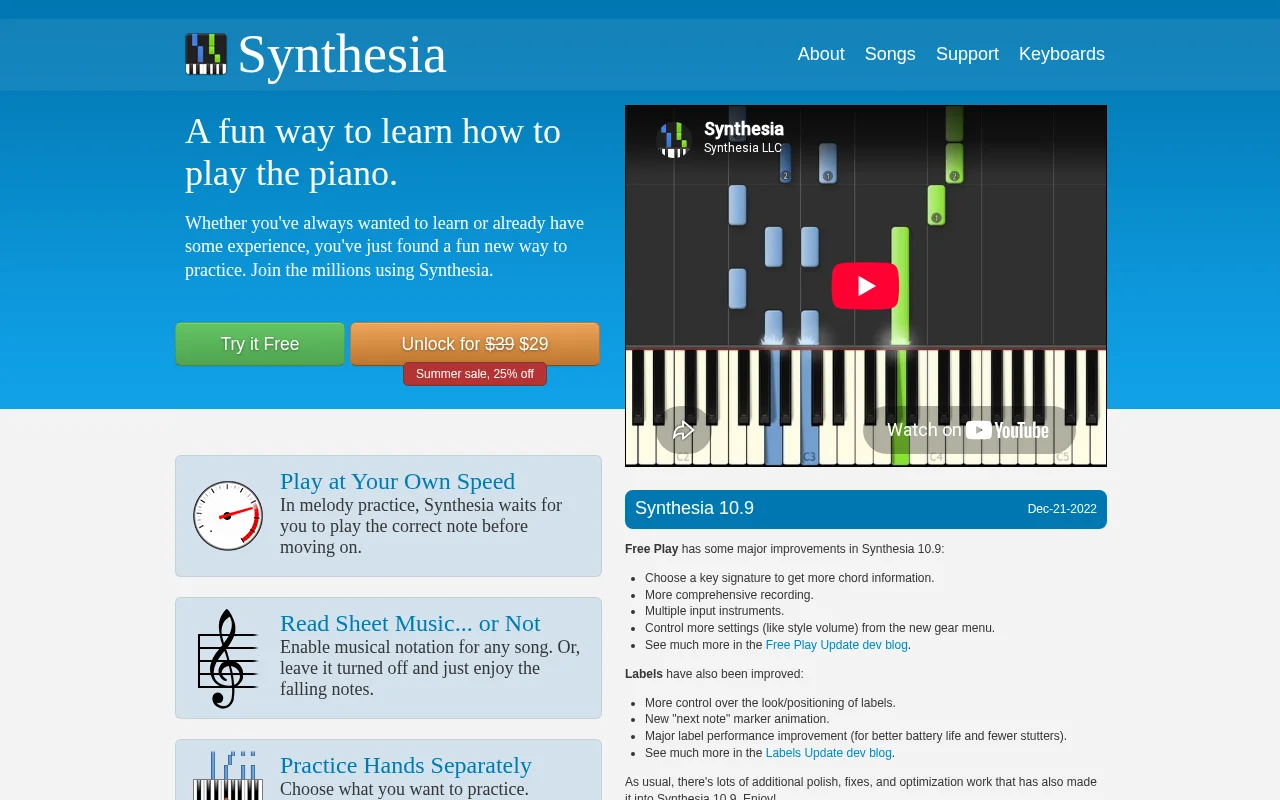
Synthesia is an interactive piano learning software for all levels, transforming practice into an engaging experience with features like adaptive lessons, melody practice that waits for correct notes, sheet music toggling, and separate hand practice. Millions trust Synthesia for its unlimited song library and progress tracking, making piano mastery accessible and enjoyable.
What Is Synthesia and How It Works
Synthesia is a user-friendly piano learning application that functions as a virtual tutor, simplifying the process of learning and practicing the piano. It presents music as falling notes on a piano roll, enabling users to follow along and play at their own pace. The software accommodates various learning preferences, whether you prefer traditional sheet music or visual cues.
At its core, Synthesia employs an interactive learning method that provides immediate feedback on your playing, helping you identify and correct mistakes swiftly. With features tailored to individual learning needs, such as practicing hands separately or adjusting playback speed, Synthesia offers a personalized and effective path to developing piano skills and enjoying music.
How to Get Started with Synthesia
Starting with Synthesia is simple. You can download the software and explore its features through a free trial. To unlock the full potential, including all features and an unlimited song library, a license purchase is required.
The software is compatible with MIDI keyboards, ensuring a dynamic and responsive learning experience. Connect your MIDI keyboard, select a song from the extensive library or import your own MIDI files, and let Synthesia guide you with its intuitive interface and engaging visual feedback.
Key Features and Capabilities of Synthesia
- Melody Practice: Waits for correct notes, ensuring accuracy before advancing.
- Sheet Music Display: Option to enable or disable musical notation.
- Hands Separation: Practice each hand independently for focused learning.
- Unlimited Song Library: Play included songs, store purchases, or MIDI files.
- Progress Tracking: Monitor performance with immediate and long-term feedback.
- Finger Number Hints: Assists with proper finger placement for optimal technique.
- Lighted Keyboard Support: Visual cues on compatible keyboards for easier note following.
Who Should Use Synthesia
- Aspiring pianists of all ages and skill levels.
- Individuals seeking a fun and engaging way to learn piano.
- Music students looking for supplementary practice tools.
- Anyone wanting to play their favorite songs on the piano.
- Musicians who want to improve their sight-reading skills.
- Hobbyists looking for a flexible and accessible piano learning experience.
Synthesia Support and Contact Information
For assistance, visit the Synthesia website for support resources and FAQs. Community forums are also available for users to share tips and help each other. For specific inquiries, please refer to the contact options on their official website.
Reviews0
Would you recommend Synthesia? Leave a comment
No reviews yet. Be the first to share your experience!
Alternatives
The best modern alternatives to Synthesia
SPlayer
5.0
Last update: 1 days ago
SPlayer is a lightweight, open-source media player designed primarily for Chinese users, offering a secure and efficient video playback experience without the need for plugins. It boasts advanced hardware acceleration for smooth HD content playback, intelligent subtitle matching for enhanced viewing, and a compact 5MB footprint. The player also includes features like ad blocking and trace cleaning
View SPlayerTags:Open SourceDesktop AppLightweight
View SPlayerJetAudio
5.0
JetAudio is a versatile media player by COWON, offering comprehensive audio and video playback for PC and mobile devices. It supports numerous formats and provides advanced features like equalization and playlist management. The Plus version is now free, making premium features accessible to all users seeking a powerful and customizable media player.
WindowsMobile AppDesktop App
View JetAudio
Audacious
5.0
Audacious is a free, open-source audio player known for its efficiency and flexibility. As a descendant of XMMS, it offers a lightweight yet powerful music management and playback experience. It supports a wide range of audio formats, advanced playback controls including a graphical equalizer and effects, customizable interfaces with themes and skins, and extensive plugin support. Audacious is com
Open SourceDesktop AppWindows
View Audacious
Strawberry Music Player
5.0
Strawberry Music Player is a powerful, cross-platform music player and organizer for audiophiles and music collectors. It offers seamless playback and management of digital music libraries, internet radio streaming, extensive format support, advanced audio output options for bit-perfect playback, and robust tag editing capabilities. Integrates with MusicBrainz and Last.fm for rich metadata and alb
Open SourceDesktop AppLinux
View Strawberry Music Player
Pianobooster
5.0
Pianobooster is a free, open-source piano learning software that acts as an interactive tutor. It supports MIDI input and sheet music reading, making it suitable for beginners and intermediate players to practice and improve their musical skills.
Open SourceDesktop AppFor Students
View Pianobooster
New Tools Releases
Recently added tools
Quiver
5.0
Quiver is a modern, user-friendly editor designed for creating commutative diagrams. It offers robust support for the popular tikz-cd package, making it an ideal tool for mathematicians, researchers, and students who need to visualize complex relationships and structures. The intuitive interface allows for efficient diagram construction, enabling users to focus on their mathematical content rather
Open SourceWeb AppWeb
View Quiver
Retro Game Trivia
5.0
Retro Game Trivia is a free, daily browser game for retro video game enthusiasts. Players guess classic video games using various methods, including letter reveals, textual clues, iconic screenshots, and box art. This engaging Wordle-style game provides a fun way to test and expand your knowledge of gaming history. With multiple game modes and an archive of past challenges, it caters to both casua
Browser-BasedFreeEarly Access
View Retro Game Trivia
Iron Marines
5.0
Iron Marines is a real-time strategy game blending action and tower defense. Players command heroes and units across a sci-fi universe to battle alien invaders. Available on mobile (iOS, Android) and PC (Steam), it offers engaging campaigns and tactical gameplay.
Gaming ToolsFor CreatorsMobile App
View Iron Marines
BiblioReads
5.0
BiblioReads is a free and open-source front-end for Goodreads, prioritizing user privacy. It allows users to search for book information directly from the Goodreads database without the privacy concerns associated with the official platform. Ideal for readers who want a clean, private way to track their reading, manage lists, and discover book details.
Open SourceFreePrivacy-Focused
View BiblioReads
IVentoy
5.0
iVentoy is a powerful and user-friendly network boot solution that transforms any computer into a PXE/HTTPBoot server. It allows for simultaneous operating system installation and booting across multiple machines without complex configuration. Supporting a wide range of operating systems and UEFI modes, including Secure Boot, iVentoy is ideal for IT professionals, system administrators, and anyone
Open SourceWindowsLinux
View IVentoy
PocketBase
5.0
PocketBase is an open-source backend solution that simplifies application development by bundling a real-time database, authentication services, file storage, and an integrated admin dashboard into a single, self-contained file. This all-in-one approach is ideal for developers seeking a lightweight yet powerful backend for rapid prototyping, small to medium-sized applications, and projects where m
Open SourceLinuxDev Tools
View PocketBase
OpenRCT2
5.0
OpenRCT2 is a community-driven, open-source re-implementation of RollerCoaster Tycoon 2, enhancing the classic game with bug fixes, improved performance, and new features. It offers modern gameplay enhancements, extensive customization, and robust multiplayer support, making it ideal for fans seeking a more stable and feature-rich theme park simulation experience. This free project is actively dev
Open SourcemacOSLinux
View OpenRCT2
MagicHow
5.0
MagicHow is an AI-powered SaaS platform that automates the creation of step-by-step guides, SOPs, and training manuals. It captures processes visually and uses AI to refine content, making documentation creation efficient and accessible for teams aiming to standardize operations and knowledge management.
View MagicHow