SpotTransfer
Category of SpotTransfer:
Tags:
Open SourceBrowser-BasedFree
Description:
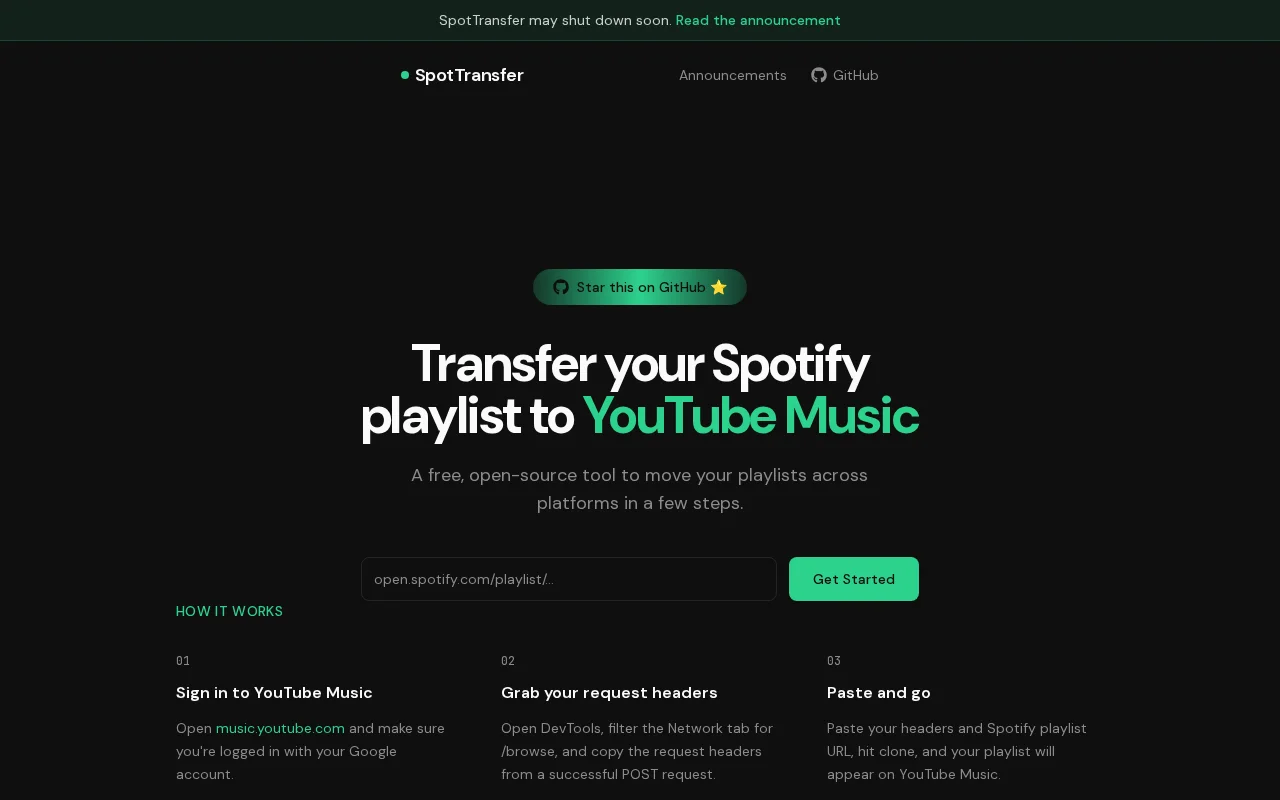
SpotTransfer is a free, open-source tool designed to seamlessly transfer your Spotify playlists to YouTube Music. It operates entirely within your web browser, eliminating the need for downloads or installations. This user-friendly platform allows you to migrate your entire music library quickly and efficiently, ensuring you can enjoy your favorite music on your preferred streaming service without
Last update:
18 September, 2026Website:
spot-transfer.vercel.appContact email:
notfound@spottransfer.comWhat is SpotTransfer and How Does It Work?
SpotTransfer is a free, open-source web application that facilitates the transfer of Spotify playlists to YouTube Music. It operates directly within your browser, offering a convenient and accessible solution for users looking to migrate their music libraries. The tool works by connecting to your Spotify account to access playlist data and then uses YouTube Music's API to recreate those playlists on the new platform. This process is designed to be fast and straightforward, requiring no software installation.
The primary value of SpotTransfer lies in its simplicity and cost-effectiveness. By leveraging existing platform APIs, it provides a reliable method for users to move their curated music collections without manual effort. It serves music listeners who are transitioning from Spotify to YouTube Music or who wish to maintain parallel playlists across both services. The open-source nature also ensures transparency and community-driven development.
How to Get Started with SpotTransfer
Getting started with SpotTransfer is a simple process. First, navigate to the SpotTransfer website using your preferred web browser. You will be prompted to log in to your Spotify account to grant the tool permission to access your playlists. Once authorized, you can select the playlists you wish to transfer and initiate the process. The tool will then guide you through connecting to your YouTube Music account to create the playlists there.
The entire transfer is managed within the browser interface, providing real-time feedback on the progress. After the process is complete, you can verify your newly created playlists in your YouTube Music account. The tool is designed for ease of use, making the transition between music streaming services as smooth as possible for all users.
Key Features and Capabilities of SpotTransfer
- Spotify Playlist Transfer: Move your entire Spotify playlists to YouTube Music effortlessly.
- Browser-Based Operation: No downloads or installations required; works directly in your web browser.
- Free and Open Source: Completely free to use with transparent, community-driven development.
- Fast and Efficient: Quickly migrates your music library with minimal waiting time.
- User-Friendly Interface: Simple and intuitive design for easy navigation and operation.
Who Should Use SpotTransfer?
- Music enthusiasts transitioning from Spotify to YouTube Music.
- Users who want to maintain synchronized playlists across different platforms.
- Individuals seeking a free and simple solution for playlist migration.
- Anyone looking for a quick way to backup or move their music collection.
- Users who prefer browser-based tools over downloadable software.
- Those who appreciate open-source solutions for their transparency and accessibility.
SpotTransfer Support and Contact Information
SpotTransfer is provided as a free, open-source tool. While there is no dedicated customer support team, users can often find community support through the project's repository or forums if available. For direct inquiries, you may refer to the project's website for any listed contact information or community channels. The tool is developed and maintained by its community of contributors.
Reviews0
Would you recommend SpotTransfer? Leave a comment
No reviews yet. Be the first to share your experience!
Alternatives
The best modern alternatives to SpotTransfer
Wick Editor
5.0
Last update: 1 days ago
The Wick Editor is a free, open-source, browser-based platform for creating motion graphics and interactive animations. It empowers users of all skill levels to design and develop directly within their web browser, eliminating the need for any software installation. With vector drawing tools, an animation timeline, and JavaScript scripting, it's ideal for animated videos, presentations, simple gam
View Wick EditorTags:Open SourceFreeBrowser-Based
View Wick EditorSMPlayer
5.0
SMPlayer is a free, open-source media player for Windows and Linux that supports virtually all audio and video formats thanks to its built-in codecs. It remembers playback settings for each file, allowing you to resume movies exactly where you left off. Features include YouTube playback, subtitle downloading, customizable skins, and advanced options like video filters and playback speed control.
Open SourceWindowsLinux
View SMPlayer
OSMC
5.0
OSMC (Open Source Media Center) is a free and open-source media center software that transforms any computer into a powerful home theater PC. Built upon the Kodi Media Center, OSMC provides a streamlined and user-friendly interface for accessing and organizing your entire digital media library, including movies, TV shows, music, and photos. It offers deep customization possibilities and an extensi
Open SourceFree
View OSMC
SPlayer
5.0
SPlayer is a lightweight, open-source media player designed primarily for Chinese users, offering a secure and efficient video playback experience without the need for plugins. It boasts advanced hardware acceleration for smooth HD content playback, intelligent subtitle matching for enhanced viewing, and a compact 5MB footprint. The player also includes features like ad blocking and trace cleaning
Open SourceDesktop AppLightweight
View SPlayer
Audacious
5.0
Audacious is a free, open-source audio player known for its efficiency and flexibility. As a descendant of XMMS, it offers a lightweight yet powerful music management and playback experience. It supports a wide range of audio formats, advanced playback controls including a graphical equalizer and effects, customizable interfaces with themes and skins, and extensive plugin support. Audacious is com
Open SourceDesktop AppWindows
View Audacious
New Tools Releases
Recently added tools
BiblioReads
5.0
BiblioReads is a free and open-source front-end for Goodreads, prioritizing user privacy. It allows users to search for book information directly from the Goodreads database without the privacy concerns associated with the official platform. Ideal for readers who want a clean, private way to track their reading, manage lists, and discover book details.
Open SourceFreePrivacy-Focused
View BiblioReads
IVentoy
5.0
iVentoy is a powerful and user-friendly network boot solution that transforms any computer into a PXE/HTTPBoot server. It allows for simultaneous operating system installation and booting across multiple machines without complex configuration. Supporting a wide range of operating systems and UEFI modes, including Secure Boot, iVentoy is ideal for IT professionals, system administrators, and anyone
Open SourceWindowsLinux
View IVentoy
PocketBase
5.0
PocketBase is an open-source backend solution that simplifies application development by bundling a real-time database, authentication services, file storage, and an integrated admin dashboard into a single, self-contained file. This all-in-one approach is ideal for developers seeking a lightweight yet powerful backend for rapid prototyping, small to medium-sized applications, and projects where m
Open SourceLinuxDev Tools
View PocketBase
OpenRCT2
5.0
OpenRCT2 is a community-driven, open-source re-implementation of RollerCoaster Tycoon 2, enhancing the classic game with bug fixes, improved performance, and new features. It offers modern gameplay enhancements, extensive customization, and robust multiplayer support, making it ideal for fans seeking a more stable and feature-rich theme park simulation experience. This free project is actively dev
Open SourcemacOSLinux
View OpenRCT2
MagicHow
5.0
MagicHow is an AI-powered SaaS platform that automates the creation of step-by-step guides, SOPs, and training manuals. It captures processes visually and uses AI to refine content, making documentation creation efficient and accessible for teams aiming to standardize operations and knowledge management.
View MagicHow
Neon White
5.0
Neon White is a high-octane first-person shooter that throws players into a celestial battle against demons. Players navigate fast-paced levels, utilizing a unique card-based combat and movement system to achieve the fastest times. The game challenges players to master card combinations for massive shortcuts, uncover the mysteries of Heaven by interacting with other assassins, and compete for a ch
GamingBrowser-BasedMobile App
View Neon White
Xreveal
5.0
Xreveal is a Windows application that automatically and transparently removes restrictions from DVD and Blu-ray media, including region codes. It enables seamless read access to disc content and can also back up discs to ISO or folder formats. Designed for users who want to bypass copy protection and region codes effortlessly, Xreveal operates in the background, making your physical media library
View Xreveal
LBRY
5.0
LBRY is a decentralized content sharing and publishing platform that empowers creators and users by offering an open, free, and fair alternative to traditional media distribution. It functions similarly to how Bitcoin revolutionized digital currency, providing a censorship-resistant network for digital content. Users can access content through various applications like the LBRY Desktop client or t
Open SourceFor CreatorsWeb3
View LBRY