
Pulsar Edit
Category of Pulsar Edit:
Tags:
Open SourceDesktop AppFor Developers
Description:
Pulsar Edit is a community-driven, open-source text editor that serves as a spiritual successor to the Atom editor. It offers a powerful and flexible environment for developers and writers alike, combining hackability with a user-friendly interface. Pulsar Edit runs seamlessly across macOS, Windows, and Linux, ensuring a consistent experience regardless of your operating system. Its built-in packa
Pulsar Edit: A Community-Driven, Hackable Text Editor
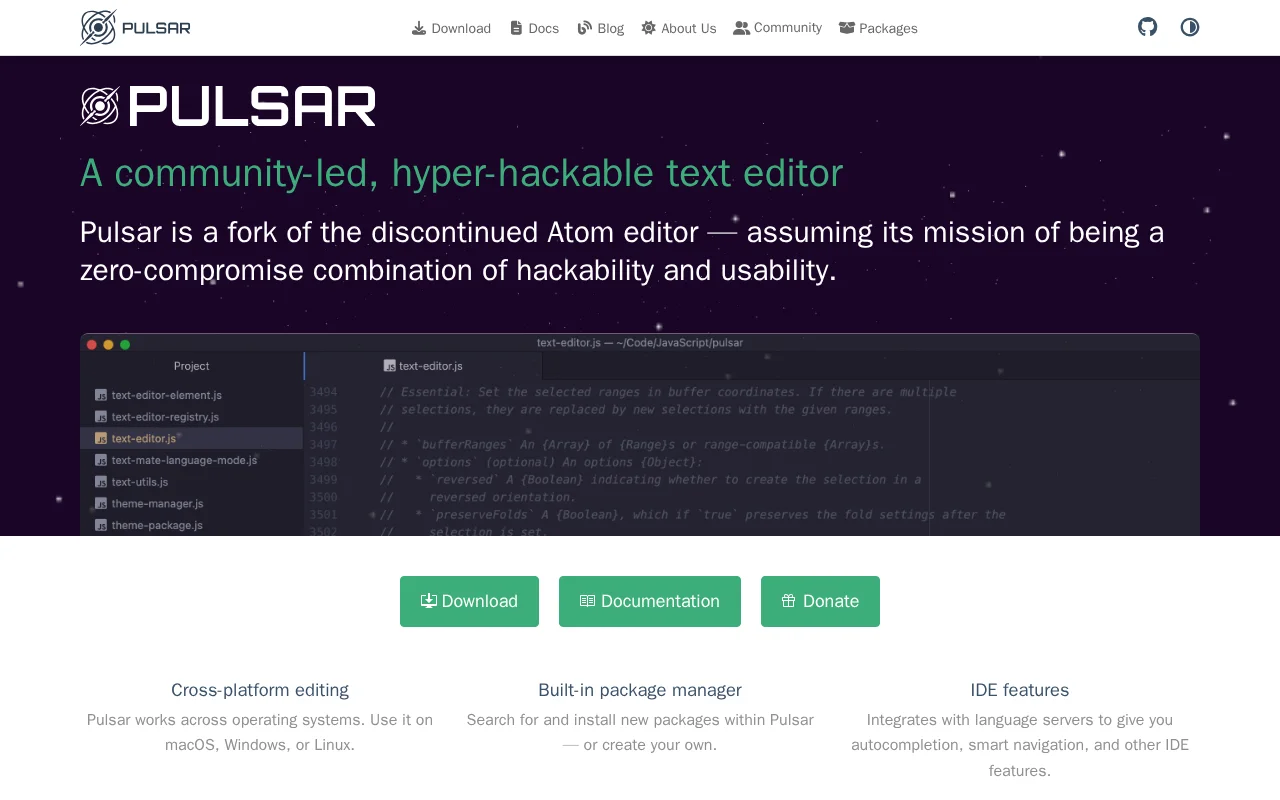
Pulsar Edit is a community-led, hyper-hackable text editor designed to provide a zero-compromise experience for developers. As a fork of the discontinued Atom editor, it carries forward the mission of combining deep customization with powerful usability. Available on macOS, Windows, and Linux, Pulsar Edit ensures cross-platform compatibility for a consistent development environment. Its architecture, built on web technologies, allows for extensive customization through JavaScript and CSS, enabling users to tailor the editor to their specific needs and preferences.
The editor excels in providing a rich set of features that enhance developer productivity. This includes a built-in package manager for easy extension management, advanced IDE features like autocompletion and language server integration, and a filesystem browser for efficient project navigation. The ability to split the interface into multiple panes facilitates side-by-side code comparison and editing. Furthermore, Pulsar Edit integrates seamlessly with Git, allowing for common version control operations directly within the editor, including branch switching, staging, and conflict resolution. Sophisticated editing techniques, such as multiple cursors and snippets, further streamline the coding process.
Getting Started with Pulsar Edit
Getting started with Pulsar Edit involves downloading and installing the application on your preferred operating system. Once launched, users are presented with a clean interface that includes a project explorer on the side, a central editing area, and a command palette for quick access to functions. You can open files or entire projects through the file menu or by dragging and dropping them into the editor. To extend its functionality, navigate to the built-in package manager to search for and install community-created packages, or develop and integrate your own custom packages by leveraging Pulsar's API and web technologies. For version control, the integrated Git features allow you to commit, push, pull, and manage branches without leaving the editor.
Key Features of Pulsar Edit
- Cross-Platform Compatibility: Use Pulsar Edit on macOS, Windows, and Linux.
- Built-in Package Manager: Install, manage, or create extensions easily.
- IDE Features: Autocompletion, smart navigation via language servers.
- Multiple Panes: Split the editor for side-by-side code comparison.
- Git Integration: Manage branches, commits, and conflicts directly.
Best Use Cases for Pulsar Edit
- Developers seeking a customizable and hackable code editor.
- Users migrating from Atom looking for a familiar alternative.
- Programmers who prefer a text editor with integrated IDE features.
- Open-source enthusiasts who value community-driven projects.
- Individuals looking for a free, powerful, cross-platform solution.
- Users who want to deeply customize their development environment.
Pulsar Edit Support and Community
For support and community assistance, Pulsar Edit encourages users to engage through its GitHub Discussions, Discord server, or Reddit community. You can also find extensive documentation on the official Pulsar Edit website to help you get started and troubleshoot issues.
Reviews0
Would you recommend Pulsar Edit? Leave a comment
No reviews yet. Be the first to share your experience!
Alternatives
The best modern alternatives to Pulsar Edit
Neovim
5.0
Last update: 5 hours ago
Neovim is a modern, highly extensible fork of the Vim text editor, offering a powerful and user-friendly editing experience. It features a first-class API, built-in LSP client for code intelligence, and a client-server architecture for flexible session management. Neovim is fully compatible with Vim's editing model and Vimscript, making it an enhanced option for developers and power users seeking
View NeovimTags:Open SourceMIT LicenseFor Developers
View NeovimTortoiseSVN
5.0
TortoiseSVN is an intuitive and user-friendly Apache Subversion (SVN) client designed as a Windows shell extension. It eliminates the need for command-line interaction, making version control accessible to a wider audience. Free for both personal and commercial use, TortoiseSVN offers a seamless and efficient way to manage code repositories directly within the Windows File Explorer. Its graphical
WindowsOpen SourcePaid
View TortoiseSVN
Brackets
5.0
Brackets is a free, open-source code editor for web development, featuring live preview and inline editors. It has evolved into Phoenix Code, offering enhanced cross-platform compatibility and features.
Open SourceFreeDesktop App
View Brackets
Texmaker
5.0
Texmaker is a free, cross-platform LaTeX editor for Linux, macOS, and Windows, offering a comprehensive suite of tools for efficient document development. It features Unicode support, spell checking, code completion, code folding, and an integrated PDF viewer with Synctex support. Wizards and quick build commands simplify LaTeX document creation for users of all levels.
Open SourceWindows
View Texmaker
ProcessWire
5.0
ProcessWire is a free, open-source Content Management System (CMS) and framework (CMF) that prioritizes developer flexibility and user-friendliness. Built with a powerful and clean API, it allows for the creation of highly customized websites and applications with ease. Its custom field system provides granular control over content structure, while its scalable architecture ensures smooth performa
Open SourceMIT LicenseFor Developers
View ProcessWire
New Tools Releases
Recently added tools
Glogg
5.0
glogg is a powerful, multi-platform GUI application for programmers and system administrators to efficiently browse and search through large log files. It combines the functionalities of grep and less with features like case-insensitive filtering and auto-reloading, streamlining log analysis and troubleshooting.
Open SourceDesktop AppDev Tools
View Glogg
VokoscreenNG
5.0
vokoscreenNG is a free and open-source screen recorder for Linux and Windows, offering full screen, area, or window capture with simultaneous multi-audio recording and built-in camera support. It supports various output formats like MKV, GIF, and MP4, making it a versatile tool for tutorials, presentations, and more.
Open Source
View VokoscreenNG
Koofr
5.0
Koofr offers secure, private European cloud storage with a focus on user privacy and GDPR compliance. It allows users to consolidate multiple cloud accounts into a single interface, providing seamless access across devices. Features include encryption, secure file sharing, and online collaboration.
Privacy-FocusedSecurity
View Koofr
Hedgewars
5.0
Hedgewars is a free, open-source, turn-based artillery game inspired by the Worms series. It features charming hedgehog characters, a diverse arsenal of weapons, and strategic gameplay suitable for single-player or multiplayer modes. Available on Linux, macOS, and BSD.
Open SourceLinuxmacOS
View Hedgewars
Hg.sr.ht
5.0
hg.sr.ht is a Mercurial repository hosting service integrated with the sourcehut platform. It provides a secure environment for developers to manage code, offering support for public, private, and unlisted repositories with fine-grained access control and integrated software release management.
Open SourceFor DevelopersDev Tools
View Hg.sr.ht
YunoHost
5.0
YunoHost simplifies self-hosting of digital services for individuals and small organizations. This open-source system allows easy installation and management of applications like websites, email servers, and wikis, ensuring users retain full control over their data and privacy. It promotes digital autonomy and a decentralized internet.
Open SourcePrivacy-FocusedMIT License
View YunoHost
Super Meat Boy Forever
5.0
Super Meat Boy Forever is a challenging and fast-paced platformer with an auto-runner mechanic, focusing on precise jumps and attacks. It offers hundreds of procedurally generated levels, a unique art style, and a quirky narrative, providing an addictive and rewarding experience for platforming enthusiasts.
Trial AvailableFor Creators
View Super Meat Boy Forever
Pencil2D Animation
5.0
Pencil2D Animation is a free and open-source 2D animation software designed for hand-drawn animation. It offers an intuitive and minimalist interface, supporting both raster and vector graphics. This cross-platform application is available on Windows, macOS, Linux, and FreeBSD, making it accessible to a wide range of users seeking a powerful yet simple solution for bringing their 2D animations to
Open SourceFreeDesktop App
View Pencil2D Animation