
Pulsar Edit
Category of Pulsar Edit:
Tags:
Open SourceDesktop AppFor Developers
Description:
Pulsar Edit is a community-driven, open-source text editor that serves as a spiritual successor to the Atom editor. It offers a powerful and flexible environment for developers and writers alike, combining hackability with a user-friendly interface. Pulsar Edit runs seamlessly across macOS, Windows, and Linux, ensuring a consistent experience regardless of your operating system. Its built-in packa
Pulsar Edit: A Community-Driven, Hackable Text Editor
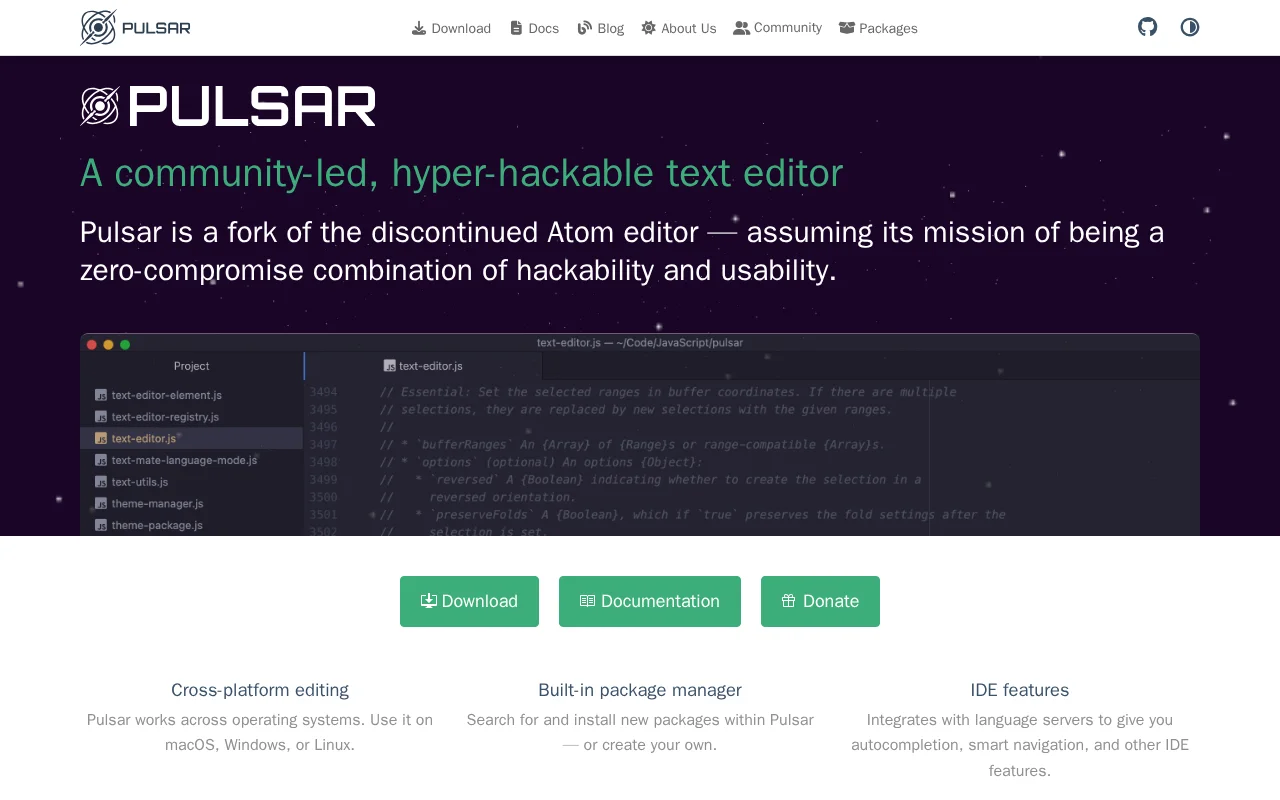
Pulsar Edit is a community-led, hyper-hackable text editor designed to provide a zero-compromise experience for developers. As a fork of the discontinued Atom editor, it carries forward the mission of combining deep customization with powerful usability. Available on macOS, Windows, and Linux, Pulsar Edit ensures cross-platform compatibility for a consistent development environment. Its architecture, built on web technologies, allows for extensive customization through JavaScript and CSS, enabling users to tailor the editor to their specific needs and preferences.
The editor excels in providing a rich set of features that enhance developer productivity. This includes a built-in package manager for easy extension management, advanced IDE features like autocompletion and language server integration, and a filesystem browser for efficient project navigation. The ability to split the interface into multiple panes facilitates side-by-side code comparison and editing. Furthermore, Pulsar Edit integrates seamlessly with Git, allowing for common version control operations directly within the editor, including branch switching, staging, and conflict resolution. Sophisticated editing techniques, such as multiple cursors and snippets, further streamline the coding process.
Getting Started with Pulsar Edit
Getting started with Pulsar Edit involves downloading and installing the application on your preferred operating system. Once launched, users are presented with a clean interface that includes a project explorer on the side, a central editing area, and a command palette for quick access to functions. You can open files or entire projects through the file menu or by dragging and dropping them into the editor. To extend its functionality, navigate to the built-in package manager to search for and install community-created packages, or develop and integrate your own custom packages by leveraging Pulsar's API and web technologies. For version control, the integrated Git features allow you to commit, push, pull, and manage branches without leaving the editor.
Key Features of Pulsar Edit
- Cross-Platform Compatibility: Use Pulsar Edit on macOS, Windows, and Linux.
- Built-in Package Manager: Install, manage, or create extensions easily.
- IDE Features: Autocompletion, smart navigation via language servers.
- Multiple Panes: Split the editor for side-by-side code comparison.
- Git Integration: Manage branches, commits, and conflicts directly.
Best Use Cases for Pulsar Edit
- Developers seeking a customizable and hackable code editor.
- Users migrating from Atom looking for a familiar alternative.
- Programmers who prefer a text editor with integrated IDE features.
- Open-source enthusiasts who value community-driven projects.
- Individuals looking for a free, powerful, cross-platform solution.
- Users who want to deeply customize their development environment.
Pulsar Edit Support and Community
For support and community assistance, Pulsar Edit encourages users to engage through its GitHub Discussions, Discord server, or Reddit community. You can also find extensive documentation on the official Pulsar Edit website to help you get started and troubleshoot issues.
Reviews0
Would you recommend Pulsar Edit? Leave a comment
No reviews yet. Be the first to share your experience!
Alternatives
The best modern alternatives to Pulsar Edit
Neovim
5.0
Last update: 23 hours ago
Neovim is a modern, highly extensible fork of the Vim text editor, offering a powerful and user-friendly editing experience. It features a first-class API, built-in LSP client for code intelligence, and a client-server architecture for flexible session management. Neovim is fully compatible with Vim's editing model and Vimscript, making it an enhanced option for developers and power users seeking
View NeovimTags:Open SourceMIT LicenseFor Developers
View NeovimTortoiseSVN
5.0
TortoiseSVN is an intuitive and user-friendly Apache Subversion (SVN) client designed as a Windows shell extension. It eliminates the need for command-line interaction, making version control accessible to a wider audience. Free for both personal and commercial use, TortoiseSVN offers a seamless and efficient way to manage code repositories directly within the Windows File Explorer. Its graphical
WindowsOpen SourcePaid
View TortoiseSVN
Brackets
5.0
Brackets is a free, open-source code editor for web development, featuring live preview and inline editors. It has evolved into Phoenix Code, offering enhanced cross-platform compatibility and features.
Open SourceFreeDesktop App
View Brackets
Texmaker
5.0
Texmaker is a free, cross-platform LaTeX editor for Linux, macOS, and Windows, offering a comprehensive suite of tools for efficient document development. It features Unicode support, spell checking, code completion, code folding, and an integrated PDF viewer with Synctex support. Wizards and quick build commands simplify LaTeX document creation for users of all levels.
Open SourceWindows
View Texmaker
ProcessWire
5.0
ProcessWire is a free, open-source Content Management System (CMS) and framework (CMF) that prioritizes developer flexibility and user-friendliness. Built with a powerful and clean API, it allows for the creation of highly customized websites and applications with ease. Its custom field system provides granular control over content structure, while its scalable architecture ensures smooth performa
Open SourceMIT LicenseFor Developers
View ProcessWire
New Tools Releases
Recently added tools
Collectorz.com
5.0
Collectorz.com is a robust software solution for music enthusiasts to meticulously catalog and manage their entire music collection, including CDs, vinyl records, and digital albums. It simplifies adding items via barcode scanning or online database searches, ensuring accurate details are captured. Users can personalize their catalog with notes, ratings, and tags, and utilize features like a loan
Trial AvailableSubscription-Based
View Collectorz.com
FUTO Keyboard
5.0
FUTO Keyboard is a privacy-first mobile keyboard designed for complete offline functionality. It offers essential features like swipe typing, autocorrect, and predictive text without requiring an internet connection, ensuring your data remains private and secure. Ideal for users who prioritize data security and wish to avoid online data transmission, FUTO Keyboard provides a reliable and user-frie
Open SourceMobile AppPrivacy-Focused
View FUTO Keyboard
Amethyst
5.0
Amethyst is a powerful tiling window manager designed exclusively for macOS, offering users a highly efficient and customizable way to organize their application windows. Inspired by the principles of xmonad, it allows users to maximize productivity by automatically arranging windows into non-overlapping tiles, eliminating the need for manual resizing and repositioning. This tool is ideal for powe
macOSOpen SourcemacOS
View Amethyst
Maker 3D
5.0
Maker 3D is a comprehensive 3D modeling software for beginners and professionals. It offers an intuitive interface, advanced tools for creation, editing, and rendering, plus robust animation capabilities. Ideal for diverse creative projects, it ensures cross-platform compatibility and flexible pricing.
3D ModelingFor Designers
View Maker 3D
Windowsill
5.0
Windowsill is a streamlined digital notebook designed for efficiently capturing, organizing, and retrieving your thoughts, ideas, and notes. Its intuitive interface allows for quick idea capture, while robust tagging and search functionalities ensure that your information is always accessible. Perfect for students, professionals, and anyone looking to enhance personal knowledge management, Windows
Note-TakingProductivity
View Windowsill
Hello History
5.0
Hello History is an AI-powered application that allows users to engage in life-like conversations with historical figures like Cleopatra, Einstein, and Buddha. It offers a unique and immersive educational experience for students, educators, and history enthusiasts.
For StudentsFor TeachersContent Generation
View Hello History
TheFor
5.0
TheFor is a comprehensive routine and habit tracker designed to inspire users with thousands of routines from creators worldwide. It offers a powerful yet minimalistic interface, making habit management effortless. Key features include curated collections of routines, home screen widgets for easy tracking, and a visually appealing, calming aesthetic. Ideal for individuals seeking to build consiste
View TheFor
XChat
5.0
XChat is a versatile and user-friendly IRC chat client designed for both Linux and Windows operating systems. It empowers users to connect with multiple IRC channels simultaneously, engage in public and private conversations, and even facilitate file transfers. Its intuitive interface and reliable performance make it a top choice for seamless IRC interaction across different platforms.
Open SourceWindowsLinux
View XChat