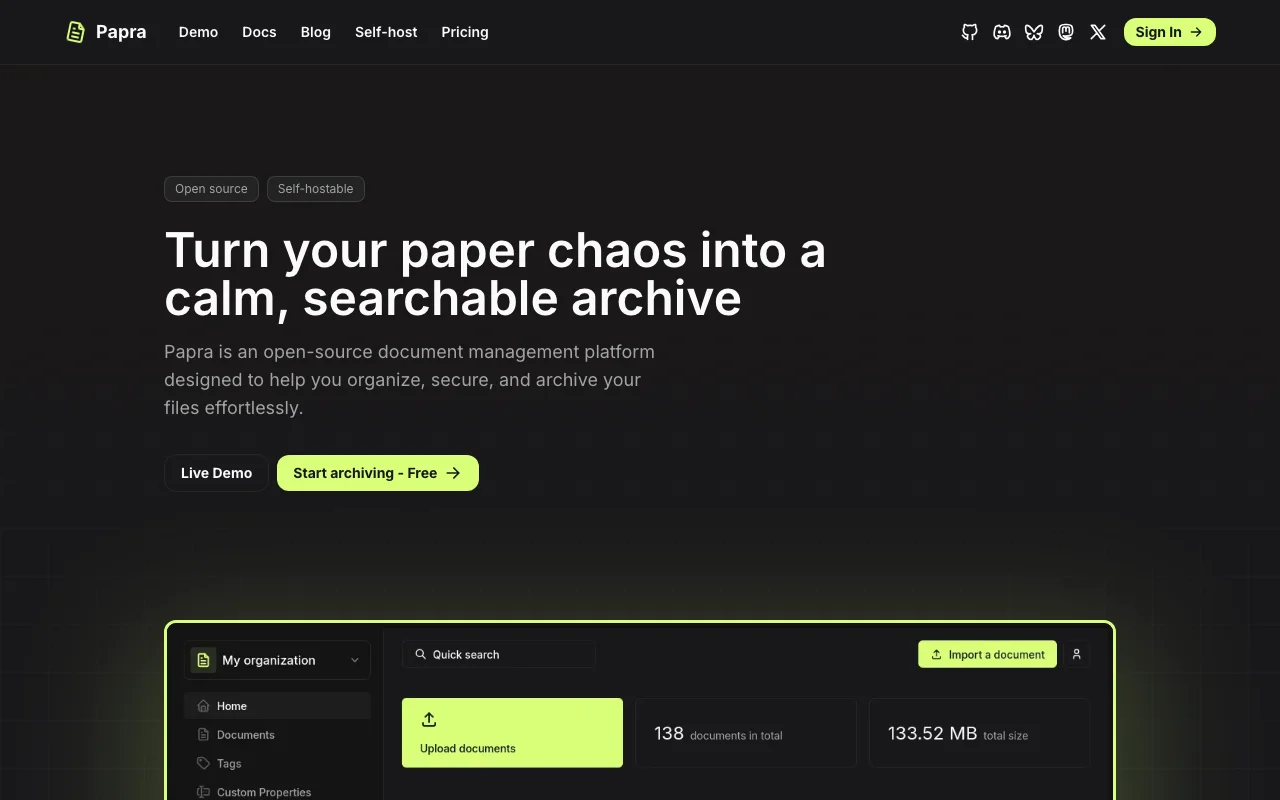
Papra.app
Category of Papra.app:
Tags:
Description:
papra.app is the ultimate solution for effortless documentation creation and management. Designed for teams and individuals, it streamlines the entire documentation lifecycle, from initial drafting to final publishing. Its intuitive interface and robust features make it easy to build comprehensive user guides, API documentation, and internal knowledge bases. papra.app stands out by offering a seam
Introduction to papra.app and Its Documentation Solution
papra.app is a powerful yet user-friendly platform designed to simplify the creation and management of all types of documentation. It provides a centralized hub for teams to collaborate on user guides, technical manuals, API references, and internal knowledge bases. By offering an intuitive interface and streamlined workflows, papra.app ensures that documentation is created efficiently and stays consistently updated, fostering better communication and knowledge sharing within organizations.
The primary benefit of papra.app lies in its ability to reduce the complexity often associated with documentation processes. It empowers users to focus on content quality rather than struggling with cumbersome tools. This leads to more accurate, accessible, and engaging documentation that supports users and internal teams effectively. Its collaborative features ensure that multiple contributors can work together seamlessly, making it an ideal solution for projects of any scale.
Getting Started with papra.app: Quick Setup Guide
To begin using papra.app, simply visit their website and sign up for an account. The platform is designed for immediate use, allowing you to start creating your first document within minutes. Navigate through the user-friendly dashboard to initiate a new project, choose a template, or import existing content. The guided setup process ensures that even beginners can quickly grasp the core functionalities and begin building professional documentation.
Top Features and Highlights of papra.app Documentation Tool
- Intuitive Editor: Easily create and format content with a user-friendly WYSIWYG editor.
- Collaboration Tools: Enable real-time teamwork with version control and commenting features.
- Template Library: Access pre-built templates for various documentation types, saving setup time.
- Version Control: Track changes and revert to previous versions of your documentation effortlessly.
- Publishing Options: Export and publish your documentation in multiple formats for wide accessibility.
Who Benefits Most from papra.app
- Software development teams needing clear API docs.
- Technical writers crafting user manuals and guides.
- Startups establishing internal knowledge bases.
- Project managers ensuring project documentation is up-to-date.
- Educational institutions creating course materials.
- Businesses seeking to improve customer support documentation.
papra.app Help and Support Resources
For assistance with papra.app, users can access a comprehensive knowledge base filled with articles and tutorials. The platform also offers email support for more specific inquiries. Visit the papra.app website for details on how to get in touch with their support team.
Reviews0
Would you recommend Papra.app? Leave a comment
No reviews yet. Be the first to share your experience!
Alternatives
The best modern alternatives to Papra.app
Docusaurus
5.0
Last update: 1 days ago
Docusaurus is a React-based static site generator optimized for building documentation websites, blogs, and marketing pages quickly. It empowers developers to focus on content creation by leveraging MDX for seamless integration of Markdown and React components. With built-in features like document versioning, localization support, and Algolia search integration, Docusaurus provides a robust and fl
View DocusaurusTags:Open SourceFor Developers
View DocusaurusBibSonomy
5.0
BibSonomy is a free, open-source social bookmark and publication-sharing system designed for researchers and academics. It allows users to organize, share, and discover research papers, articles, and web links collaboratively. Key features include robust reference management, tagging for easy categorization, and a social network aspect for connecting with peers. BibSonomy stands out by providing a
Open Source
View BibSonomy
Jekyll
5.0
Jekyll is a popular static site generator that transforms plain text into dynamic websites and blogs without databases or complex server configurations. It's known for its speed, simplicity, and security, making it ideal for developers and content creators. Jekyll leverages Markdown and Liquid templating to output static HTML files, easily deployable on platforms like GitHub Pages.
Open SourceFor DevelopersBrowser-Based
View Jekyll
Imprint
5.0
Imprint is a powerful yet simple knowledge management solution designed to bring teams together and enhance collaboration. It streamlines the process of centralizing your team's crucial information, making it easily accessible and searchable. Boost team productivity, improve process consistency, and cultivate knowledge sharing.
Web AppAutomationNote-Taking
View Imprint
Webstudio
5.0
Webstudio is an open-source website builder for creators, enabling the development of fast, maintainable websites using modern web standards. Its visual interface offers granular control over CSS properties, units, and breakpoints, eliminating the need for manual coding. Ideal for marketing sites, directories, CMS, and e-commerce, it prioritizes performance and SEO, facilitating rapid iteration.
Open SourceFor CreatorsFor Designers
View Webstudio
New Tools Releases
Recently added tools
IVentoy
5.0
iVentoy is a powerful and user-friendly network boot solution that transforms any computer into a PXE/HTTPBoot server. It allows for simultaneous operating system installation and booting across multiple machines without complex configuration. Supporting a wide range of operating systems and UEFI modes, including Secure Boot, iVentoy is ideal for IT professionals, system administrators, and anyone
Open SourceWindowsLinux
View IVentoy
PocketBase
5.0
PocketBase is an open-source backend solution that simplifies application development by bundling a real-time database, authentication services, file storage, and an integrated admin dashboard into a single, self-contained file. This all-in-one approach is ideal for developers seeking a lightweight yet powerful backend for rapid prototyping, small to medium-sized applications, and projects where m
Open SourceLinuxDev Tools
View PocketBase
OpenRCT2
5.0
OpenRCT2 is a community-driven, open-source re-implementation of RollerCoaster Tycoon 2, enhancing the classic game with bug fixes, improved performance, and new features. It offers modern gameplay enhancements, extensive customization, and robust multiplayer support, making it ideal for fans seeking a more stable and feature-rich theme park simulation experience. This free project is actively dev
Open SourcemacOSLinux
View OpenRCT2
MagicHow
5.0
MagicHow is an AI-powered SaaS platform that automates the creation of step-by-step guides, SOPs, and training manuals. It captures processes visually and uses AI to refine content, making documentation creation efficient and accessible for teams aiming to standardize operations and knowledge management.
View MagicHow
Neon White
5.0
Neon White is a high-octane first-person shooter that throws players into a celestial battle against demons. Players navigate fast-paced levels, utilizing a unique card-based combat and movement system to achieve the fastest times. The game challenges players to master card combinations for massive shortcuts, uncover the mysteries of Heaven by interacting with other assassins, and compete for a ch
GamingBrowser-BasedMobile App
View Neon White
Xreveal
5.0
Xreveal is a Windows application that automatically and transparently removes restrictions from DVD and Blu-ray media, including region codes. It enables seamless read access to disc content and can also back up discs to ISO or folder formats. Designed for users who want to bypass copy protection and region codes effortlessly, Xreveal operates in the background, making your physical media library
View Xreveal
LBRY
5.0
LBRY is a decentralized content sharing and publishing platform that empowers creators and users by offering an open, free, and fair alternative to traditional media distribution. It functions similarly to how Bitcoin revolutionized digital currency, providing a censorship-resistant network for digital content. Users can access content through various applications like the LBRY Desktop client or t
Open SourceFor CreatorsWeb3
View LBRY
Nitreo
5.0
Nitreo is an Instagram growth service that automates key social media tasks like following accounts, liking posts, and viewing stories to organically increase follower count and engagement. It saves users an average of 9 hours per week, making it ideal for creators, businesses, and agencies seeking to expand their reach and build their brand with real, engaged followers.
Social Media ManagementFor Creators
View Nitreo