Monica
Category of Monica:
Tags:
Chrome ExtensionContent GenerationProductivity
Description:
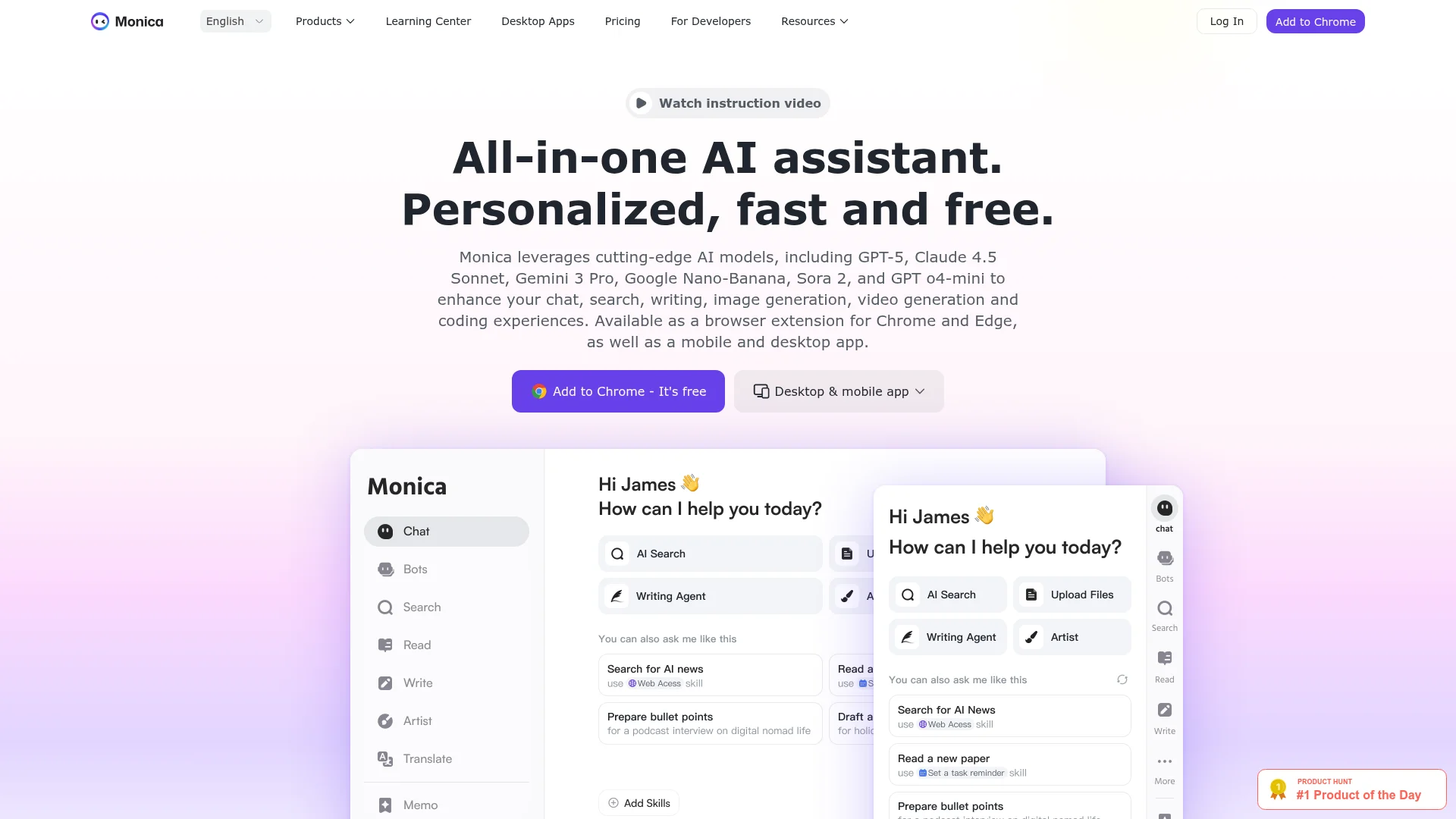
Monica is an all-in-one AI assistant that integrates multiple advanced AI models including GPT-5, Claude, and Gemini. It provides chat, writing assistance, image generation, translation, and summarization tools across browser extensions, desktop, and mobile apps.
Introduction to Monica and Its Benefits
Monica is a comprehensive AI assistant that brings together cutting-edge artificial intelligence models into a single, accessible platform. By leveraging technologies like GPT-5, Claude 4.5 Sonnet, Gemini 3 Pro, and Sora 2, it offers users a versatile toolkit for various digital tasks. The assistant is designed to enhance productivity across chat, search, writing, image generation, video creation, and coding experiences.
Available as browser extensions for Chrome and Edge, plus dedicated mobile and desktop applications, Monica integrates seamlessly into existing workflows. It provides real-time web access and context-aware assistance that adapts to user needs. With over 10 million users worldwide and excellent ratings across platforms, it has established itself as a reliable productivity companion.
The platform's multilingual support and cross-platform availability make it accessible to diverse user bases. Its intuitive interface and powerful capabilities help users accomplish tasks more efficiently while maintaining high-quality outputs. Whether for professional work or personal projects, Monica delivers consistent performance across different use cases.
Getting Started with Monica: Quick Setup Guide
Beginning with Monica is straightforward and requires minimal technical expertise. Users can start by installing the browser extension from the Chrome Web Store or Microsoft Edge Add-ons marketplace. The extension integrates directly into web browsers, providing immediate access to AI features through a convenient sidebar interface.
For desktop and mobile users, dedicated applications are available for Windows, macOS, Android, and iOS platforms. These applications offer the full suite of Monica's capabilities without requiring browser integration. Once installed, users can activate the assistant using keyboard shortcuts like Cmd+M or Ctrl+M to begin interacting immediately.
The platform offers a free tier with daily usage limits, allowing users to explore basic features before considering premium upgrades. Registration is simple and provides access to personalized settings and usage history. Users can immediately start chatting with AI models, generating content, or using specialized tools without complex configuration.
Top Features and Highlights of Monica
- Multi-Model AI Chat: Access GPT-5, Claude, Gemini, and other leading AI models in one interface.
- Content Generation Suite: Write, rewrite, and improve articles, emails, and marketing copy efficiently.
- Visual Creation Tools: Generate images, animations, and videos using advanced AI art models.
- Smart Web Enhancement: Summarize web pages, translate content, and analyze information in real-time.
- Professional Workflow Integration: Specialized tools for entrepreneurs, developers, researchers, and marketers.
Who Benefits Most from Monica
- Entrepreneurs needing market intelligence and strategic planning assistance
- Researchers requiring academic writing support and literature analysis
- Developers seeking code generation, optimization, and technical guidance
- Marketing professionals creating content, analyzing trends, and developing strategies
- Students and educators summarizing materials and enhancing learning experiences
- Customer service teams managing communications and analyzing customer behavior
Monica Help and Support Resources
Monica provides comprehensive support through various channels to assist users with questions and technical issues. The platform maintains an extensive help center with documentation covering all features and functionalities. Users can access tutorials, guides, and troubleshooting articles to resolve common problems independently.
For direct assistance, users can contact the support team through available channels. The platform also offers community forums where users can share experiences and solutions. Regular updates and feature announcements keep users informed about improvements and new capabilities being added to the platform.
Reviews0
Would you recommend Monica? Leave a comment
No reviews yet. Be the first to share your experience!
Alternatives
The best modern alternatives to Monica
Qwen Chat
5.0
Last update: 1 days ago
Qwen Chat is an AI-powered chatbot platform featuring Qwen3.5-Plus for natural conversations and image generation. It offers a mobile app with enhanced features and supports various creative styles for visual design.
View Qwen ChatTags:Web AppMobile AppContent Generation
View Qwen ChatGamma
5.0
Gamma is an AI-powered design platform that creates stunning presentations, websites, documents, and social media graphics in minutes with AI assistance and smart editing tools.
Browser-BasedContent GenerationDocument Creation
View Gamma
Google Chrome
5.0
Google Chrome is a free web browser developed by Google, featuring built-in AI assistance, robust security tools, and seamless cross-device synchronization. It offers fast performance, extensive customization through themes and extensions, and integrates Google services like Search, Pay, and Workspace for enhanced productivity.
ChromeChrome ExtensionFree
View Google Chrome
AnyFlip
5.0
AnyFlip transforms PDFs into interactive HTML5 flipping books with a realistic 3D effect. Ideal for creating engaging digital magazines, catalogs, and brochures. Offers custom domains, protection, and cloud hosting.
PDF ToolsContent GenerationWeb App
View AnyFlip
Tactiq
5.0
Tactiq is an AI-powered meeting assistant that provides live transcriptions and instant AI summaries for virtual meetings across platforms like Zoom, Google Meet, and Microsoft Teams. It supports over 60 languages, extracts action items, and offers an 'Ask AI' feature for interactive insights, enhancing productivity and reducing manual note-taking.
Chrome ExtensionNote-TakingZapier Integration
View Tactiq
New Tools Releases
Recently added tools
Quiver
5.0
Quiver is a modern, user-friendly editor designed for creating commutative diagrams. It offers robust support for the popular tikz-cd package, making it an ideal tool for mathematicians, researchers, and students who need to visualize complex relationships and structures. The intuitive interface allows for efficient diagram construction, enabling users to focus on their mathematical content rather
Open SourceWeb AppWeb
View Quiver
Retro Game Trivia
5.0
Retro Game Trivia is a free, daily browser game for retro video game enthusiasts. Players guess classic video games using various methods, including letter reveals, textual clues, iconic screenshots, and box art. This engaging Wordle-style game provides a fun way to test and expand your knowledge of gaming history. With multiple game modes and an archive of past challenges, it caters to both casua
Browser-BasedFreeEarly Access
View Retro Game Trivia
Iron Marines
5.0
Iron Marines is a real-time strategy game blending action and tower defense. Players command heroes and units across a sci-fi universe to battle alien invaders. Available on mobile (iOS, Android) and PC (Steam), it offers engaging campaigns and tactical gameplay.
Gaming ToolsFor CreatorsMobile App
View Iron Marines
BiblioReads
5.0
BiblioReads is a free and open-source front-end for Goodreads, prioritizing user privacy. It allows users to search for book information directly from the Goodreads database without the privacy concerns associated with the official platform. Ideal for readers who want a clean, private way to track their reading, manage lists, and discover book details.
Open SourceFreePrivacy-Focused
View BiblioReads
IVentoy
5.0
iVentoy is a powerful and user-friendly network boot solution that transforms any computer into a PXE/HTTPBoot server. It allows for simultaneous operating system installation and booting across multiple machines without complex configuration. Supporting a wide range of operating systems and UEFI modes, including Secure Boot, iVentoy is ideal for IT professionals, system administrators, and anyone
Open SourceWindowsLinux
View IVentoy
PocketBase
5.0
PocketBase is an open-source backend solution that simplifies application development by bundling a real-time database, authentication services, file storage, and an integrated admin dashboard into a single, self-contained file. This all-in-one approach is ideal for developers seeking a lightweight yet powerful backend for rapid prototyping, small to medium-sized applications, and projects where m
Open SourceLinuxDev Tools
View PocketBase
OpenRCT2
5.0
OpenRCT2 is a community-driven, open-source re-implementation of RollerCoaster Tycoon 2, enhancing the classic game with bug fixes, improved performance, and new features. It offers modern gameplay enhancements, extensive customization, and robust multiplayer support, making it ideal for fans seeking a more stable and feature-rich theme park simulation experience. This free project is actively dev
Open SourcemacOSLinux
View OpenRCT2
MagicHow
5.0
MagicHow is an AI-powered SaaS platform that automates the creation of step-by-step guides, SOPs, and training manuals. It captures processes visually and uses AI to refine content, making documentation creation efficient and accessible for teams aiming to standardize operations and knowledge management.
View MagicHow