Monica
Category of Monica:
Tags:
Chrome ExtensionContent GenerationProductivity
Description:
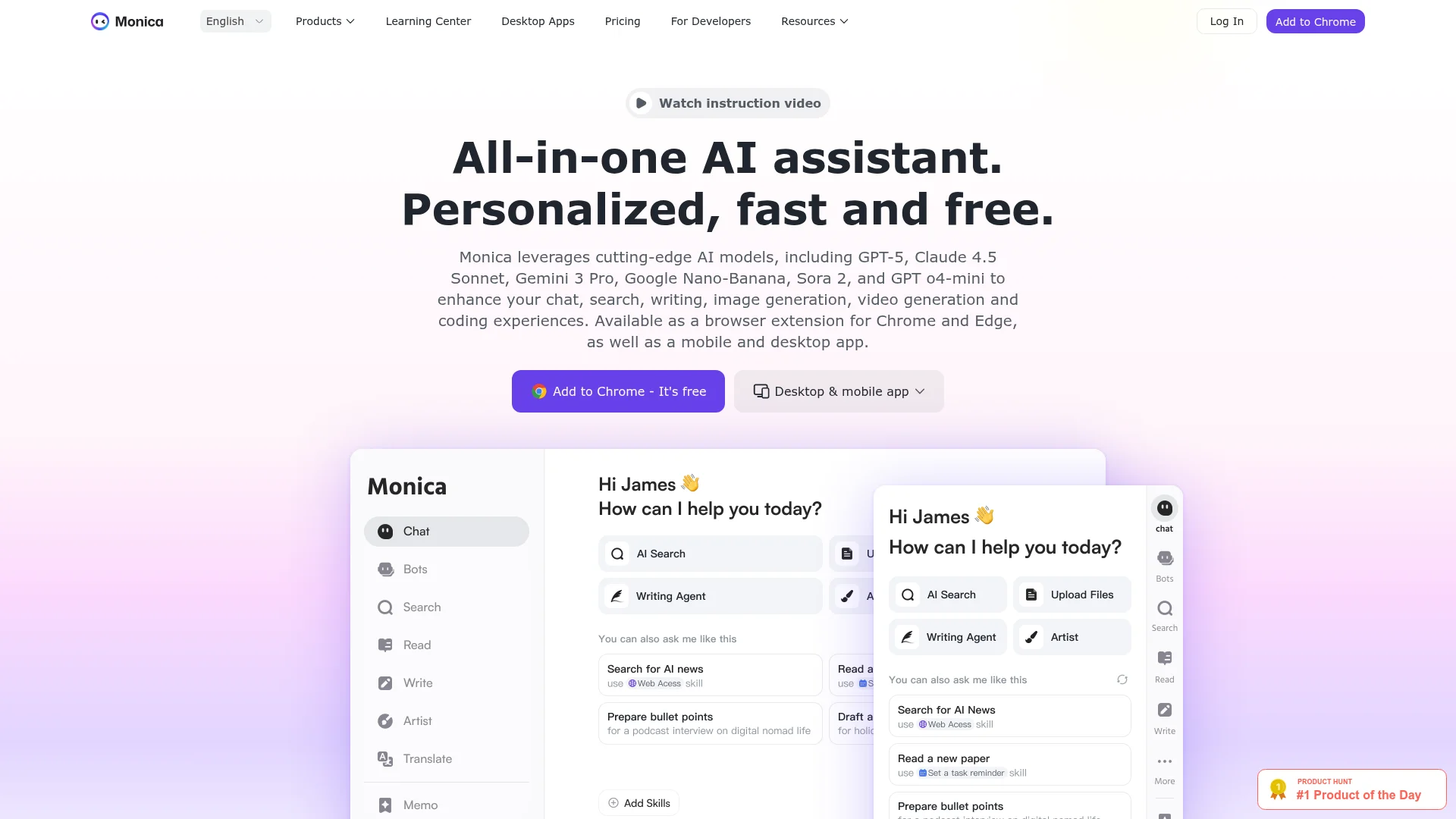
Monica is an all-in-one AI assistant that integrates multiple advanced AI models including GPT-5, Claude, and Gemini. It provides chat, writing assistance, image generation, translation, and summarization tools across browser extensions, desktop, and mobile apps.
Introduction to Monica and Its Benefits
Monica is a comprehensive AI assistant that brings together cutting-edge artificial intelligence models into a single, accessible platform. By leveraging technologies like GPT-5, Claude 4.5 Sonnet, Gemini 3 Pro, and Sora 2, it offers users a versatile toolkit for various digital tasks. The assistant is designed to enhance productivity across chat, search, writing, image generation, video creation, and coding experiences.
Available as browser extensions for Chrome and Edge, plus dedicated mobile and desktop applications, Monica integrates seamlessly into existing workflows. It provides real-time web access and context-aware assistance that adapts to user needs. With over 10 million users worldwide and excellent ratings across platforms, it has established itself as a reliable productivity companion.
The platform's multilingual support and cross-platform availability make it accessible to diverse user bases. Its intuitive interface and powerful capabilities help users accomplish tasks more efficiently while maintaining high-quality outputs. Whether for professional work or personal projects, Monica delivers consistent performance across different use cases.
Getting Started with Monica: Quick Setup Guide
Beginning with Monica is straightforward and requires minimal technical expertise. Users can start by installing the browser extension from the Chrome Web Store or Microsoft Edge Add-ons marketplace. The extension integrates directly into web browsers, providing immediate access to AI features through a convenient sidebar interface.
For desktop and mobile users, dedicated applications are available for Windows, macOS, Android, and iOS platforms. These applications offer the full suite of Monica's capabilities without requiring browser integration. Once installed, users can activate the assistant using keyboard shortcuts like Cmd+M or Ctrl+M to begin interacting immediately.
The platform offers a free tier with daily usage limits, allowing users to explore basic features before considering premium upgrades. Registration is simple and provides access to personalized settings and usage history. Users can immediately start chatting with AI models, generating content, or using specialized tools without complex configuration.
Top Features and Highlights of Monica
- Multi-Model AI Chat: Access GPT-5, Claude, Gemini, and other leading AI models in one interface.
- Content Generation Suite: Write, rewrite, and improve articles, emails, and marketing copy efficiently.
- Visual Creation Tools: Generate images, animations, and videos using advanced AI art models.
- Smart Web Enhancement: Summarize web pages, translate content, and analyze information in real-time.
- Professional Workflow Integration: Specialized tools for entrepreneurs, developers, researchers, and marketers.
Who Benefits Most from Monica
- Entrepreneurs needing market intelligence and strategic planning assistance
- Researchers requiring academic writing support and literature analysis
- Developers seeking code generation, optimization, and technical guidance
- Marketing professionals creating content, analyzing trends, and developing strategies
- Students and educators summarizing materials and enhancing learning experiences
- Customer service teams managing communications and analyzing customer behavior
Monica Help and Support Resources
Monica provides comprehensive support through various channels to assist users with questions and technical issues. The platform maintains an extensive help center with documentation covering all features and functionalities. Users can access tutorials, guides, and troubleshooting articles to resolve common problems independently.
For direct assistance, users can contact the support team through available channels. The platform also offers community forums where users can share experiences and solutions. Regular updates and feature announcements keep users informed about improvements and new capabilities being added to the platform.
Reviews0
Would you recommend Monica? Leave a comment
No reviews yet. Be the first to share your experience!
Alternatives
The best modern alternatives to Monica
Qwen Chat
5.0
Last update: 4 days ago
Qwen Chat is an AI-powered chatbot platform featuring Qwen3.5-Plus for natural conversations and image generation. It offers a mobile app with enhanced features and supports various creative styles for visual design.
View Qwen ChatTags:Web AppMobile AppContent Generation
View Qwen ChatGamma
5.0
Gamma is an AI-powered design platform that creates stunning presentations, websites, documents, and social media graphics in minutes with AI assistance and smart editing tools.
Browser-BasedContent GenerationDocument Creation
View Gamma
Google Chrome
5.0
Google Chrome is a free web browser developed by Google, featuring built-in AI assistance, robust security tools, and seamless cross-device synchronization. It offers fast performance, extensive customization through themes and extensions, and integrates Google services like Search, Pay, and Workspace for enhanced productivity.
ChromeChrome ExtensionFree
View Google Chrome
AnyFlip
5.0
AnyFlip transforms PDFs into interactive HTML5 flipping books with a realistic 3D effect. Ideal for creating engaging digital magazines, catalogs, and brochures. Offers custom domains, protection, and cloud hosting.
PDF ToolsContent GenerationWeb App
View AnyFlip
Tactiq
5.0
Tactiq is an AI-powered meeting assistant that provides live transcriptions and instant AI summaries for virtual meetings across platforms like Zoom, Google Meet, and Microsoft Teams. It supports over 60 languages, extracts action items, and offers an 'Ask AI' feature for interactive insights, enhancing productivity and reducing manual note-taking.
Chrome ExtensionNote-TakingZapier Integration
View Tactiq
New Tools Releases
Recently added tools
Nitreo
5.0
Nitreo is an Instagram growth service that automates key social media tasks like following accounts, liking posts, and viewing stories to organically increase follower count and engagement. It saves users an average of 9 hours per week, making it ideal for creators, businesses, and agencies seeking to expand their reach and build their brand with real, engaged followers.
Social Media ManagementFor Creators
View Nitreo
Tux Rider
5.0
Tux Rider is an engaging 3D racing game for Android, offering a mobile port of the classic "Tux Racer" experience. Players control the Linux mascot, Tux the penguin, as they race down snowy slopes, collecting fish and aiming for the best times. The game features intuitive controls using the accelerometer and touchscreen, providing an accessible and fun gameplay experience. With multiple levels and
Open SourceFor CreatorsAndroid
View Tux Rider
Automad
5.0
Automad is a fast, lightweight, and flexible flat-file content management system and template engine designed for creatives. It offers an intuitive dashboard with a block editor and in-page editing capabilities, eliminating the need for a database by storing all content in human-readable text files. This approach simplifies version control and makes managing your website straightforward. Despite i
Open SourceFor Creators
View Automad
Boost.ai
5.0
Boost.ai is a leading conversational AI platform trusted by regulated industries for its robust security, privacy, and auditability features. The platform empowers enterprises to deliver exceptional customer experiences through advanced agentic AI capabilities, enabling seamless self-service across chat and voice channels. It offers a hybrid AI approach, integrating generative AI for hyper-persona
For EnterprisesAutomation
View Boost.ai
Newshosting
5.0
Newshosting offers a comprehensive solution for Usenet access and online privacy, bundling a high-speed Usenet service with a robust VPN. It provides unlimited VPN access, secure SSL encryption, advanced threat protection, and ad blocking for a safe and private online experience. With extensive article retention and a vast server network, Newshosting ensures unparalleled access to Usenet content,
Subscription-BasedProprietaryWeb App
View Newshosting
Paperwork
5.0
Paperwork is an intuitive personal document management solution designed to streamline the organization and retrieval of your important files. By transforming scanned documents into searchable digital assets, it eliminates the need for manual filing and tedious searching. Ideal for individuals and small businesses seeking an efficient way to manage their paperwork, Paperwork offers intelligent sor
Open SourceDesktop AppDocument Creation
View Paperwork
Glyphr Studio
5.0
Glyphr Studio is a free, open-source, browser-based font editor designed for hobbyists and beginners. It allows users to import various font formats, utilize familiar vector editing tools, combine glyphs, and export custom typefaces directly from their browser, offering an accessible entry into font design without the need for complex professional software.
Open SourceWeb AppBrowser-Based
View Glyphr Studio
OpenPay
5.0
OpenPay is an advanced AI-powered platform designed specifically for subscription businesses to optimize revenue and enhance customer retention. It tackles common pain points such as high transaction fees by offering intelligent routing, robust payment recovery mechanisms, and actionable AI-driven insights, all consolidated into a single, user-friendly interface. This comprehensive solution aims t
View OpenPay