Microsoft
Category of Microsoft:
Tags:
WindowsSubscription-BasedProprietary
Description:
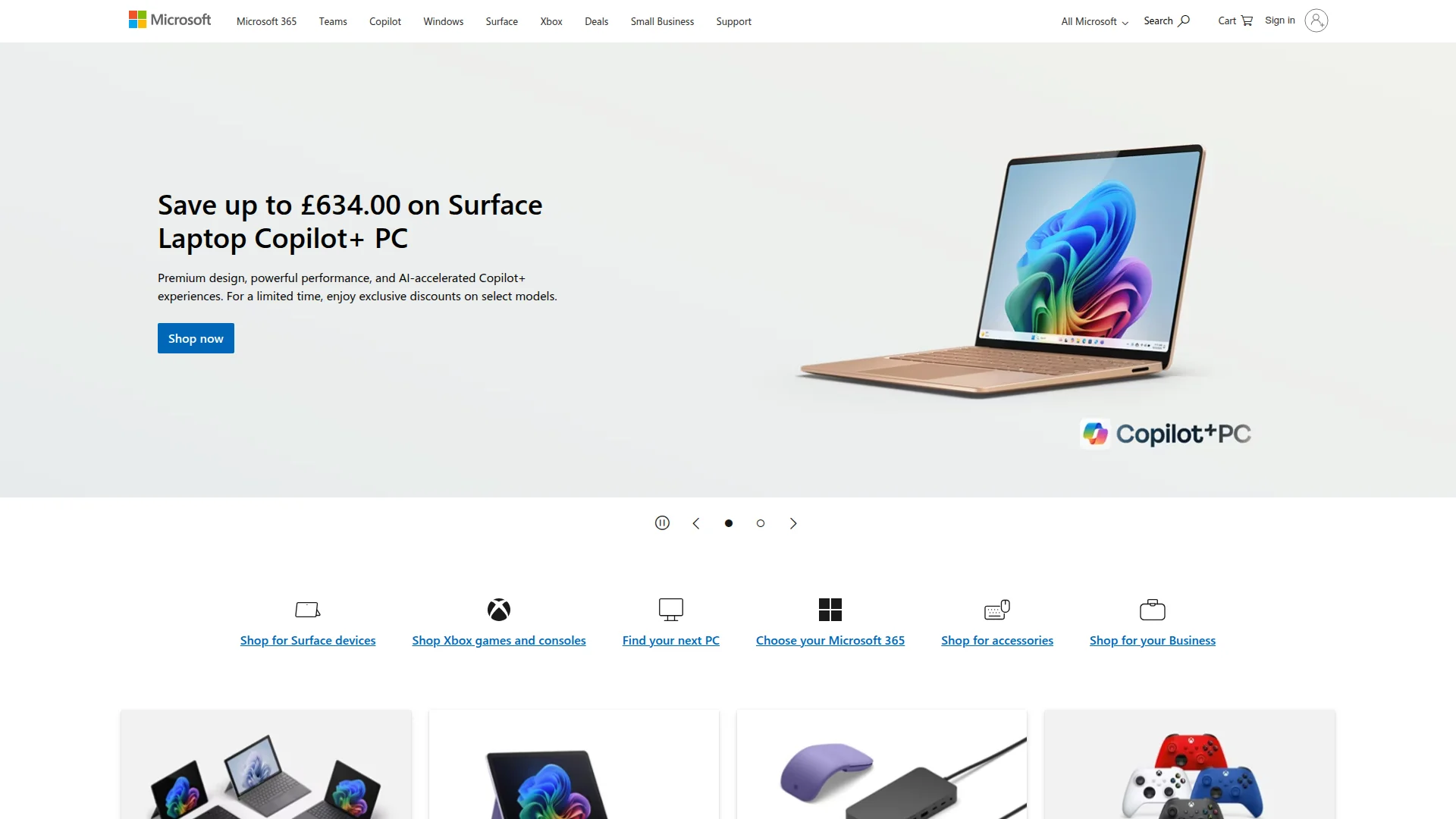
Microsoft is a global technology company offering a comprehensive suite of software, hardware, and cloud services including Windows, Microsoft 365, Surface devices, Xbox gaming, Azure cloud computing, and AI solutions like Copilot.
What Is Microsoft and How Does It Work
Microsoft provides a vast technology ecosystem that spans operating systems, productivity software, hardware devices, cloud services, and artificial intelligence solutions. The company's flagship products include Windows, Microsoft 365, Surface computers, Xbox gaming consoles, and Azure cloud infrastructure. This integrated approach allows users to work, create, and connect across devices and platforms with seamless compatibility.
The Microsoft platform serves diverse audiences from individual consumers to large enterprises, offering tools for everyday productivity, business operations, development, and entertainment. With recent emphasis on AI integration through Copilot features, Microsoft continues to evolve its offerings to support modern work and creativity needs. The company maintains a strong focus on security, accessibility, and sustainability across all its products and services.
How Microsoft Works Step by Step
Users typically begin by selecting the appropriate Microsoft products for their needs, whether that's Windows for their computer, Microsoft 365 for productivity tools, or Azure for cloud services. After installation or subscription setup, users can access Microsoft's ecosystem through various interfaces including desktop applications, web browsers, and mobile apps. The platform offers single sign-on capabilities through Microsoft accounts for unified access across services.
Microsoft's integrated approach allows data and settings to sync across devices through cloud services like OneDrive. AI features like Copilot work within applications to provide assistance with tasks ranging from document creation to data analysis. Regular updates and security patches ensure the platform remains current and protected against emerging threats.
Main Features You Get with Microsoft
- Windows Operating System: Provides the foundation for PC computing with security and productivity features.
- Microsoft 365 Suite: Includes Word, Excel, PowerPoint, and Outlook for document creation and communication.
- Surface Hardware: Offers premium laptops, tablets, and accessories designed for productivity and creativity.
- Azure Cloud Platform: Delivers enterprise-grade cloud computing, storage, and AI services for businesses.
- Xbox Gaming Ecosystem: Provides gaming consoles, games, and subscription services for entertainment.
Best Use Cases for Microsoft
- Business professionals needing office productivity tools and collaboration platforms
- Developers building applications with cloud infrastructure and development tools
- Students and educators requiring educational software and classroom management
- Gamers seeking console gaming experiences and online multiplayer services
- Enterprises requiring secure, scalable cloud solutions and business applications
- Creative professionals using design software and hardware for content creation
How to Contact Microsoft Support
Microsoft provides comprehensive support through its official website with troubleshooting guides, community forums, and virtual agent assistance. For direct support, users can access help options based on their specific products and subscription levels. Contact support at contact@microsoft.com.
Reviews0
Would you recommend Microsoft? Leave a comment
No reviews yet. Be the first to share your experience!
Alternatives
The best modern alternatives to Microsoft
Zoom
5.0
Last update: 4 days ago
Zoom is a leading video conferencing platform that enables reliable HD video meetings, screen sharing, and team collaboration. It offers features like virtual backgrounds, breakout rooms, and webinar hosting for businesses, educators, and remote teams.
View ZoomTags:ZoomSubscription-BasedTrial Available
View ZoomSubstack
5.0
Substack is a newsletter platform that empowers independent writers and creators to publish content, build audiences, and monetize through subscriptions. It provides tools for email distribution, community engagement, and payment processing in one integrated solution.
Subscription-BasedFor CreatorsWeb App
View Substack
Slideshare
5.0
Slideshare is a presentation-sharing platform with over 25 million decks across every topic. It offers AI tools to rewrite and simplify slide content, plus the ability to download original files. Users can browse for inspiration or upload their own presentations to share knowledge with a global community of 70 million users.
Subscription-BasedTrial AvailableFree
View Slideshare
Prezi
5.0
Prezi is an AI-powered presentation tool that helps users create engaging and visually striking presentations quickly and efficiently. It offers AI-driven design assistance, personalized recommendations, and the ability to generate entire presentations from text prompts or existing documents, transforming ideas into polished presentations in minutes.
Subscription-BasedTrial Available
View Prezi
CorelDRAW Graphics Suite
5.0
CorelDRAW Graphics Suite 2026 is a comprehensive professional graphic design software package for Windows and macOS that delivers powerful vector illustration, photo editing, layout, and typography capabilities.
Subscription-BasedDesktop AppFor Designers
View CorelDRAW Graphics Suite
New Tools Releases
Recently added tools
Quiver
5.0
Quiver is a modern, user-friendly editor designed for creating commutative diagrams. It offers robust support for the popular tikz-cd package, making it an ideal tool for mathematicians, researchers, and students who need to visualize complex relationships and structures. The intuitive interface allows for efficient diagram construction, enabling users to focus on their mathematical content rather
Open SourceWeb AppWeb
View Quiver
Retro Game Trivia
5.0
Retro Game Trivia is a free, daily browser game for retro video game enthusiasts. Players guess classic video games using various methods, including letter reveals, textual clues, iconic screenshots, and box art. This engaging Wordle-style game provides a fun way to test and expand your knowledge of gaming history. With multiple game modes and an archive of past challenges, it caters to both casua
Browser-BasedFreeEarly Access
View Retro Game Trivia
Iron Marines
5.0
Iron Marines is a real-time strategy game blending action and tower defense. Players command heroes and units across a sci-fi universe to battle alien invaders. Available on mobile (iOS, Android) and PC (Steam), it offers engaging campaigns and tactical gameplay.
Gaming ToolsFor CreatorsMobile App
View Iron Marines
BiblioReads
5.0
BiblioReads is a free and open-source front-end for Goodreads, prioritizing user privacy. It allows users to search for book information directly from the Goodreads database without the privacy concerns associated with the official platform. Ideal for readers who want a clean, private way to track their reading, manage lists, and discover book details.
Open SourceFreePrivacy-Focused
View BiblioReads
IVentoy
5.0
iVentoy is a powerful and user-friendly network boot solution that transforms any computer into a PXE/HTTPBoot server. It allows for simultaneous operating system installation and booting across multiple machines without complex configuration. Supporting a wide range of operating systems and UEFI modes, including Secure Boot, iVentoy is ideal for IT professionals, system administrators, and anyone
Open SourceWindowsLinux
View IVentoy
PocketBase
5.0
PocketBase is an open-source backend solution that simplifies application development by bundling a real-time database, authentication services, file storage, and an integrated admin dashboard into a single, self-contained file. This all-in-one approach is ideal for developers seeking a lightweight yet powerful backend for rapid prototyping, small to medium-sized applications, and projects where m
Open SourceLinuxDev Tools
View PocketBase
OpenRCT2
5.0
OpenRCT2 is a community-driven, open-source re-implementation of RollerCoaster Tycoon 2, enhancing the classic game with bug fixes, improved performance, and new features. It offers modern gameplay enhancements, extensive customization, and robust multiplayer support, making it ideal for fans seeking a more stable and feature-rich theme park simulation experience. This free project is actively dev
Open SourcemacOSLinux
View OpenRCT2
MagicHow
5.0
MagicHow is an AI-powered SaaS platform that automates the creation of step-by-step guides, SOPs, and training manuals. It captures processes visually and uses AI to refine content, making documentation creation efficient and accessible for teams aiming to standardize operations and knowledge management.
View MagicHow