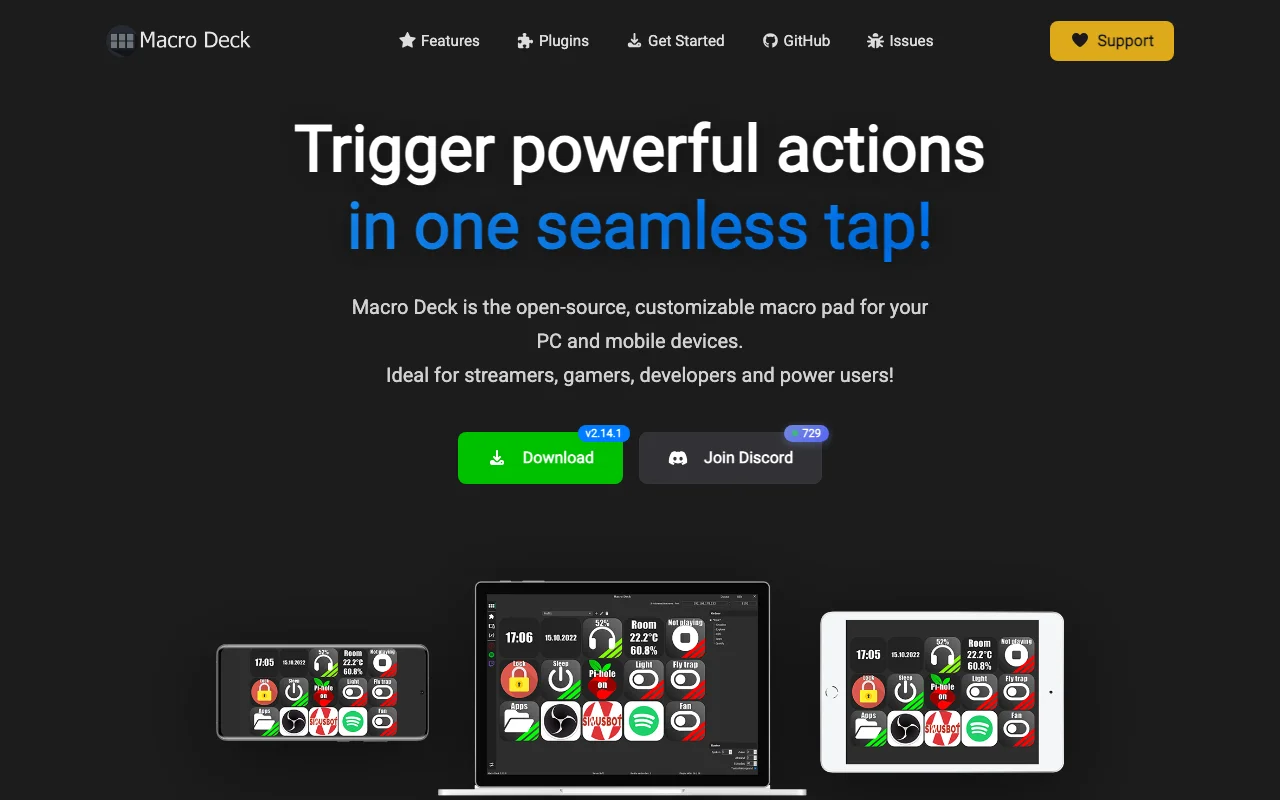
Macrodeck
Category of Macrodeck:
Tags:
No-CodeAutomationProject Management
Description:
Macrodeck is a powerful no-code platform for building internal tools, dashboards, and automating workflows without programming. It empowers business users to create custom applications, enhancing operational efficiency and data accessibility through an intuitive visual interface.
What is Macrodeck? A No-Code Platform for Internal Tools and Automation
Macrodeck is a comprehensive no-code platform that enables users to build internal tools, dashboards, and automate workflows with a visual, drag-and-drop interface. It empowers individuals and teams without coding expertise to create custom applications that streamline operations, improve data management, and enhance overall productivity. By connecting various data sources and leveraging intuitive logic builders, Macrodeck simplifies the development process, making sophisticated software solutions accessible to a wider audience.
The platform's core value lies in its ability to abstract away the complexities of traditional software development. Users can design interfaces, define data models, and implement business logic through a visual editor, significantly reducing development time and costs. This approach allows for rapid iteration and deployment of custom solutions, directly addressing unique business challenges and opportunities.
Getting Started with Macrodeck for Your Business Needs
Getting started with Macrodeck is straightforward. Begin by signing up for an account on their website, which typically offers a free trial or a freemium plan to explore its capabilities. Once logged in, you can access the visual editor to start building your first tool or workflow. The platform often provides tutorials and documentation to guide you through connecting data sources, designing interfaces, and implementing logic.
Leverage Macrodeck's template library or start from scratch to create your custom application. Experiment with different components and integrations to understand the platform's flexibility. Macrodeck's user-friendly design ensures that you can quickly bring your ideas to life, whether it's a simple data dashboard or a complex automated process.
Key Features and Capabilities of Macrodeck
- Visual Interface: Build applications using a drag-and-drop editor without coding.
- Data Source Integration: Connect to various databases, APIs, and spreadsheets.
- Workflow Automation: Automate repetitive tasks and business processes visually.
- Customizable Dashboards: Create interactive dashboards for real-time data visualization.
- Role-Based Access Control: Manage user permissions and data security effectively.
Who Should Use Macrodeck for Their Business?
- Business analysts needing custom data tools.
- Operations teams seeking to automate workflows.
- Product managers building internal dashboards.
- Small business owners requiring custom software solutions.
- Departments looking to improve data accessibility.
- Citizen developers creating internal applications.
Macrodeck Support and Contact Information
Macrodeck offers support through its knowledge base and documentation. For specific inquiries or assistance, users can typically reach out via email. You can contact their support team at support@macrodeck.org for any issues or questions regarding the platform's features and usage.
Reviews0
Would you recommend Macrodeck? Leave a comment
No reviews yet. Be the first to share your experience!
Alternatives
The best modern alternatives to Macrodeck
Rosebud.ai
5.0
Last update: 1 days ago
Rosebud.ai is a no-code platform for building and launching AI products. It offers intuitive tools for data labeling, custom model training, and one-click deployment, making AI development accessible without extensive coding knowledge.
View Rosebud.aiTags:No-CodeAutomation
View Rosebud.aiMagai
5.0
Magai is an advanced AI-powered platform designed to streamline content creation, data analysis, and task automation for professionals and businesses. It empowers users to generate high-quality written content, gain insights from complex datasets, and automate repetitive workflows, significantly boosting productivity and efficiency.
Content GenerationAutomationWriting
View Magai
Pixellot
5.0
Pixellot offers a fully automated, AI-powered sports video and analytics solution for capturing, creating, and distributing high-quality sports content. It transforms sports filming, analysis, and consumption, making professional-level video accessible to all teams and leagues.
AutomationVideoAnalytics
View Pixellot
BetterUp
5.0
BetterUp is a leading Human Transformation Platform that leverages human coaching and AI to foster comprehensive workforce development. It empowers organizations to cultivate leadership skills, enhance manager effectiveness, and build resilience across all employee levels. By integrating behavioral science with advanced AI, BetterUp delivers measurable business outcomes, including increased employ
AutomationFor HR TeamsFor Enterprises
View BetterUp
Tines
5.0
Tines is an intelligent workflow automation platform designed for security and IT teams. It empowers users to connect disparate tools, deploy intelligent agents, and automate complex tasks at scale. By streamlining workflows, Tines helps organizations reduce risk, eliminate tech debt, and enhance operational efficiency. Its no-code interface makes powerful automation accessible to a wider range of
No-CodeAI IntegrationAutomation
View Tines
New Tools Releases
Recently added tools
Quiver
5.0
Quiver is a modern, user-friendly editor designed for creating commutative diagrams. It offers robust support for the popular tikz-cd package, making it an ideal tool for mathematicians, researchers, and students who need to visualize complex relationships and structures. The intuitive interface allows for efficient diagram construction, enabling users to focus on their mathematical content rather
Open SourceWeb AppWeb
View Quiver
Retro Game Trivia
5.0
Retro Game Trivia is a free, daily browser game for retro video game enthusiasts. Players guess classic video games using various methods, including letter reveals, textual clues, iconic screenshots, and box art. This engaging Wordle-style game provides a fun way to test and expand your knowledge of gaming history. With multiple game modes and an archive of past challenges, it caters to both casua
Browser-BasedFreeEarly Access
View Retro Game Trivia
Iron Marines
5.0
Iron Marines is a real-time strategy game blending action and tower defense. Players command heroes and units across a sci-fi universe to battle alien invaders. Available on mobile (iOS, Android) and PC (Steam), it offers engaging campaigns and tactical gameplay.
Gaming ToolsFor CreatorsMobile App
View Iron Marines
BiblioReads
5.0
BiblioReads is a free and open-source front-end for Goodreads, prioritizing user privacy. It allows users to search for book information directly from the Goodreads database without the privacy concerns associated with the official platform. Ideal for readers who want a clean, private way to track their reading, manage lists, and discover book details.
Open SourceFreePrivacy-Focused
View BiblioReads
IVentoy
5.0
iVentoy is a powerful and user-friendly network boot solution that transforms any computer into a PXE/HTTPBoot server. It allows for simultaneous operating system installation and booting across multiple machines without complex configuration. Supporting a wide range of operating systems and UEFI modes, including Secure Boot, iVentoy is ideal for IT professionals, system administrators, and anyone
Open SourceWindowsLinux
View IVentoy
PocketBase
5.0
PocketBase is an open-source backend solution that simplifies application development by bundling a real-time database, authentication services, file storage, and an integrated admin dashboard into a single, self-contained file. This all-in-one approach is ideal for developers seeking a lightweight yet powerful backend for rapid prototyping, small to medium-sized applications, and projects where m
Open SourceLinuxDev Tools
View PocketBase
OpenRCT2
5.0
OpenRCT2 is a community-driven, open-source re-implementation of RollerCoaster Tycoon 2, enhancing the classic game with bug fixes, improved performance, and new features. It offers modern gameplay enhancements, extensive customization, and robust multiplayer support, making it ideal for fans seeking a more stable and feature-rich theme park simulation experience. This free project is actively dev
Open SourcemacOSLinux
View OpenRCT2
MagicHow
5.0
MagicHow is an AI-powered SaaS platform that automates the creation of step-by-step guides, SOPs, and training manuals. It captures processes visually and uses AI to refine content, making documentation creation efficient and accessible for teams aiming to standardize operations and knowledge management.
View MagicHow