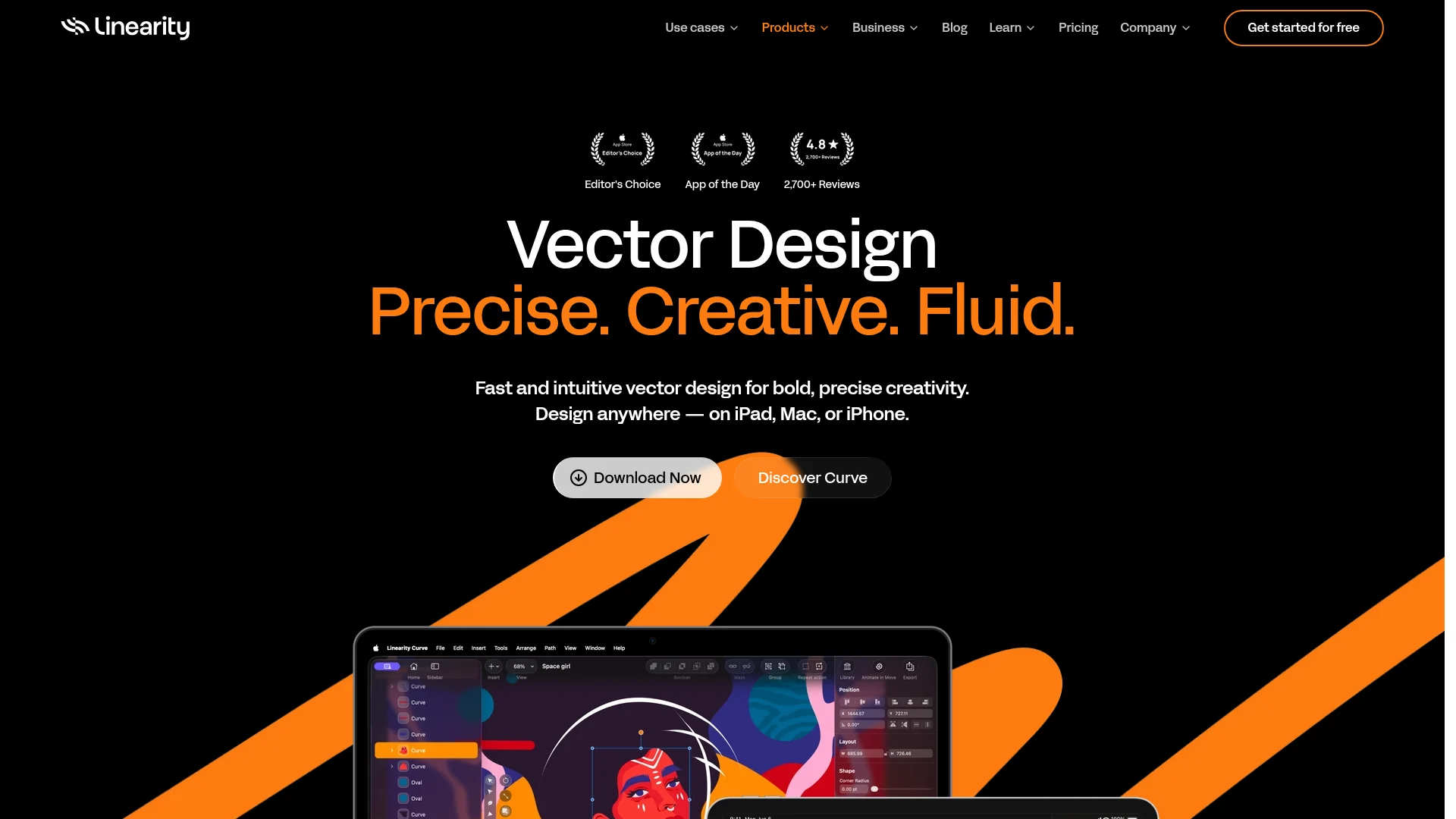
Linearity Curve
Category of Linearity Curve:
Tags:
Desktop AppMobile AppFor Designers
Description:
Linearity Curve is a professional vector design application for illustrators and graphic designers, offering AI-powered image editing, CMYK support, and seamless iPad/Mac workflow for logos, illustrations, and print-ready designs.
Professional Vector Design with Linearity Curve
Linearity Curve represents a modern approach to vector design, combining professional-grade tools with an intuitive interface that minimizes the learning curve. The application was specifically created for designers frustrated with complex, bloated software that hinders creative flow rather than enhancing it. By focusing on essential vector capabilities while incorporating smart AI features, Curve delivers a balanced solution for serious creative work.
Available as native applications for both macOS and iPadOS, the software offers seamless synchronization across devices, allowing designers to start projects on their desktop and continue on their iPad. This cross-platform flexibility, combined with Apple Pencil optimization, makes Curve particularly valuable for illustrators and designers who value mobility without compromising professional capabilities. The application supports industry-standard file formats and maintains compatibility with established design ecosystems.
What sets Curve apart is its commitment to maintaining a clean, focused user experience while delivering the precision tools creative professionals require. The interface adapts contextually to user actions, keeping essential tools accessible without overwhelming the workspace. This thoughtful design philosophy extends to every aspect of the application, from gesture-based navigation to organized workspace management for teams and individual creators.
Getting Started with Linearity Curve Design Software
Getting started with vector design software is straightforward when you begin with the right approach. First, download the application from the official app store for your platform, whether you're using a Mac, iPad, or iPhone. The installation process is simple and quick, with the application optimized for Apple Silicon processors to ensure smooth performance from the first launch.
Once installed, take advantage of the built-in templates and tutorials to familiarize yourself with the interface and core tools. The application includes pre-built layouts for common design projects like social media graphics, business cards, and presentation materials. These templates provide excellent starting points while you learn the application's workflow and discover how different tools interact within the creative process.
Core Functions and Tools in Linearity Curve
- Vector Illustration Tools: Custom brushes, pen tool, and shape builder for precise artwork creation
- AI-Powered Image Editing: Background removal, object isolation, and smart eraser capabilities
- Typography Controls: Advanced text tools, custom font management, and text-on-path functionality
- Print Production Features: CMYK color support, high-resolution export, and PDF editing tools
- Collaboration Workspaces: Team project management, file synchronization, and client workspace organization
Ideal Use Cases for Linearity Curve Design Application
- Logo design and brand identity development for businesses and organizations
- Social media graphics and marketing materials for digital campaigns
- Print materials including business cards, posters, and packaging designs
- Illustration projects for publications, websites, and digital content
- Presentation graphics and visual materials for business communications
- Educational materials and instructional design for learning resources
Contact and Support Options for Linearity Curve
For technical assistance and general inquiries, users can access the comprehensive help center with detailed guides and tutorials. The application includes built-in support resources covering everything from basic operations to advanced techniques. Regular updates and feature enhancements ensure users have access to the latest tools and improvements.
While specific contact information varies by application, most professional software provides multiple support channels. These typically include knowledge bases with searchable documentation, community forums for user discussions, and direct support options for technical issues. Users should check the application's official website for current contact details and support availability.
Reviews0
Would you recommend Linearity Curve? Leave a comment
No reviews yet. Be the first to share your experience!
Alternatives
The best modern alternatives to Linearity Curve
Google Drive
5.0
Last update: 4 days ago
Google Drive is a secure, AI-powered cloud storage platform that enables seamless file sharing and real-time collaboration. Store, access, and edit documents from any device with scalable storage up to 5TB per user. Integrated with Google Workspace tools for enhanced productivity and workflow management.
View Google DriveTags:Web AppMobile AppBrowser-Based
View Google DriveSnapchat
5.0
Snapchat is a multimedia messaging app for sending disappearing photos and videos, sharing Stories, using AR Lenses, and connecting with friends through chat and content discovery.
Mobile AppFreeEnglish
View Snapchat
Dropbox
5.0
Dropbox is a comprehensive cloud storage and collaboration platform that helps you find, organize, and share your work all in one place. With over 700 million registered users, it offers secure file storage, AI-powered search, and seamless team collaboration across devices.
Web AppMobile AppDesktop App
View Dropbox
Tumblr
5.0
Tumblr is a versatile microblogging platform for creating customizable blogs with text, photos, quotes, links, music, and videos. Share ideas, follow content you love, and connect with a global community through reblogs, likes, and replies.
Web AppMobile AppFor Creators
View Tumblr
Freepik
5.0
Freepik is an all-in-one creative suite combining AI models, editing tools, and stock assets for designers, marketers, and content creators to generate and edit images, videos, audio, and illustrations with brand consistency and commercial rights.
For DesignersFor MarketersFor Creators
View Freepik
New Tools Releases
Recently added tools
Automad
5.0
Automad is a fast, lightweight, and flexible flat-file content management system and template engine designed for creatives. It offers an intuitive dashboard with a block editor and in-page editing capabilities, eliminating the need for a database by storing all content in human-readable text files. This approach simplifies version control and makes managing your website straightforward. Despite i
Open SourceFor Creators
View Automad
Boost.ai
5.0
Boost.ai is a leading conversational AI platform trusted by regulated industries for its robust security, privacy, and auditability features. The platform empowers enterprises to deliver exceptional customer experiences through advanced agentic AI capabilities, enabling seamless self-service across chat and voice channels. It offers a hybrid AI approach, integrating generative AI for hyper-persona
For EnterprisesAutomation
View Boost.ai
Newshosting
5.0
Newshosting offers a comprehensive solution for Usenet access and online privacy, bundling a high-speed Usenet service with a robust VPN. It provides unlimited VPN access, secure SSL encryption, advanced threat protection, and ad blocking for a safe and private online experience. With extensive article retention and a vast server network, Newshosting ensures unparalleled access to Usenet content,
Subscription-BasedProprietaryWeb App
View Newshosting
Paperwork
5.0
Paperwork is an intuitive personal document management solution designed to streamline the organization and retrieval of your important files. By transforming scanned documents into searchable digital assets, it eliminates the need for manual filing and tedious searching. Ideal for individuals and small businesses seeking an efficient way to manage their paperwork, Paperwork offers intelligent sor
Open SourceDesktop AppDocument Creation
View Paperwork
Glyphr Studio
5.0
Glyphr Studio is a free, open-source, browser-based font editor designed for hobbyists and beginners. It allows users to import various font formats, utilize familiar vector editing tools, combine glyphs, and export custom typefaces directly from their browser, offering an accessible entry into font design without the need for complex professional software.
Open SourceWeb AppBrowser-Based
View Glyphr Studio
OpenPay
5.0
OpenPay is an advanced AI-powered platform designed specifically for subscription businesses to optimize revenue and enhance customer retention. It tackles common pain points such as high transaction fees by offering intelligent routing, robust payment recovery mechanisms, and actionable AI-driven insights, all consolidated into a single, user-friendly interface. This comprehensive solution aims t
View OpenPay
Tide
5.0
Tide is a nature-themed wellness application designed to help users find calm and focus amidst a busy life. It offers natural soundscapes paired with dedicated 'Focus' and 'Sleep' modules. By immersing users in peaceful, quiet environments, Tide aims to reduce anxiety and stress, improve concentration, and promote better sleep. The app is recognized for its minimalist design and effective tools fo
Trial AvailableMobile AppHealth
View Tide
Hitabs
5.0
Hitabs is an innovative online tool designed to streamline how users save, organize, and share their digital resources. Whether you're collecting articles to read later, bookmarking valuable websites, or curating links for a project, Hitabs offers a centralized and intuitive platform. It caters to students, researchers, professionals, and anyone looking to manage their online information more effe
Browser-BasedWeb AppLightweight
View Hitabs