Htop
Category of Htop:
Tags:
Open SourceDesktop AppCLI Tool
Description:
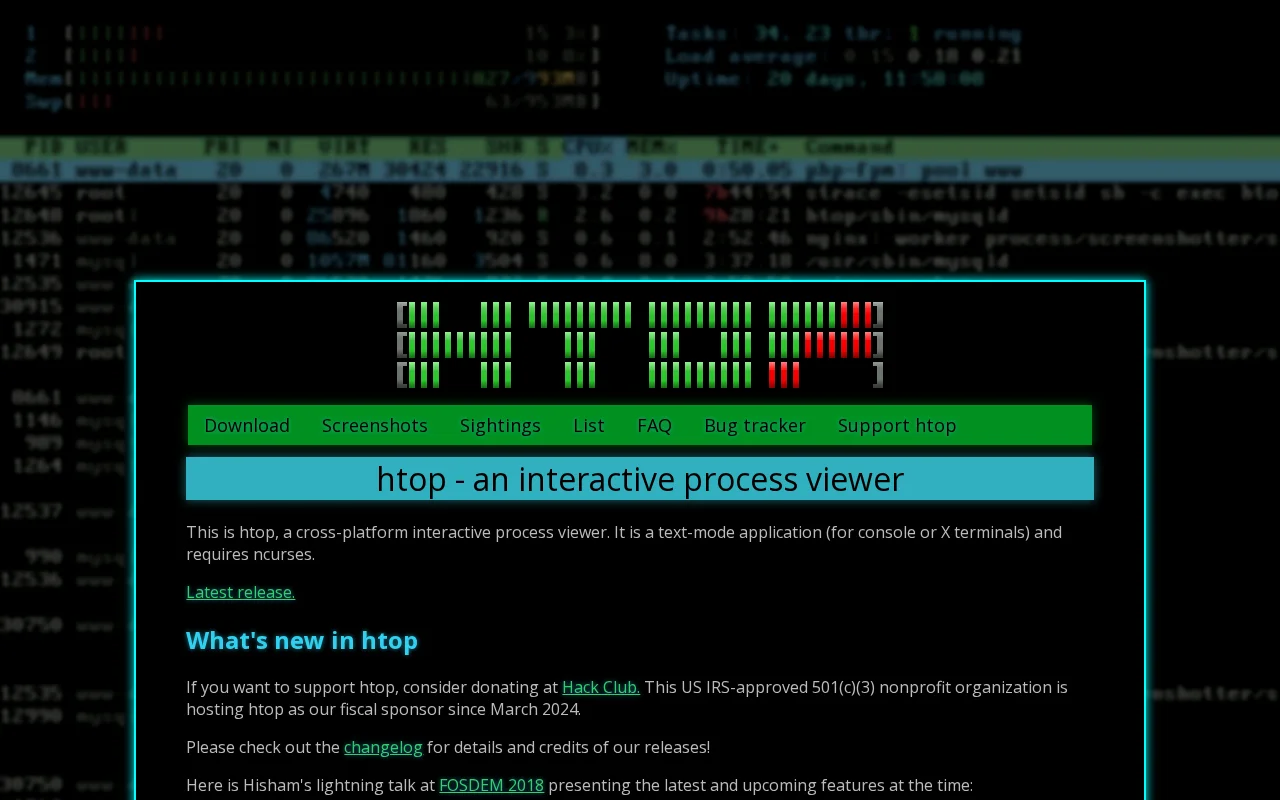
htop is a powerful, cross-platform, interactive process viewer for Linux, macOS, and other Unix-like operating systems. It provides a real-time, text-based interface to monitor system processes, CPU usage, memory consumption, and other vital system metrics with features like color-coded displays and mouse support.
Understanding htop: An Interactive Process Viewer
htop is an advanced, interactive process viewer designed for Unix-like operating systems, including Linux and macOS. It offers a superior, user-friendly alternative to the traditional `top` command, providing real-time insights into system performance.
Key Features of htop for System Monitoring
- Real-time Process Monitoring: View live CPU, memory, and I/O usage for all running processes.
- Interactive Process Management: Sort, filter, search, and kill processes directly within the interface.
- System Resource Overview: Get a clear, color-coded summary of CPU, memory, and swap utilization.
- Customizable Display Options: Tailor the view by adjusting columns and enabling a process tree for detailed insights.
- Cross-Platform Compatibility: Functions seamlessly on Linux, macOS, FreeBSD, NetBSD, and Solaris systems.
Getting Started with htop
Launch htop by typing `htop` in your terminal after installation. Navigate processes using arrow keys and interact with options via function keys (F1-F10). Mouse support is often available for enhanced usability.
Ideal Use Cases for htop
- Monitoring system resource utilization.
- Identifying and terminating runaway processes.
- Troubleshooting performance bottlenecks.
- Gaining a visual understanding of system activity.
- Managing processes on remote servers efficiently.
Support and Resources for htop
For detailed information, refer to the official htop documentation and community resources. Bug reports and contributions are welcome via the project's GitHub repository.
Reviews0
Would you recommend Htop? Leave a comment
No reviews yet. Be the first to share your experience!
Alternatives
The best modern alternatives to Htop
FreeCommander
5.0
Last update: 1 days ago
FreeCommander is a free, dual-pane file manager for Windows, offering a more efficient and flexible alternative to the default Windows file explorer. It features a tabbed interface, built-in file viewer, file synchronization, and batch file renaming to simplify complex file operations and enhance user productivity.
View FreeCommanderTags:WindowsOpen Source
View FreeCommanderTwinkle Tray
5.0
Twinkle Tray is a free Windows application that simplifies managing monitor brightness. It adds a system tray icon for quick access to brightness sliders for all compatible monitors, supporting DDC/CI-enabled displays. Features include hotkey binding, time-based adjustments, and command-line arguments for scripting, making it ideal for multi-monitor setups.
WindowsOpen Source
View Twinkle Tray
X64dbg
5.0
x64dbg is a powerful open-source debugger for Windows, offering robust debugging capabilities for both 64-bit and 32-bit applications. Its intuitive interface, combined with advanced features like a C-like expression parser, memory map, and dynamic stack view, makes it an indispensable tool for reverse engineers, security researchers, and developers. The debugger supports extensive customization t
WindowsOpen SourceFor Developers
View X64dbg
Mp3DirectCut
5.0
mp3DirectCut is a free audio editor for Windows and Linux (via Wine) that allows for fast and lossless editing of MP3 and AAC files. It supports cutting, cropping, splitting, joining, fading, and recording audio without re-encoding, preserving original quality. Key features include batch processing, pause detection, and cue sheet support, making it efficient for podcasters, musicians, and audio en
WindowsOpen SourceFree
View Mp3DirectCut
Systemd
5.0
Systemd is a foundational system and service manager for Linux, designed to streamline the boot process and manage system resources efficiently. It provides advanced parallelization, socket and D-Bus activation, and on-demand service starting, ensuring faster and more robust system operations. Systemd is crucial for modern Linux distributions, offering a comprehensive suite of tools for managing e
Open SourceLinux
View Systemd
New Tools Releases
Recently added tools
OpenRCT2
5.0
OpenRCT2 is a community-driven, open-source re-implementation of RollerCoaster Tycoon 2, enhancing the classic game with bug fixes, improved performance, and new features. It offers modern gameplay enhancements, extensive customization, and robust multiplayer support, making it ideal for fans seeking a more stable and feature-rich theme park simulation experience. This free project is actively dev
Open SourcemacOSLinux
View OpenRCT2
MagicHow
5.0
MagicHow is an AI-powered SaaS platform that automates the creation of step-by-step guides, SOPs, and training manuals. It captures processes visually and uses AI to refine content, making documentation creation efficient and accessible for teams aiming to standardize operations and knowledge management.
View MagicHow
Neon White
5.0
Neon White is a high-octane first-person shooter that throws players into a celestial battle against demons. Players navigate fast-paced levels, utilizing a unique card-based combat and movement system to achieve the fastest times. The game challenges players to master card combinations for massive shortcuts, uncover the mysteries of Heaven by interacting with other assassins, and compete for a ch
GamingBrowser-BasedMobile App
View Neon White
Xreveal
5.0
Xreveal is a Windows application that automatically and transparently removes restrictions from DVD and Blu-ray media, including region codes. It enables seamless read access to disc content and can also back up discs to ISO or folder formats. Designed for users who want to bypass copy protection and region codes effortlessly, Xreveal operates in the background, making your physical media library
View Xreveal
LBRY
5.0
LBRY is a decentralized content sharing and publishing platform that empowers creators and users by offering an open, free, and fair alternative to traditional media distribution. It functions similarly to how Bitcoin revolutionized digital currency, providing a censorship-resistant network for digital content. Users can access content through various applications like the LBRY Desktop client or t
Open SourceFor CreatorsWeb3
View LBRY
Nitreo
5.0
Nitreo is an Instagram growth service that automates key social media tasks like following accounts, liking posts, and viewing stories to organically increase follower count and engagement. It saves users an average of 9 hours per week, making it ideal for creators, businesses, and agencies seeking to expand their reach and build their brand with real, engaged followers.
Social Media ManagementFor Creators
View Nitreo
Tux Rider
5.0
Tux Rider is an engaging 3D racing game for Android, offering a mobile port of the classic "Tux Racer" experience. Players control the Linux mascot, Tux the penguin, as they race down snowy slopes, collecting fish and aiming for the best times. The game features intuitive controls using the accelerometer and touchscreen, providing an accessible and fun gameplay experience. With multiple levels and
Open SourceFor CreatorsAndroid
View Tux Rider
Automad
5.0
Automad is a fast, lightweight, and flexible flat-file content management system and template engine designed for creatives. It offers an intuitive dashboard with a block editor and in-page editing capabilities, eliminating the need for a database by storing all content in human-readable text files. This approach simplifies version control and makes managing your website straightforward. Despite i
Open SourceFor Creators
View Automad