GitNotebooks
Category of GitNotebooks:
Tags:
Open SourceGitHubLifetime Deal
Description:
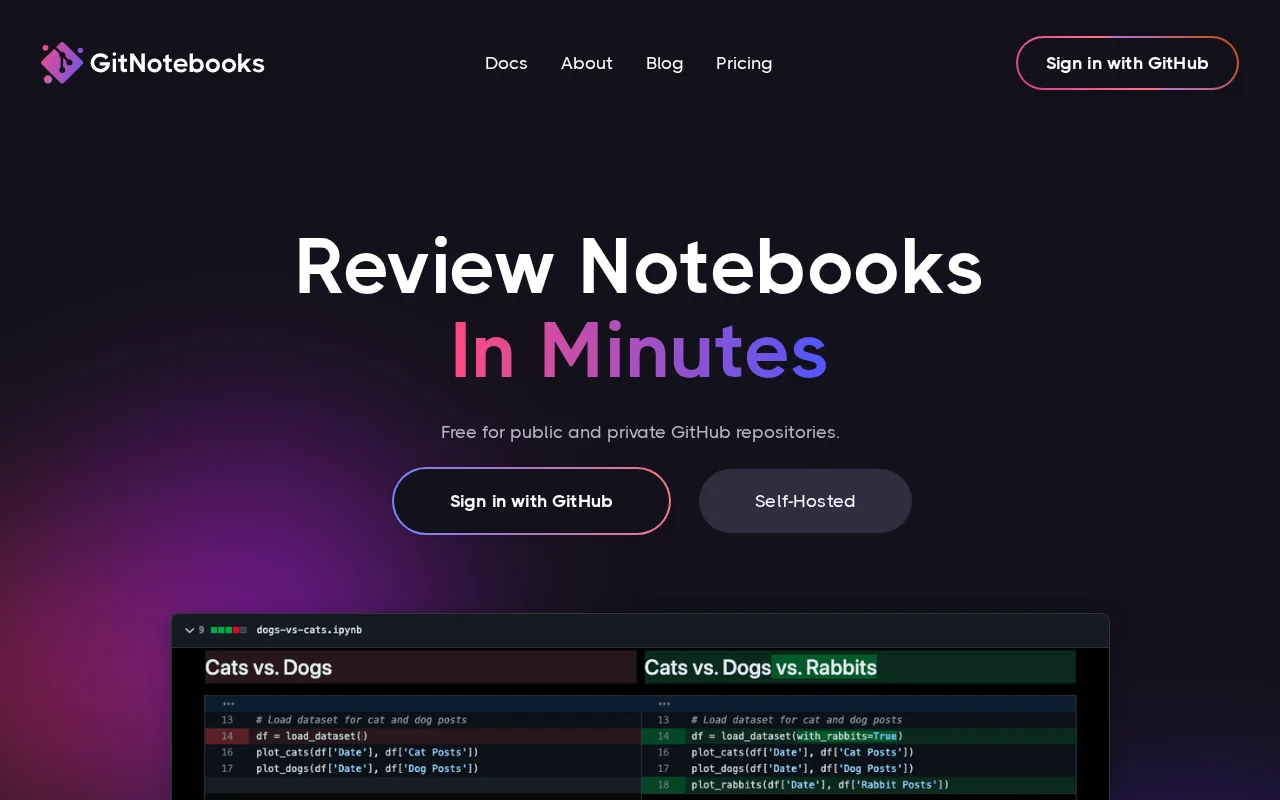
GitNotebooks offers a powerful solution for reviewing Jupyter notebooks, streamlining collaboration for data science teams. It provides rich diffs for various content types and integrates seamlessly with GitHub for a familiar workflow. Security is prioritized with client-side diffing.
GitNotebooks: Streamlining Jupyter Notebook Reviews for Data Science Teams
GitNotebooks revolutionizes the way data science teams review and collaborate on Jupyter notebooks. It provides a comprehensive solution for visualizing changes, ensuring code quality, and maintaining a seamless workflow. By offering detailed diffs for various notebook elements, GitNotebooks makes it easy to track modifications and understand the evolution of your projects.
The platform prioritizes security by performing all diffing operations directly within the client's browser, ensuring that sensitive code and data remain private and never leave your local environment. This client-side approach enhances trust and compliance, which is crucial for data-sensitive projects. GitNotebooks integrates smoothly with GitHub, allowing for synced comments and a familiar version control experience, which significantly speeds up the review process.
Getting Started with GitNotebooks: A Quick Setup Guide
Getting started with GitNotebooks is straightforward and designed for immediate productivity. Simply sign in using your GitHub account to grant the necessary permissions. Once authenticated, you can connect your repositories and begin reviewing notebooks within minutes. The intuitive interface ensures a smooth onboarding process, allowing your team to focus on collaboration and code quality rather than complex setup procedures.
Key Features of GitNotebooks for Enhanced Collaboration
- Rich Diffs: Visualize changes in code, markdown, dataframes, JSON, text, and images.
- Code Security: All diffing is done client-side, ensuring your code never leaves your environment.
- GitHub Syncing: Comments and changes sync seamlessly with your GitHub repositories.
- Broad Repository Support: Works with both public and private GitHub repositories.
- Collaborative Features: Facilitates teamwork with integrated commenting and review workflows.
Who Benefits Most from Using GitNotebooks
- Data scientists needing to review and approve notebook changes.
- Machine learning engineers collaborating on model development.
- Research teams tracking experimental code and results.
- Software developers working with notebook-based projects.
- Educational institutions teaching data science and version control.
- Teams prioritizing code security and data privacy.
GitNotebooks Support and Resources
For assistance and detailed guidance, please refer to the official GitNotebooks documentation. If you encounter any issues or have specific questions, you can reach out to support@gitnotebooks.com for prompt assistance. The platform is committed to providing excellent user support to ensure a smooth and productive experience for all users.
Reviews0
Would you recommend GitNotebooks? Leave a comment
No reviews yet. Be the first to share your experience!
Alternatives
The best modern alternatives to GitNotebooks
TortoiseSVN
5.0
Last update: 20 hours ago
TortoiseSVN is an intuitive and user-friendly Apache Subversion (SVN) client designed as a Windows shell extension. It eliminates the need for command-line interaction, making version control accessible to a wider audience. Free for both personal and commercial use, TortoiseSVN offers a seamless and efficient way to manage code repositories directly within the Windows File Explorer. Its graphical
View TortoiseSVNTags:WindowsOpen SourcePaid
View TortoiseSVNApache Subversion
5.0
Apache Subversion (SVN) is a robust, open-source, centralized version control system designed for managing code and project data. It offers reliability, simplicity, and scalability, making it suitable for individual developers and large enterprise operations. Subversion excels at tracking changes, facilitating collaboration, and ensuring data integrity. Its widespread adoption in both open-source
Open SourceGPLFor Developers
View Apache Subversion
Pulsar Edit
5.0
Pulsar Edit is a community-driven, open-source text editor that serves as a spiritual successor to the Atom editor. It offers a powerful and flexible environment for developers and writers alike, combining hackability with a user-friendly interface. Pulsar Edit runs seamlessly across macOS, Windows, and Linux, ensuring a consistent experience regardless of your operating system. Its built-in packa
Open SourceDesktop AppFor Developers
View Pulsar Edit
SmartSVN
5.0
SmartSVN is a powerful graphical client for Subversion (SVN) that streamlines version control workflows across macOS, Windows, and Linux. It offers a comprehensive feature set for both beginners and experts, including a user-friendly interface, detailed diff viewer, and customization options. Available free for open-source developers, students, and certain charitable organizations, SmartSVN provid
Open SourceWindows
View SmartSVN
YouTube
5.0
YouTube is the world's largest video-sharing platform where users can upload, watch, and share videos. It offers diverse content from entertainment and education to music and live streaming, with tools for creators to build audiences and monetize content.
YouTubeFor CreatorsFree
View YouTube
New Tools Releases
Recently added tools
Nitreo
5.0
Nitreo is an Instagram growth service that automates key social media tasks like following accounts, liking posts, and viewing stories to organically increase follower count and engagement. It saves users an average of 9 hours per week, making it ideal for creators, businesses, and agencies seeking to expand their reach and build their brand with real, engaged followers.
Social Media ManagementFor Creators
View Nitreo
Tux Rider
5.0
Tux Rider is an engaging 3D racing game for Android, offering a mobile port of the classic "Tux Racer" experience. Players control the Linux mascot, Tux the penguin, as they race down snowy slopes, collecting fish and aiming for the best times. The game features intuitive controls using the accelerometer and touchscreen, providing an accessible and fun gameplay experience. With multiple levels and
Open SourceFor CreatorsAndroid
View Tux Rider
Automad
5.0
Automad is a fast, lightweight, and flexible flat-file content management system and template engine designed for creatives. It offers an intuitive dashboard with a block editor and in-page editing capabilities, eliminating the need for a database by storing all content in human-readable text files. This approach simplifies version control and makes managing your website straightforward. Despite i
Open SourceFor Creators
View Automad
Boost.ai
5.0
Boost.ai is a leading conversational AI platform trusted by regulated industries for its robust security, privacy, and auditability features. The platform empowers enterprises to deliver exceptional customer experiences through advanced agentic AI capabilities, enabling seamless self-service across chat and voice channels. It offers a hybrid AI approach, integrating generative AI for hyper-persona
For EnterprisesAutomation
View Boost.ai
Newshosting
5.0
Newshosting offers a comprehensive solution for Usenet access and online privacy, bundling a high-speed Usenet service with a robust VPN. It provides unlimited VPN access, secure SSL encryption, advanced threat protection, and ad blocking for a safe and private online experience. With extensive article retention and a vast server network, Newshosting ensures unparalleled access to Usenet content,
Subscription-BasedProprietaryWeb App
View Newshosting
Paperwork
5.0
Paperwork is an intuitive personal document management solution designed to streamline the organization and retrieval of your important files. By transforming scanned documents into searchable digital assets, it eliminates the need for manual filing and tedious searching. Ideal for individuals and small businesses seeking an efficient way to manage their paperwork, Paperwork offers intelligent sor
Open SourceDesktop AppDocument Creation
View Paperwork
Glyphr Studio
5.0
Glyphr Studio is a free, open-source, browser-based font editor designed for hobbyists and beginners. It allows users to import various font formats, utilize familiar vector editing tools, combine glyphs, and export custom typefaces directly from their browser, offering an accessible entry into font design without the need for complex professional software.
Open SourceWeb AppBrowser-Based
View Glyphr Studio
OpenPay
5.0
OpenPay is an advanced AI-powered platform designed specifically for subscription businesses to optimize revenue and enhance customer retention. It tackles common pain points such as high transaction fees by offering intelligent routing, robust payment recovery mechanisms, and actionable AI-driven insights, all consolidated into a single, user-friendly interface. This comprehensive solution aims t
View OpenPay