
FreshRSS
Category of FreshRSS:
Tags:
Open SourceChrome ExtensionLightweight
Description:
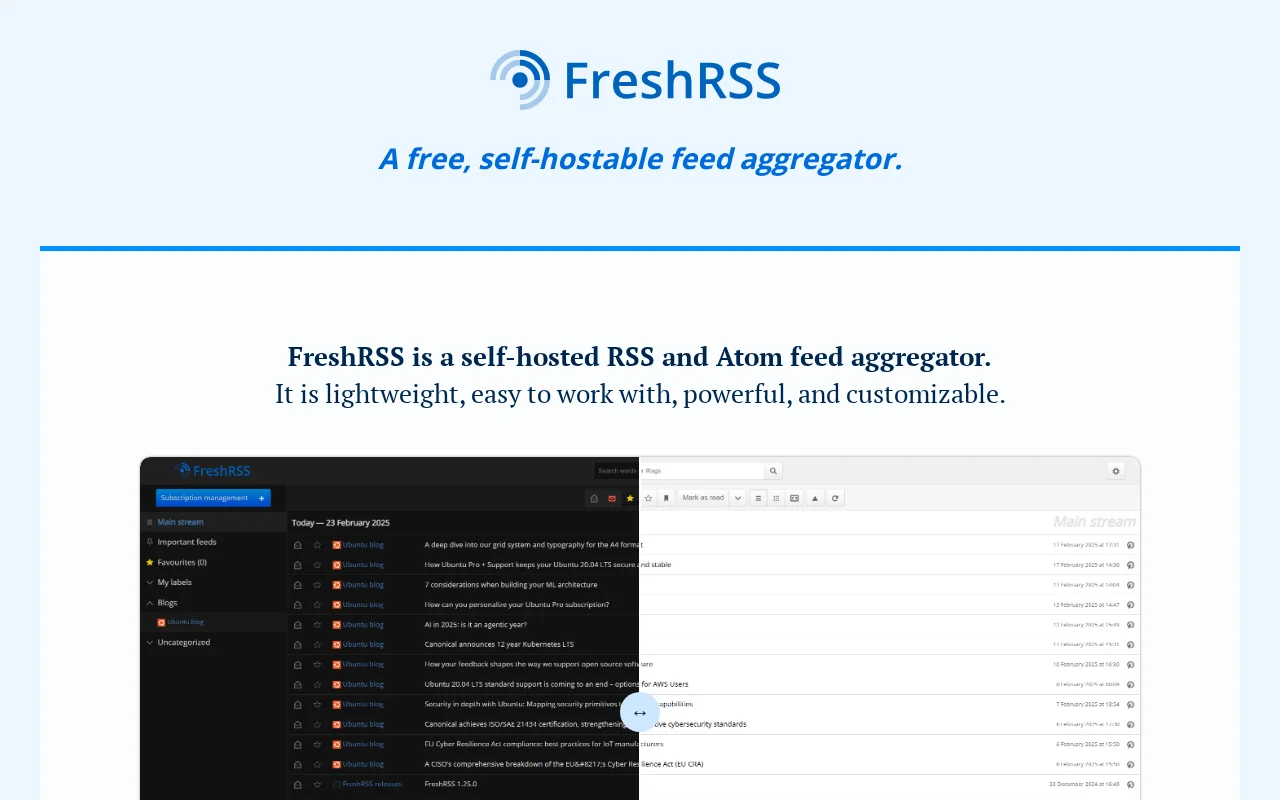
FreshRSS is a free, self-hostable feed aggregator designed for users seeking a lightweight, powerful, and customizable solution to manage their RSS and Atom feeds. It allows you to follow websites, podcasts, and video channels all in one place, offering a streamlined reading experience directly within the application. With advanced features like web scraping, feed generation based on filters, and
FreshRSS: Your Self-Hosted Feed Aggregator
FreshRSS is a robust, open-source feed aggregator that emphasizes user control and privacy by offering a self-hostable solution. It provides a clean and efficient interface for managing all your subscribed RSS and Atom feeds, ensuring you never miss an update from your favorite websites, blogs, podcasts, or video channels. The platform is built to be lightweight and fast, capable of handling a large volume of articles and feeds without performance degradation. Its flexibility shines through with extensive customization options, including themes and extensions, allowing users to tailor the experience to their specific needs and preferences. Whether you're a power user managing hundreds of feeds or a casual user wanting a centralized news source, FreshRSS offers a powerful and private way to stay informed.
One of the standout benefits of FreshRSS is its self-hostable nature, giving you complete ownership of your data and reading habits, free from the tracking or limitations of third-party services. The installation process is well-documented and accessible for users comfortable with managing their own server, with clear instructions available on their GitHub repository. For those who prefer to try before they commit, a live demo is available, providing a hands-on experience of its features. FreshRSS also supports essential feed management functionalities like OPML import/export, WebSub for real-time updates, and powerful search capabilities, making it a comprehensive tool for modern information consumption.
FreshRSS Quick Start Guide
Getting started with FreshRSS is straightforward, whether you choose to try the live demo or host it yourself. The live demo offers an immediate way to explore its interface and core features without any installation. If you decide to self-host, begin by downloading the latest release from the FreshRSS GitHub repository. The installation instructions provided are comprehensive and guide you through setting up the application on your server. Once installed, you can begin adding your favorite RSS and Atom feeds, customizing the look and feel with available themes, and exploring the various extensions to enhance its functionality.
Core FreshRSS Features
- Feed Aggregation: Consolidate RSS and Atom feeds from various sources into one interface.
- Web Scraping: Generate custom feeds by scraping content from external websites.
- Advanced Search: Quickly find articles and save custom search queries for easy access.
- OPML Support: Import and export your feed subscriptions using the OPML standard.
- Real-time Updates: Utilize WebSub to receive instant notifications for new content.
Who Should Use FreshRSS?
- Individuals seeking a private, ad-free news reading experience.
- Users who want to centralize content from blogs, news sites, and podcasts.
- Tech-savvy users comfortable with self-hosting for data control.
- Those looking for a customizable feed reader with extensibility.
- Anyone wanting to avoid the data collection practices of commercial aggregators.
- Users who need to generate custom feeds from web content.
FreshRSS Support and Community
For support, community assistance, or contributions, please refer to the FreshRSS GitHub repository for issues and contributing guides. You can also find contact information and links to community channels on their official website. For direct inquiries, explore the contact options provided on their website.
Reviews0
Would you recommend FreshRSS? Leave a comment
No reviews yet. Be the first to share your experience!
Alternatives
The best modern alternatives to FreshRSS
Cyotek WebCopy
5.0
Last update: 1 days ago
Cyotek WebCopy is a free tool designed to download entire websites or specific portions for offline browsing and archiving. It intelligently scans websites, automatically remapping resource links to local paths for a seamless offline experience. Users can configure extensive rules to dictate precisely which content is copied, making it ideal for creating local backups of static websites or downloa
View Cyotek WebCopyTags:Desktop AppOpen SourceChrome Extension
View Cyotek WebCopyWallabag
5.0
wallabag is an open-source, self-hostable read-it-later application that allows users to save and organize web articles for offline reading. It emphasizes user control and data privacy, offering a clean, distraction-free reading experience across devices. wallabag supports importing content from services like Pocket and Omnivore, making it a flexible alternative to proprietary solutions.
Open SourcePrivacy-FocusedTrial Available
View Wallabag
Linkwarden
5.0
Linkwarden is an open-source, self-hostable bookmark manager that revolutionizes content saving and organization. It offers full-page archival, a reader view, AI-powered organization, and collaboration features, ensuring your saved links remain accessible and well-managed.
Open SourceWeb App
View Linkwarden
Fluent Reader
5.0
Fluent Reader is a powerful, open-source desktop RSS reader designed for efficient news consumption across macOS, Windows, and Linux. Built with Flutter and Rust, it offers a fast and reliable cross-platform experience for users who want to stay updated without the clutter of web-based feeds. Whether you're a tech enthusiast, a student, or a professional, Fluent Reader provides a streamlined way t
Open SourceDesktop AppWindows
View Fluent Reader
SmartSVN
5.0
SmartSVN is a powerful graphical client for Subversion (SVN) that streamlines version control workflows across macOS, Windows, and Linux. It offers a comprehensive feature set for both beginners and experts, including a user-friendly interface, detailed diff viewer, and customization options. Available free for open-source developers, students, and certain charitable organizations, SmartSVN provid
Open SourceWindows
View SmartSVN
New Tools Releases
Recently added tools
Reeder
5.0
Reeder is a modern news reader that unifies RSS feeds, videos, podcasts, and social media into a single timeline. It features seamless cross-device syncing via iCloud, powerful custom filters, and a simple way to save links. Reeder prioritizes a clean interface and user privacy, making it an efficient tool for content consumption.
Desktop AppMobile AppmacOS
View Reeder
SurveyJS
5.0
SurveyJS is a powerful JavaScript library that enables developers to build custom survey and form management systems directly within their applications. It offers unparalleled flexibility through JSON-based configuration, ensuring users retain full ownership of their data and can handle an unlimited number of responses. The latest version, v3.0, introduces significant enhancements like a shared st
Open SourceFor Developers
View SurveyJS
Small Basic
5.0
Small Basic is a free, beginner-friendly programming language developed by Microsoft, designed to make coding accessible and fun for learners of all ages. It simplifies complex programming concepts with an easy-to-understand syntax and a built-in Integrated Development Environment (IDE) that includes helpful features like syntax highlighting and debugging tools. This educational tool empowers user
Open SourceFor StudentsFor Teachers
View Small Basic
Scenari Dokiel
5.0
Scenari Dokiel is a high-performance distributed ledger technology utilizing a hybrid consensus mechanism for rapid transactions. Ideal for DeFi, supply chain management, and gaming, its scalable and secure architecture empowers developers to build next-generation decentralized applications with confidence and efficiency.
AutomationWeb3Open Source
View Scenari Dokiel
SpurtCMS
5.0
spurtCMS is a powerful, open-source Content Management System built with Golang, designed to be adaptable for diverse industry needs and content delivery requirements. It offers a robust admin panel powered by Golang and integrates seamlessly with TailwindCSS for modern, stylish front-end development. Developers can leverage its GraphQL APIs for efficient data fetching and scalability, making it s
Open SourceFor DevelopersAPI
View SpurtCMS
Glogg
5.0
glogg is a powerful, multi-platform GUI application for programmers and system administrators to efficiently browse and search through large log files. It combines the functionalities of grep and less with features like case-insensitive filtering and auto-reloading, streamlining log analysis and troubleshooting.
Open SourceDesktop AppDev Tools
View Glogg
VokoscreenNG
5.0
vokoscreenNG is a free and open-source screen recorder for Linux and Windows, offering full screen, area, or window capture with simultaneous multi-audio recording and built-in camera support. It supports various output formats like MKV, GIF, and MP4, making it a versatile tool for tutorials, presentations, and more.
Open Source
View VokoscreenNG
Koofr
5.0
Koofr offers secure, private European cloud storage with a focus on user privacy and GDPR compliance. It allows users to consolidate multiple cloud accounts into a single interface, providing seamless access across devices. Features include encryption, secure file sharing, and online collaboration.
Privacy-FocusedSecurity
View Koofr