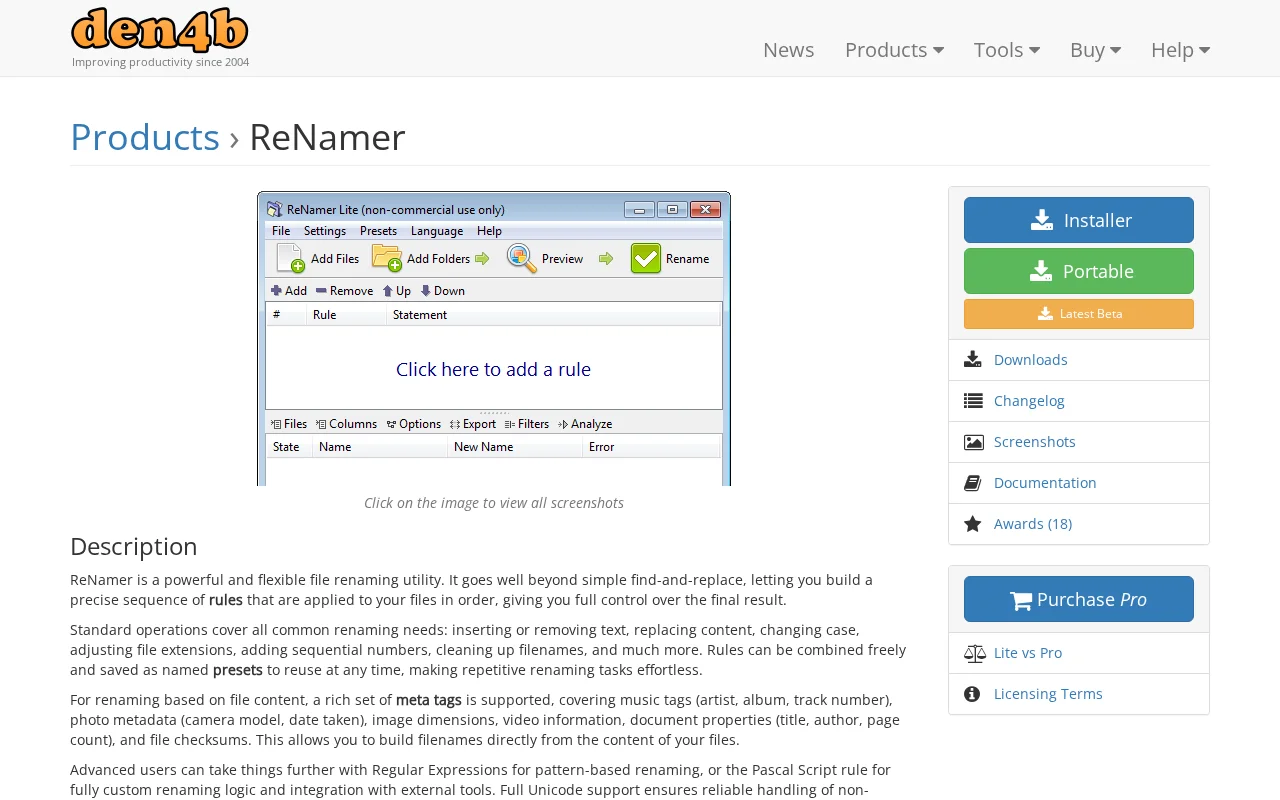
ReNamer
Category of ReNamer:
Tags:
PaidAutomation
Description:
ReNamer is a powerful and flexible file renaming utility that allows users to define a precise sequence of rules for batch renaming files. It offers a wide range of standard operations, including text manipulation, case changes, extension adjustments, and sequential numbering. For more advanced needs, it supports Regular Expressions and Pascal Script for custom logic.
What Is ReNamer and How Does It Work
ReNamer is a powerful and flexible file renaming utility that allows users to define a precise sequence of rules for batch renaming files. It offers a wide range of standard operations, including text manipulation, case changes, extension adjustments, and sequential numbering. For more advanced needs, it supports Regular Expressions and Pascal Script for custom logic.
The tool is designed for users who need to rename multiple files efficiently and accurately. By combining rules and saving them as presets, repetitive renaming tasks become effortless. Its extensive meta tag support enables filenames to be generated directly from file content, such as music tags or photo metadata.
How to Get Started with ReNamer
To begin using ReNamer, download and install the application or use the portable version. Once launched, you can add files or folders to the renaming list. Next, create your desired renaming rules by selecting from the available operations or by defining custom logic with Regular Expressions or Pascal Script. You can then preview the changes and execute the renaming process.
For recurring tasks, save your rule combinations as named presets for quick access. Explore the documentation for detailed guidance on all features and advanced functionalities.
Key Features and Capabilities of ReNamer
- Rule-Based Renaming: Apply a sequence of custom rules for precise file renaming.
- Meta Tag Support: Rename files based on embedded metadata like music tags and EXIF data.
- Regular Expressions: Utilize powerful pattern matching for complex renaming scenarios.
- Pascal Scripting: Implement fully custom renaming logic and integrate with external tools.
- Folder Renaming: Rename folders alongside files in a single operation.
Who Should Use ReNamer
- Users needing to rename large numbers of files efficiently.
- Photographers who want to organize photos using EXIF data.
- Music enthusiasts managing large audio libraries.
- Developers and system administrators handling many files.
- Anyone seeking granular control over file naming conventions.
- Users working with non-English filenames requiring Unicode support.
ReNamer Support and Contact Information
For support and inquiries, please refer to the official documentation and the community forum available on the den4b.com website. For direct contact, you can reach out via email to support@den4b.com.
Reviews0
Would you recommend ReNamer? Leave a comment
No reviews yet. Be the first to share your experience!
Alternatives
The best modern alternatives to ReNamer
YouTube
5.0
Last update: 6 hours ago
YouTube is the world's largest video-sharing platform where users can upload, watch, and share videos. It offers diverse content from entertainment and education to music and live streaming, with tools for creators to build audiences and monetize content.
View YouTubeTags:YouTubeFor CreatorsFree
View YouTubeFacebook
5.0
Facebook is the world's leading social networking platform that enables users to connect with friends, family, and communities. Create personalized profiles, share photos and videos, join groups, and stay updated with news and events.
Web AppMobile AppFree
View Facebook
Gmail
5.0
Gmail is Google's free email service offering 15GB of storage, powerful spam filtering, and seamless integration with Google Workspace. It provides smart features like priority inbox, scheduled sending, and offline access across web and mobile apps.
FreeWeb AppMobile App
View Gmail
ChatGPT
5.0
ChatGPT is an advanced AI chatbot developed by OpenAI that provides intelligent conversational assistance, content generation, and research support through natural language processing.
OpenAIFreeChat
View ChatGPT
X
5.0
X is a leading social media platform where users share short messages, follow others, and engage with real-time content. Connect with people worldwide and join global conversations through this dynamic communication tool.
EnglishFreeBrowser-Based
View X
New Tools Releases
Recently added tools
OpenRCT2
5.0
OpenRCT2 is a community-driven, open-source re-implementation of RollerCoaster Tycoon 2, enhancing the classic game with bug fixes, improved performance, and new features. It offers modern gameplay enhancements, extensive customization, and robust multiplayer support, making it ideal for fans seeking a more stable and feature-rich theme park simulation experience. This free project is actively dev
Open SourcemacOSLinux
View OpenRCT2
MagicHow
5.0
MagicHow is an AI-powered SaaS platform that automates the creation of step-by-step guides, SOPs, and training manuals. It captures processes visually and uses AI to refine content, making documentation creation efficient and accessible for teams aiming to standardize operations and knowledge management.
View MagicHow
Neon White
5.0
Neon White is a high-octane first-person shooter that throws players into a celestial battle against demons. Players navigate fast-paced levels, utilizing a unique card-based combat and movement system to achieve the fastest times. The game challenges players to master card combinations for massive shortcuts, uncover the mysteries of Heaven by interacting with other assassins, and compete for a ch
GamingBrowser-BasedMobile App
View Neon White
Xreveal
5.0
Xreveal is a Windows application that automatically and transparently removes restrictions from DVD and Blu-ray media, including region codes. It enables seamless read access to disc content and can also back up discs to ISO or folder formats. Designed for users who want to bypass copy protection and region codes effortlessly, Xreveal operates in the background, making your physical media library
View Xreveal
LBRY
5.0
LBRY is a decentralized content sharing and publishing platform that empowers creators and users by offering an open, free, and fair alternative to traditional media distribution. It functions similarly to how Bitcoin revolutionized digital currency, providing a censorship-resistant network for digital content. Users can access content through various applications like the LBRY Desktop client or t
Open SourceFor CreatorsWeb3
View LBRY
Nitreo
5.0
Nitreo is an Instagram growth service that automates key social media tasks like following accounts, liking posts, and viewing stories to organically increase follower count and engagement. It saves users an average of 9 hours per week, making it ideal for creators, businesses, and agencies seeking to expand their reach and build their brand with real, engaged followers.
Social Media ManagementFor Creators
View Nitreo
Tux Rider
5.0
Tux Rider is an engaging 3D racing game for Android, offering a mobile port of the classic "Tux Racer" experience. Players control the Linux mascot, Tux the penguin, as they race down snowy slopes, collecting fish and aiming for the best times. The game features intuitive controls using the accelerometer and touchscreen, providing an accessible and fun gameplay experience. With multiple levels and
Open SourceFor CreatorsAndroid
View Tux Rider
Automad
5.0
Automad is a fast, lightweight, and flexible flat-file content management system and template engine designed for creatives. It offers an intuitive dashboard with a block editor and in-page editing capabilities, eliminating the need for a database by storing all content in human-readable text files. This approach simplifies version control and makes managing your website straightforward. Despite i
Open SourceFor Creators
View Automad