Craft
Category of Craft:
Tags:
Note-TakingDocument CreationScheduling
Description:
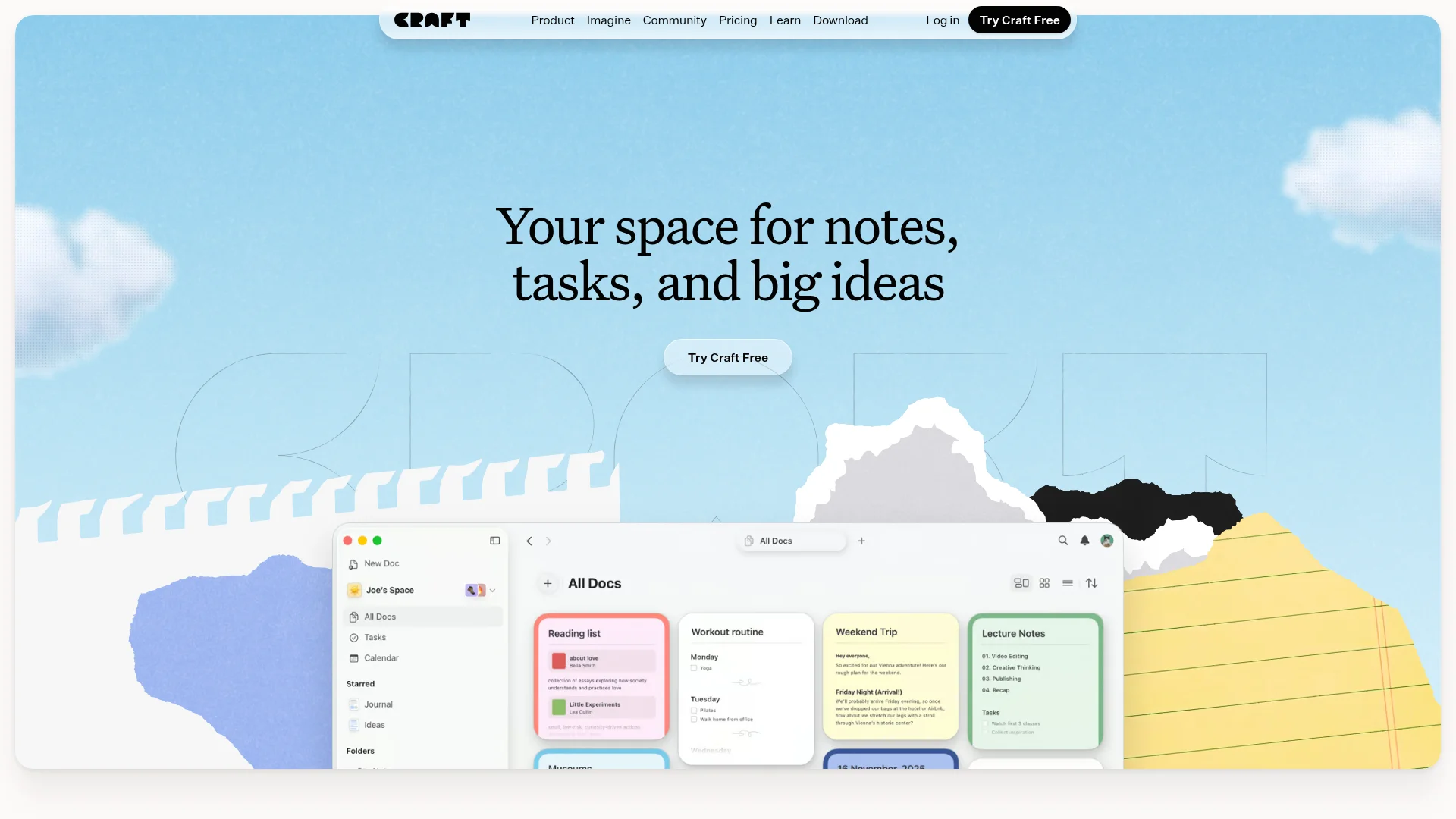
Craft is a versatile productivity platform combining note-taking, document creation, task management, and planning into a beautifully designed workspace. It offers cross-device sync, AI-assisted writing, customizable templates, and visual whiteboards for professionals, creators, and students.
What Is Craft and How Does It Work
Craft is a comprehensive productivity platform that serves as your digital workspace for notes, documents, tasks, and planning. It combines the simplicity of note-taking apps with the power of document editors and project management tools. The platform works seamlessly across all your devices, allowing you to capture ideas instantly on mobile and refine them later on desktop.
At its core, Craft helps you organize your thoughts and workflows in a visually appealing environment. The tool adapts to your thinking style rather than forcing you into rigid structures. Whether you're writing articles, managing projects, or planning your day, Craft provides the flexibility to work the way you want.
The platform serves professionals, creators, students, and anyone who needs to manage information effectively. It's designed to be both powerful enough for complex projects and simple enough for daily use. Craft eliminates the need for multiple separate tools by combining essential productivity features in one place.
How to Get Started with Craft
Getting started with Craft is straightforward and requires no credit card for the free plan. Simply download the app from your device's app store or access it through the web version. The platform offers immediate access to basic features upon installation, allowing you to begin creating documents and organizing notes right away.
New users can explore the template gallery to find starting points for various use cases. The intuitive interface guides you through creating your first documents and setting up your workspace. You can customize your experience with different themes and organizational structures as you become more familiar with the platform.
Key Features and Capabilities of Craft
- Cross-Device Synchronization: Access your work seamlessly across all devices
- AI-Assisted Writing: Enhance your documents with intelligent writing support
- Customizable Templates: Start quickly with professionally designed templates
- Visual Whiteboards: Brainstorm and plan visually with collaborative boards
- Integrated Task Management: Manage tasks directly within your documents
Who Should Use Craft
- Professionals managing work documents and project plans
- Creators developing content, scripts, and creative projects
- Students organizing course notes and academic materials
- Writers drafting articles, books, and publication content
- Teams collaborating on shared documents and workflows
- Individuals planning personal projects and daily activities
Craft Support and Contact Information
Craft provides comprehensive support through multiple channels including a detailed help center and community resources. Users can access tutorials, guides, and troubleshooting documentation through the official support portal. The platform maintains active community forums where users can share tips and best practices.
For direct assistance, users can contact the support team via email. The company maintains responsive customer service to address technical issues and user inquiries. For support, contact feedback@craft.do.
Reviews0
Would you recommend Craft? Leave a comment
No reviews yet. Be the first to share your experience!
Alternatives
The best modern alternatives to Craft
Google Keep
5.0
Last update: 2 days ago
Google Keep is a free note-taking service that helps you capture thoughts, create checklists, and organize ideas across all your devices with voice notes, image annotations, and real-time collaboration.
View Google KeepTags:FreeNote-TakingBrowser-Based
View Google KeepOverleaf
5.0
Overleaf is a collaborative online LaTeX editor for scientific and technical writing. It offers real-time collaboration, thousands of templates, and powerful typesetting tools without requiring prior LaTeX knowledge.
Browser-BasedDocument CreationEnglish
View Overleaf
Tactiq
5.0
Tactiq is an AI-powered meeting assistant that provides live transcriptions and instant AI summaries for virtual meetings across platforms like Zoom, Google Meet, and Microsoft Teams. It supports over 60 languages, extracts action items, and offers an 'Ask AI' feature for interactive insights, enhancing productivity and reducing manual note-taking.
Chrome ExtensionNote-TakingZapier Integration
View Tactiq
Scholarcy
5.0
Scholarcy is an AI-powered research assistant that helps students, researchers, and academics accelerate their workflow by efficiently reading, reviewing, and summarizing research papers, extracting key information, facts, and references in seconds. It offers automated summarization, key fact extraction, and reference management, making academic work more manageable and productive.
For StudentsAutomationDocument Creation
View Scholarcy
Jenni AI
5.0
Jenni AI is an intelligent research assistant designed for academics, offering a comprehensive workspace to read, write, and cite research papers seamlessly. It empowers researchers by integrating AI-powered writing assistance with direct source traceability, ensuring every claim is verifiable. With features like AI autocomplete grounded in user-provided sources, advanced AI chat for library queri
Document CreationContent GenerationSEO Optimization
View Jenni AI
New Tools Releases
Recently added tools
Quiver
5.0
Quiver is a modern, user-friendly editor designed for creating commutative diagrams. It offers robust support for the popular tikz-cd package, making it an ideal tool for mathematicians, researchers, and students who need to visualize complex relationships and structures. The intuitive interface allows for efficient diagram construction, enabling users to focus on their mathematical content rather
Open SourceWeb AppWeb
View Quiver
Retro Game Trivia
5.0
Retro Game Trivia is a free, daily browser game for retro video game enthusiasts. Players guess classic video games using various methods, including letter reveals, textual clues, iconic screenshots, and box art. This engaging Wordle-style game provides a fun way to test and expand your knowledge of gaming history. With multiple game modes and an archive of past challenges, it caters to both casua
Browser-BasedFreeEarly Access
View Retro Game Trivia
Iron Marines
5.0
Iron Marines is a real-time strategy game blending action and tower defense. Players command heroes and units across a sci-fi universe to battle alien invaders. Available on mobile (iOS, Android) and PC (Steam), it offers engaging campaigns and tactical gameplay.
Gaming ToolsFor CreatorsMobile App
View Iron Marines
BiblioReads
5.0
BiblioReads is a free and open-source front-end for Goodreads, prioritizing user privacy. It allows users to search for book information directly from the Goodreads database without the privacy concerns associated with the official platform. Ideal for readers who want a clean, private way to track their reading, manage lists, and discover book details.
Open SourceFreePrivacy-Focused
View BiblioReads
IVentoy
5.0
iVentoy is a powerful and user-friendly network boot solution that transforms any computer into a PXE/HTTPBoot server. It allows for simultaneous operating system installation and booting across multiple machines without complex configuration. Supporting a wide range of operating systems and UEFI modes, including Secure Boot, iVentoy is ideal for IT professionals, system administrators, and anyone
Open SourceWindowsLinux
View IVentoy
PocketBase
5.0
PocketBase is an open-source backend solution that simplifies application development by bundling a real-time database, authentication services, file storage, and an integrated admin dashboard into a single, self-contained file. This all-in-one approach is ideal for developers seeking a lightweight yet powerful backend for rapid prototyping, small to medium-sized applications, and projects where m
Open SourceLinuxDev Tools
View PocketBase
OpenRCT2
5.0
OpenRCT2 is a community-driven, open-source re-implementation of RollerCoaster Tycoon 2, enhancing the classic game with bug fixes, improved performance, and new features. It offers modern gameplay enhancements, extensive customization, and robust multiplayer support, making it ideal for fans seeking a more stable and feature-rich theme park simulation experience. This free project is actively dev
Open SourcemacOSLinux
View OpenRCT2
MagicHow
5.0
MagicHow is an AI-powered SaaS platform that automates the creation of step-by-step guides, SOPs, and training manuals. It captures processes visually and uses AI to refine content, making documentation creation efficient and accessible for teams aiming to standardize operations and knowledge management.
View MagicHow