Behance
Category of Behance:
Tags:
Web AppFor CreatorsFor Designers
Description:
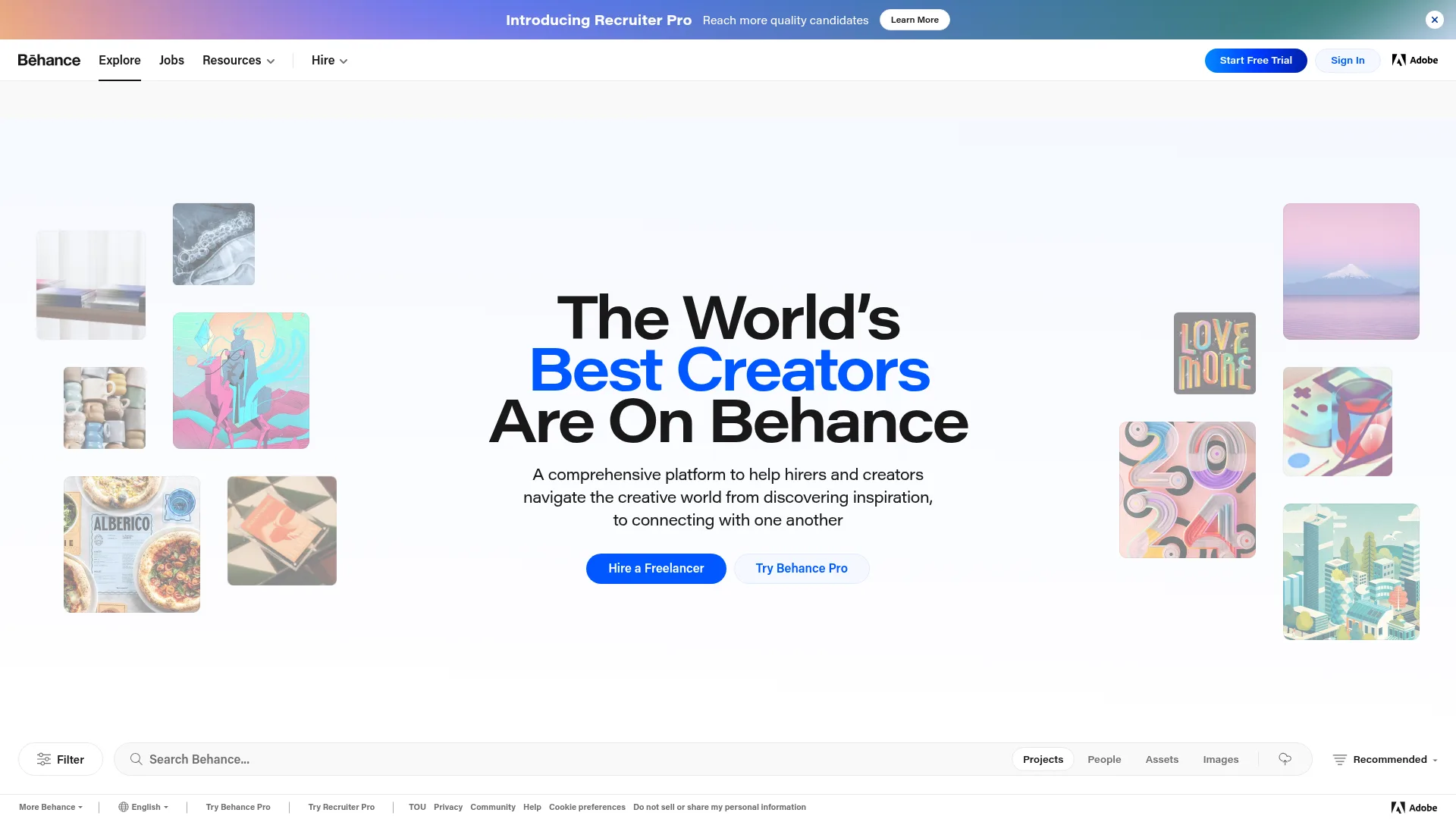
Behance is Adobe's premier creative platform where professionals showcase portfolios, discover inspiration, and connect with opportunities. It serves as a global network for designers, photographers, illustrators, and other creatives to display their best work and get hired.
Everything You Need to Know About Behance
Behance stands as the world's leading online platform for creative professionals to showcase their portfolios and connect with potential clients or employers. Owned by Adobe, it provides a comprehensive ecosystem where millions of artists, designers, photographers, and other creatives display their work across diverse fields including graphic design, illustration, photography, UI/UX, motion graphics, and 3D art. The platform serves both as a discovery engine for creative inspiration and a professional network for career advancement.
Users can browse thousands of curated projects, follow favorite creators, and explore trending work across creative disciplines. Behance integrates seamlessly with Adobe Creative Cloud applications, allowing creators to publish work directly from tools like Photoshop, Illustrator, and After Effects. The platform's social features enable appreciation through likes and comments, while analytics help creators understand their audience reach and engagement metrics.
Beyond individual portfolios, Behance offers specialized sections for job seekers and employers through its job board, creative asset marketplace, and freelance services directory. The platform maintains high-quality standards through curated galleries and featured content, ensuring visitors discover exceptional creative work. Regular updates and community features keep the platform dynamic and responsive to evolving creative trends and professional needs.
Behance Quick Start: First Steps
Getting started with Behance is straightforward for both creators and viewers. Creators can sign up using their Adobe ID or create a new account, then begin building their portfolio by uploading projects with images, videos, and detailed descriptions. The platform offers customizable project layouts and organization tools to present work effectively. Viewers can browse without an account but benefit from creating one to save favorites, follow creators, and receive personalized recommendations.
For optimal experience, creators should complete their profile with professional information, connect their social media accounts, and organize projects into coherent collections. The platform provides guidance on best practices for project presentation, including optimal image sizes, descriptive text, and relevant tagging. Regular activity through project updates and community engagement helps increase visibility within Behance's algorithm and broader creative community.
Core Functions and Tools in Behance
- Portfolio Showcase: Display creative projects with multimedia support and detailed descriptions.
- Creative Discovery: Browse curated galleries across dozens of creative fields and specialties.
- Talent Connection: Connect with potential clients through job listings and freelance opportunities.
- Community Engagement: Appreciate projects, follow creators, and participate in creative discussions.
- Professional Analytics: Track project views, appreciations, and follower growth over time.
Ideal Use Cases for Behance
- Graphic designers building online portfolios to attract clients
- Photographers showcasing their best work to potential buyers
- Illustrators seeking inspiration from global creative trends
- Creative agencies recruiting talent for design positions
- Freelancers marketing their services to international clients
- Art students creating professional portfolios for graduation
Contact and Support Options for Behance
Behance provides comprehensive support through its Help Center with articles, tutorials, and troubleshooting guides. Users can submit specific inquiries through the contact form available on the platform. For general Adobe account issues, support is available through Adobe's main customer service channels. The platform also maintains active social media presence on Instagram, Twitter, and Facebook for community updates and announcements.
Reviews0
Would you recommend Behance? Leave a comment
No reviews yet. Be the first to share your experience!
Alternatives
The best modern alternatives to Behance
Google Drive
5.0
Last update: 1 days ago
Google Drive is a secure, AI-powered cloud storage platform that enables seamless file sharing and real-time collaboration. Store, access, and edit documents from any device with scalable storage up to 5TB per user. Integrated with Google Workspace tools for enhanced productivity and workflow management.
View Google DriveTags:Web AppMobile AppBrowser-Based
View Google DrivePixiv
5.0
Pixiv is one of the world's largest art communities where creators share illustrations, manga, and novels. Artists can upload diverse work, join contests, and connect with fans through various integrated services.
Web AppWebFree
View Pixiv
Tumblr
5.0
Tumblr is a versatile microblogging platform for creating customizable blogs with text, photos, quotes, links, music, and videos. Share ideas, follow content you love, and connect with a global community through reblogs, likes, and replies.
Web AppMobile AppFor Creators
View Tumblr
Freepik
5.0
Freepik is an all-in-one creative suite combining AI models, editing tools, and stock assets for designers, marketers, and content creators to generate and edit images, videos, audio, and illustrations with brand consistency and commercial rights.
For DesignersFor MarketersFor Creators
View Freepik
Zoho Calendar
5.0
Zoho Calendar is a powerful online calendar tool designed for teams and businesses. It streamlines scheduling, resource booking, and event management with smart features like natural language input and cross-platform sync.
SchedulingWeb AppFree
View Zoho Calendar
New Tools Releases
Recently added tools
Quiver
5.0
Quiver is a modern, user-friendly editor designed for creating commutative diagrams. It offers robust support for the popular tikz-cd package, making it an ideal tool for mathematicians, researchers, and students who need to visualize complex relationships and structures. The intuitive interface allows for efficient diagram construction, enabling users to focus on their mathematical content rather
Open SourceWeb AppWeb
View Quiver
Retro Game Trivia
5.0
Retro Game Trivia is a free, daily browser game for retro video game enthusiasts. Players guess classic video games using various methods, including letter reveals, textual clues, iconic screenshots, and box art. This engaging Wordle-style game provides a fun way to test and expand your knowledge of gaming history. With multiple game modes and an archive of past challenges, it caters to both casua
Browser-BasedFreeEarly Access
View Retro Game Trivia
Iron Marines
5.0
Iron Marines is a real-time strategy game blending action and tower defense. Players command heroes and units across a sci-fi universe to battle alien invaders. Available on mobile (iOS, Android) and PC (Steam), it offers engaging campaigns and tactical gameplay.
Gaming ToolsFor CreatorsMobile App
View Iron Marines
BiblioReads
5.0
BiblioReads is a free and open-source front-end for Goodreads, prioritizing user privacy. It allows users to search for book information directly from the Goodreads database without the privacy concerns associated with the official platform. Ideal for readers who want a clean, private way to track their reading, manage lists, and discover book details.
Open SourceFreePrivacy-Focused
View BiblioReads
IVentoy
5.0
iVentoy is a powerful and user-friendly network boot solution that transforms any computer into a PXE/HTTPBoot server. It allows for simultaneous operating system installation and booting across multiple machines without complex configuration. Supporting a wide range of operating systems and UEFI modes, including Secure Boot, iVentoy is ideal for IT professionals, system administrators, and anyone
Open SourceWindowsLinux
View IVentoy
PocketBase
5.0
PocketBase is an open-source backend solution that simplifies application development by bundling a real-time database, authentication services, file storage, and an integrated admin dashboard into a single, self-contained file. This all-in-one approach is ideal for developers seeking a lightweight yet powerful backend for rapid prototyping, small to medium-sized applications, and projects where m
Open SourceLinuxDev Tools
View PocketBase
OpenRCT2
5.0
OpenRCT2 is a community-driven, open-source re-implementation of RollerCoaster Tycoon 2, enhancing the classic game with bug fixes, improved performance, and new features. It offers modern gameplay enhancements, extensive customization, and robust multiplayer support, making it ideal for fans seeking a more stable and feature-rich theme park simulation experience. This free project is actively dev
Open SourcemacOSLinux
View OpenRCT2
MagicHow
5.0
MagicHow is an AI-powered SaaS platform that automates the creation of step-by-step guides, SOPs, and training manuals. It captures processes visually and uses AI to refine content, making documentation creation efficient and accessible for teams aiming to standardize operations and knowledge management.
View MagicHow