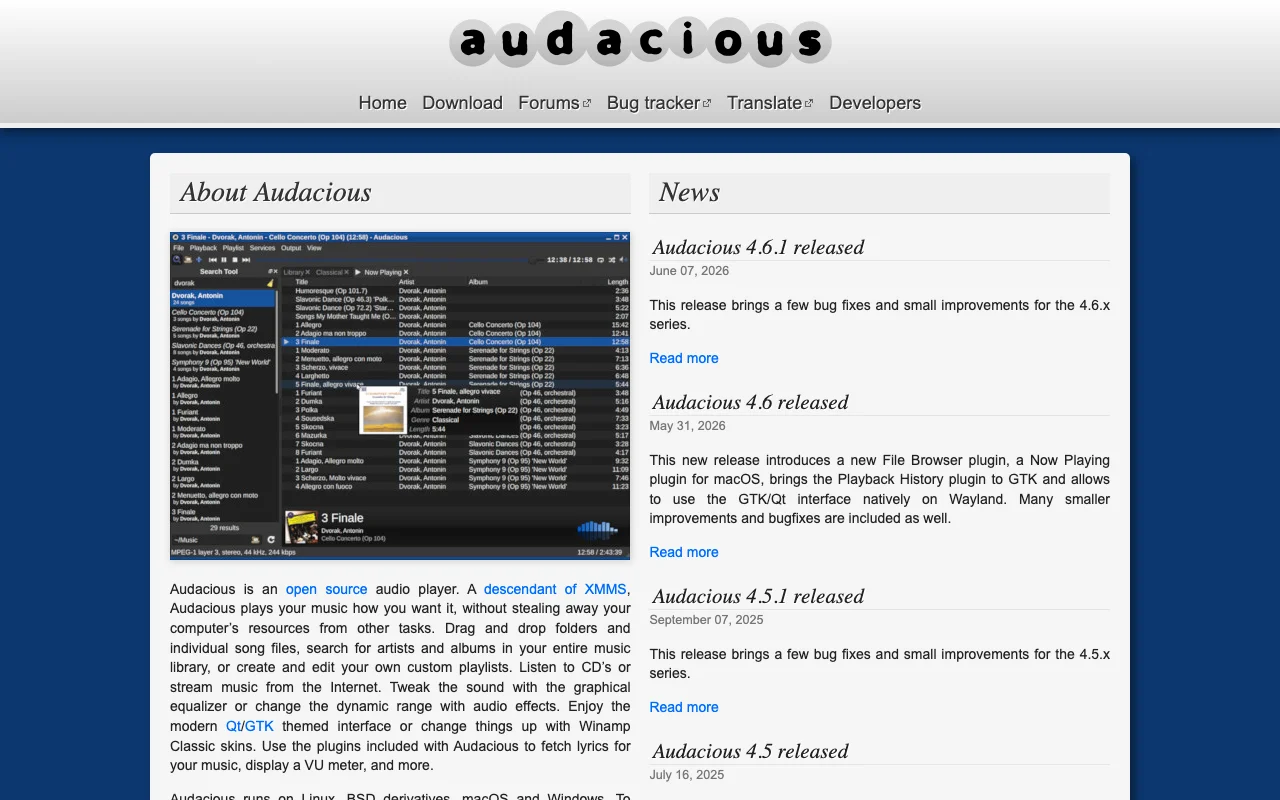
Audacious
Category of Audacious:
Tags:
Open SourceDesktop AppWindows
Description:
Audacious is a free, open-source audio player known for its efficiency and flexibility. As a descendant of XMMS, it offers a lightweight yet powerful music management and playback experience. It supports a wide range of audio formats, advanced playback controls including a graphical equalizer and effects, customizable interfaces with themes and skins, and extensive plugin support. Audacious is com
Last update:
19 September, 2026Website:
audacious-media-player.orgContact email:
support@audacious-media-player.orgWhat Is Audacious and How Does It Work
Audacious is a free, open-source audio player designed for efficiency and flexibility. It offers a lightweight yet powerful experience for managing and playing your music library. Users can easily drag and drop files, search their entire collection, create custom playlists, and even stream music from the internet. Audacious provides advanced audio controls, including a graphical equalizer and various effects, allowing for personalized sound customization.
The player supports a wide range of audio formats and features advanced playback options. Its interface is customizable with modern Qt/GTK themes or classic Winamp skins. It also supports numerous plugins for added functionality like lyrics display and VU meters, making it a versatile choice for audiophiles and casual listeners alike.
How to Get Started with Audacious
Download the latest version from the official website. Audacious is available for Linux, BSD derivatives, macOS, and Windows. Installation is straightforward. Add your music files by dragging and dropping them into the player or using the file browser. Explore customization options like themes and Winamp Classic skins. Enhance functionality with available plugins for features like lyrics display or advanced visualizations.
Key Features and Capabilities of Audacious
- Wide Format Support: Plays numerous audio formats, including MP3, AAC, Ogg Vorbis, FLAC, and more.
- Customizable Interface: Offers modern Qt/GTK themes and supports Winamp Classic skins.
- Advanced Audio Controls: Features a graphical equalizer and various audio effects for sound tweaking.
- Playlist Management: Allows drag-and-drop of files and folders, with easy playlist creation and editing.
- Plugin Support: Extensible with plugins for lyrics, VU meters, and other functionalities.
Who Should Use Audacious
- Users seeking a free and open-source audio player.
- Individuals who prefer lightweight software that doesn't tax system resources.
- Fans of the classic XMMS interface looking for a modern alternative.
- Music enthusiasts who enjoy customizing audio output with equalizers and effects.
- Linux, macOS, and Windows users needing a versatile cross-platform music player.
- Anyone looking for a stable and reliable music player with extensive plugin support.
Audacious Support and Contact Information
For assistance, use the official community forums. Submit bug reports and feature requests through the GitHub issue tracker. Refer to the list of common problems on the website before reporting issues. Developers are volunteers, so provide sufficient details when reporting bugs or suggesting features.
Reviews0
Would you recommend Audacious? Leave a comment
No reviews yet. Be the first to share your experience!
Alternatives
The best modern alternatives to Audacious
SMPlayer
5.0
Last update: 53 min ago
SMPlayer is a free, open-source media player for Windows and Linux that supports virtually all audio and video formats thanks to its built-in codecs. It remembers playback settings for each file, allowing you to resume movies exactly where you left off. Features include YouTube playback, subtitle downloading, customizable skins, and advanced options like video filters and playback speed control.
View SMPlayerTags:Open SourceWindowsLinux
View SMPlayerOSMC
5.0
OSMC (Open Source Media Center) is a free and open-source media center software that transforms any computer into a powerful home theater PC. Built upon the Kodi Media Center, OSMC provides a streamlined and user-friendly interface for accessing and organizing your entire digital media library, including movies, TV shows, music, and photos. It offers deep customization possibilities and an extensi
Open SourceFree
View OSMC
Mp3DirectCut
5.0
mp3DirectCut is a free audio editor for Windows and Linux (via Wine) that allows for fast and lossless editing of MP3 and AAC files. It supports cutting, cropping, splitting, joining, fading, and recording audio without re-encoding, preserving original quality. Key features include batch processing, pause detection, and cue sheet support, making it efficient for podcasters, musicians, and audio en
WindowsOpen SourceFree
View Mp3DirectCut
SPlayer
5.0
SPlayer is a lightweight, open-source media player designed primarily for Chinese users, offering a secure and efficient video playback experience without the need for plugins. It boasts advanced hardware acceleration for smooth HD content playback, intelligent subtitle matching for enhanced viewing, and a compact 5MB footprint. The player also includes features like ad blocking and trace cleaning
Open SourceDesktop AppLightweight
View SPlayer
Synthesia
5.0
Synthesia is an interactive piano learning software for all levels, transforming practice into an engaging experience with features like adaptive lessons, melody practice that waits for correct notes, sheet music toggling, and separate hand practice. Millions trust Synthesia for its unlimited song library and progress tracking, making piano mastery accessible and enjoyable.
Trial AvailableSubscription-BasedDesktop App
View Synthesia
New Tools Releases
Recently added tools
Glyphr Studio
5.0
Glyphr Studio is a free, open-source, browser-based font editor designed for hobbyists and beginners. It allows users to import various font formats, utilize familiar vector editing tools, combine glyphs, and export custom typefaces directly from their browser, offering an accessible entry into font design without the need for complex professional software.
Open SourceWeb AppBrowser-Based
View Glyphr Studio
OpenPay
5.0
OpenPay is an advanced AI-powered platform designed specifically for subscription businesses to optimize revenue and enhance customer retention. It tackles common pain points such as high transaction fees by offering intelligent routing, robust payment recovery mechanisms, and actionable AI-driven insights, all consolidated into a single, user-friendly interface. This comprehensive solution aims t
View OpenPay
Tide
5.0
Tide is a nature-themed wellness application designed to help users find calm and focus amidst a busy life. It offers natural soundscapes paired with dedicated 'Focus' and 'Sleep' modules. By immersing users in peaceful, quiet environments, Tide aims to reduce anxiety and stress, improve concentration, and promote better sleep. The app is recognized for its minimalist design and effective tools fo
Trial AvailableMobile AppHealth
View Tide
Hitabs
5.0
Hitabs is an innovative online tool designed to streamline how users save, organize, and share their digital resources. Whether you're collecting articles to read later, bookmarking valuable websites, or curating links for a project, Hitabs offers a centralized and intuitive platform. It caters to students, researchers, professionals, and anyone looking to manage their online information more effe
Browser-BasedWeb AppLightweight
View Hitabs
Apache Subversion
5.0
Apache Subversion (SVN) is a robust, open-source, centralized version control system designed for managing code and project data. It offers reliability, simplicity, and scalability, making it suitable for individual developers and large enterprise operations. Subversion excels at tracking changes, facilitating collaboration, and ensuring data integrity. Its widespread adoption in both open-source
Open SourceGPLFor Developers
View Apache Subversion
Spamgourmet
5.0
Spamgourmet provides free, auto-creating email addresses that forward messages to your primary inbox and then expire, acting as a powerful spam blocker. It's ideal for anyone who wants to protect their main email from spam when signing up for new services or giving out contact information. The tool requires no installation and is designed for minimal user intervention after initial setup, making i
FreeWeb AppPrivacy-Focused
View Spamgourmet
Crew
5.0
Crew is a high-yield checking account that actively manages your finances through automated 'pockets,' paycheck splitting, and bill management. It offers a subscription-free approach to personal finance, empowering users with control and clarity over their money, alongside features like parental controls and competitive APY on deposits. Banking services are provided by Bangor Savings Bank, Member
Trial AvailableSubscription-BasedMobile App
View Crew
Ludwig
5.0
Ludwig is an open-source declarative deep learning framework that simplifies building, fine-tuning, and deploying ML models using a YAML file. It supports various data modalities and scales seamlessly from a laptop to distributed clusters, offering the flexibility of PyTorch with the ease of AutoML.
Open SourceFor DevelopersAutomation
View Ludwig