
Aniyomi
Category of Aniyomi:
Tags:
Open SourceMobile App
Description:
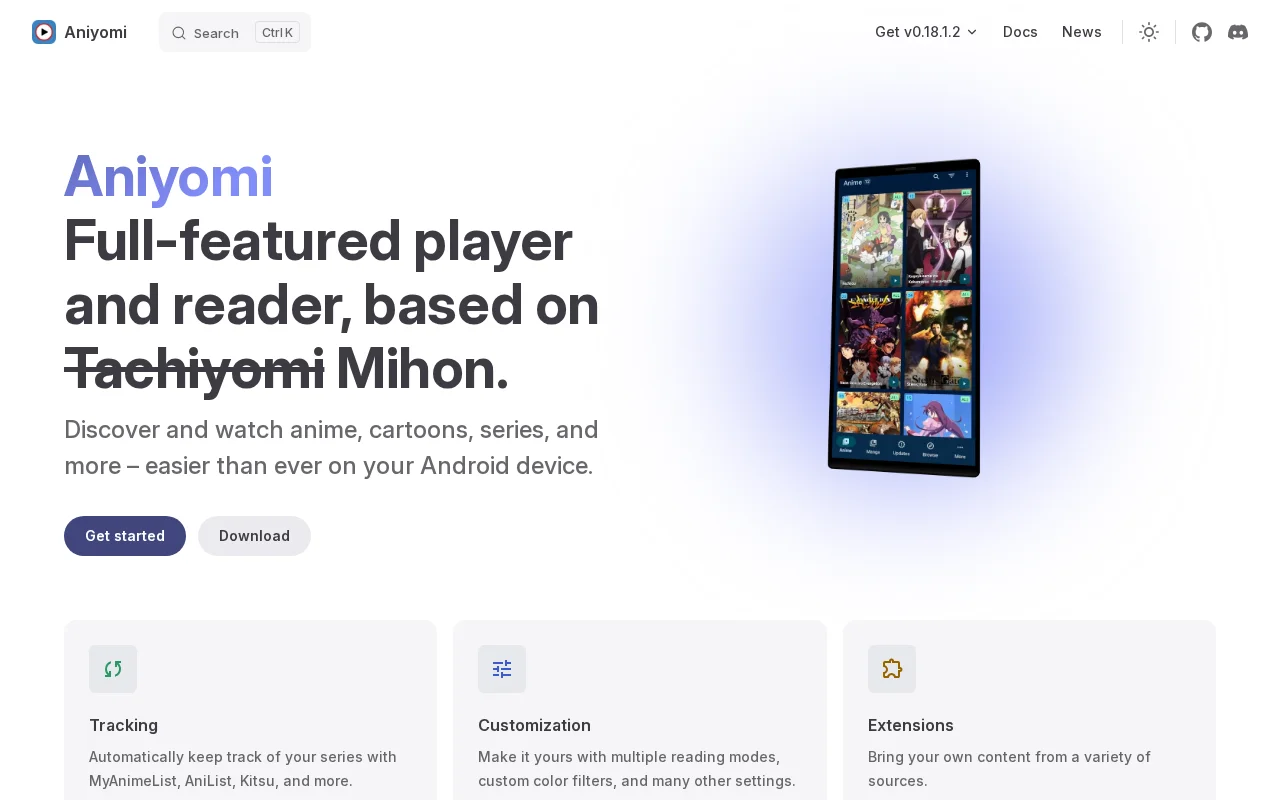
Aniyomi is a feature-rich media player and reader for Android, built upon the foundation of Mihon. It offers a seamless experience for discovering and watching a wide variety of anime, cartoons, and series directly on your device. With robust tracking capabilities, Aniyomi automatically synchronizes your progress with popular anime tracking platforms like MyAnimeList, AniList, and Kitsu, ensuring
Aniyomi: Your Ultimate Android Media Player and Reader
Aniyomi is a comprehensive media player and reader designed for Android devices, offering a streamlined way to discover and enjoy anime, cartoons, and series. It provides a user-friendly interface combined with powerful features to enhance your viewing experience.
The application excels in content tracking, automatically updating your progress on platforms like MyAnimeList, AniList, and Kitsu. This ensures your watch history is always up-to-date without manual intervention. Aniyomi also emphasizes personalization, allowing users to customize reading modes, apply color filters, and adjust various settings to suit their preferences.
Getting Started with Aniyomi: Quick Setup Guide
To begin using Aniyomi, download and install the application on your Android device. Once installed, you can start exploring content through various extensions. For a personalized experience, navigate to the settings menu to configure reading modes, tracking services, and other preferences according to your needs.
Setting up tracking is straightforward: simply link your preferred anime tracking service (e.g., MyAnimeList) within the app's settings. This will automatically sync your viewing progress. Exploring and adding content from different sources is made easy through the extension system, allowing you to broaden your media library.
Top Features and Highlights of Aniyomi
- Content Discovery: Easily find and access a vast library of anime and cartoons from multiple sources.
- Automatic Tracking: Sync your viewing progress with MyAnimeList, AniList, and Kitsu.
- Customizable Player: Adjust reading modes, color filters, and playback settings.
- Extensive Source Support: Utilize a wide range of extensions to bring your preferred content.
- User-Friendly Interface: Navigate and manage your media library with an intuitive design.
Who Benefits Most from Aniyomi
- Anime and cartoon enthusiasts seeking a unified viewing platform.
- Users who want to track their watch progress across multiple services.
- Individuals looking for a customizable media player experience on Android.
- Those who enjoy accessing content from diverse online sources.
- Users who prefer an app based on the robust Mihon framework.
- People who want to manage both anime and manga within a single application.
Aniyomi Help and Support Resources
For assistance with Aniyomi, users can refer to the official documentation and GitHub repository for guides and troubleshooting information. Community support is available through the Discord server, where users can ask questions and share solutions with other Aniyomi users.
If you encounter specific issues or have inquiries not covered in the documentation, the Aniyomi community on Discord is a valuable resource. You can also find detailed changelogs and information on contributing to the project through the official website and GitHub page.
Reviews0
Would you recommend Aniyomi? Leave a comment
No reviews yet. Be the first to share your experience!
Alternatives
The best modern alternatives to Aniyomi
Wick Editor
5.0
Last update: 1 days ago
The Wick Editor is a free, open-source, browser-based platform for creating motion graphics and interactive animations. It empowers users of all skill levels to design and develop directly within their web browser, eliminating the need for any software installation. With vector drawing tools, an animation timeline, and JavaScript scripting, it's ideal for animated videos, presentations, simple gam
View Wick EditorTags:Open SourceFreeBrowser-Based
View Wick EditorSMPlayer
5.0
SMPlayer is a free, open-source media player for Windows and Linux that supports virtually all audio and video formats thanks to its built-in codecs. It remembers playback settings for each file, allowing you to resume movies exactly where you left off. Features include YouTube playback, subtitle downloading, customizable skins, and advanced options like video filters and playback speed control.
Open SourceWindowsLinux
View SMPlayer
OSMC
5.0
OSMC (Open Source Media Center) is a free and open-source media center software that transforms any computer into a powerful home theater PC. Built upon the Kodi Media Center, OSMC provides a streamlined and user-friendly interface for accessing and organizing your entire digital media library, including movies, TV shows, music, and photos. It offers deep customization possibilities and an extensi
Open SourceFree
View OSMC
SPlayer
5.0
SPlayer is a lightweight, open-source media player designed primarily for Chinese users, offering a secure and efficient video playback experience without the need for plugins. It boasts advanced hardware acceleration for smooth HD content playback, intelligent subtitle matching for enhanced viewing, and a compact 5MB footprint. The player also includes features like ad blocking and trace cleaning
Open SourceDesktop AppLightweight
View SPlayer
JetAudio
5.0
JetAudio is a versatile media player by COWON, offering comprehensive audio and video playback for PC and mobile devices. It supports numerous formats and provides advanced features like equalization and playlist management. The Plus version is now free, making premium features accessible to all users seeking a powerful and customizable media player.
WindowsMobile AppDesktop App
View JetAudio
New Tools Releases
Recently added tools
Scenari Dokiel
5.0
Scenari Dokiel is a high-performance distributed ledger technology utilizing a hybrid consensus mechanism for rapid transactions. Ideal for DeFi, supply chain management, and gaming, its scalable and secure architecture empowers developers to build next-generation decentralized applications with confidence and efficiency.
AutomationWeb3Open Source
View Scenari Dokiel
SpurtCMS
5.0
spurtCMS is a powerful, open-source Content Management System built with Golang, designed to be adaptable for diverse industry needs and content delivery requirements. It offers a robust admin panel powered by Golang and integrates seamlessly with TailwindCSS for modern, stylish front-end development. Developers can leverage its GraphQL APIs for efficient data fetching and scalability, making it s
Open SourceFor DevelopersAPI
View SpurtCMS
Glogg
5.0
glogg is a powerful, multi-platform GUI application for programmers and system administrators to efficiently browse and search through large log files. It combines the functionalities of grep and less with features like case-insensitive filtering and auto-reloading, streamlining log analysis and troubleshooting.
Open SourceDesktop AppDev Tools
View Glogg
VokoscreenNG
5.0
vokoscreenNG is a free and open-source screen recorder for Linux and Windows, offering full screen, area, or window capture with simultaneous multi-audio recording and built-in camera support. It supports various output formats like MKV, GIF, and MP4, making it a versatile tool for tutorials, presentations, and more.
Open Source
View VokoscreenNG
Koofr
5.0
Koofr offers secure, private European cloud storage with a focus on user privacy and GDPR compliance. It allows users to consolidate multiple cloud accounts into a single interface, providing seamless access across devices. Features include encryption, secure file sharing, and online collaboration.
Privacy-FocusedSecurity
View Koofr
Hedgewars
5.0
Hedgewars is a free, open-source, turn-based artillery game inspired by the Worms series. It features charming hedgehog characters, a diverse arsenal of weapons, and strategic gameplay suitable for single-player or multiplayer modes. Available on Linux, macOS, and BSD.
Open SourceLinuxmacOS
View Hedgewars
Hg.sr.ht
5.0
hg.sr.ht is a Mercurial repository hosting service integrated with the sourcehut platform. It provides a secure environment for developers to manage code, offering support for public, private, and unlisted repositories with fine-grained access control and integrated software release management.
Open SourceFor DevelopersDev Tools
View Hg.sr.ht
YunoHost
5.0
YunoHost simplifies self-hosting of digital services for individuals and small organizations. This open-source system allows easy installation and management of applications like websites, email servers, and wikis, ensuring users retain full control over their data and privacy. It promotes digital autonomy and a decentralized internet.
Open SourcePrivacy-FocusedMIT License
View YunoHost