IFontMaker
Category of IFontMaker:
Tags:
Mobile AppFor DesignersFor Students
Description:
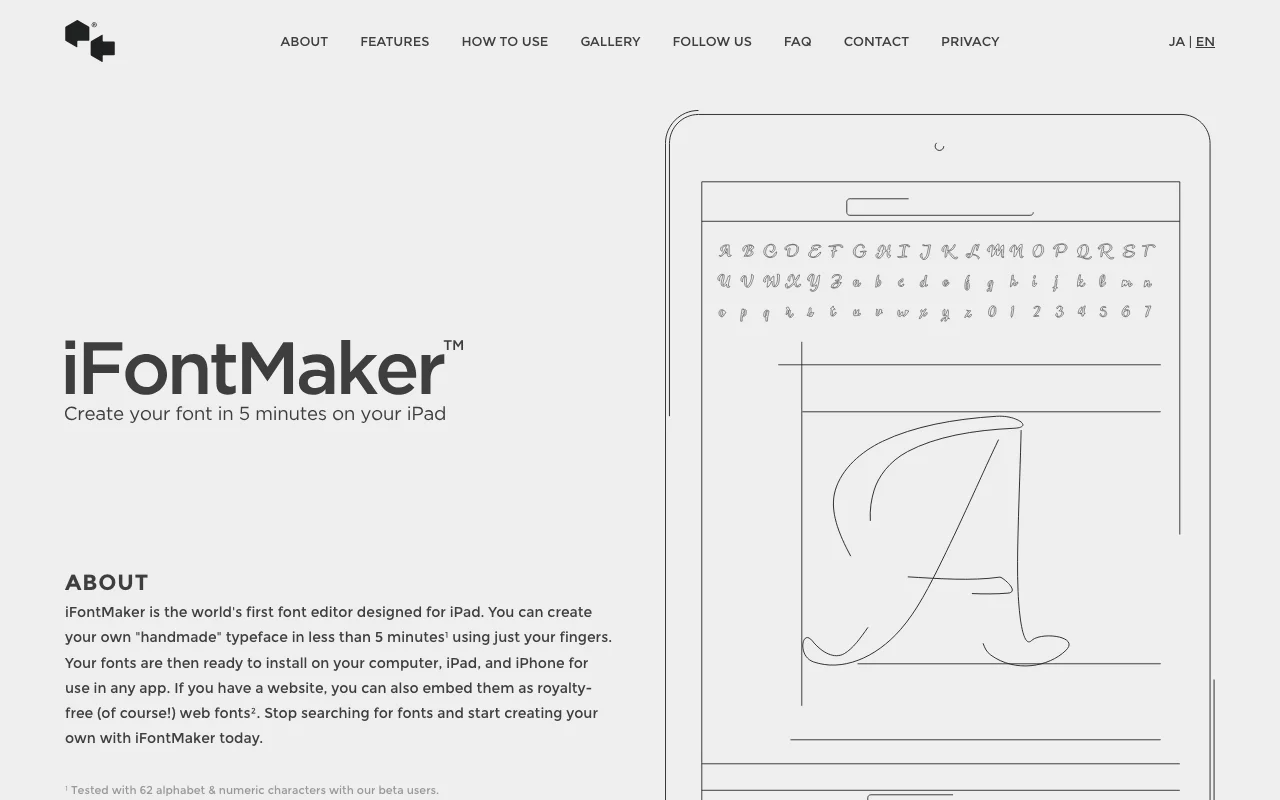
iFontMaker is the first font editor exclusively for iPad, allowing you to create custom "handmade" typefaces in minutes. Export your fonts as TrueType or web fonts for use on computers, mobile devices, and websites.
Create Custom Fonts Easily with iFontMaker on iPad
iFontMaker is the pioneering font editor designed exclusively for the iPad, enabling users to craft unique "handmade" typefaces in under five minutes. This intuitive tool transforms your handwriting into digital fonts that can be seamlessly installed on your computer, iPad, and iPhone. Enhance your brand identity by embedding these custom fonts as royalty-free web fonts for your website.
The application features a user-friendly interface with powerful editing tools, including freehand drawing and precise Bézier curve adjustments. This flexibility ensures professional-looking results for designers, artists, and anyone looking to add a personal touch to their digital projects. Fonts can be exported as TrueType files, ensuring compatibility with various operating systems and software.
Getting Started with iFontMaker
Download iFontMaker from the App Store to begin creating your custom font. Use the freehand editor to draw characters or the built-in Bézier tools for refined designs. Export your font as a TrueType file via 2ttf.com or share it to the iFontMaker gallery.
Key Features of iFontMaker
- Free-Hand Editing: Create fonts quickly with an intuitive interface.
- Bézier Tools: Refine strokes with precise vector control.
- Font Generation: Export as TrueType or share via 2ttf.com.
- Unicode Support: Works with Latin, Greek, Cyrillic, Thai, and Japanese.
Who Benefits from iFontMaker
- Graphic designers seeking unique typography.
- Illustrators wanting to digitize hand-drawn styles.
- Students and educators personalizing materials.
- App developers needing custom fonts.
- Website owners enhancing brand identity.
- Individuals creating personal handwriting fonts.
iFontMaker Support Resources
Visit the FAQ on 2ttf.tumblr.com for common questions. Contact support via email found on the official website for further assistance.
Reviews0
Would you recommend IFontMaker? Leave a comment
No reviews yet. Be the first to share your experience!
Alternatives
The best modern alternatives to IFontMaker
IcoMoon
5.0
Last update: November 15, 2026
IcoMoon is a comprehensive platform for icon design and management, offering an advanced SVG editor for creating and customizing vector icons. It allows users to import various file formats and export them into multiple formats, including Multicolor icon fonts, SVG sprites, and web components. The tool is designed for both individual designers and collaborative teams, with features that streamline
View IcoMoonTags:Open SourceWeb AppFor Designers
View IcoMoonFontself
5.0
Fontself empowers creatives to transform their letterforms into functional OpenType fonts with unparalleled ease. Whether you're a designer working on a desktop with Adobe Illustrator or Photoshop, or an artist on an iPad, Fontself offers an intuitive interface to bring your typographic visions to life. The tool streamlines the font creation process, allowing users to quickly generate custom fonts
ProprietaryWeb AppMobile App
View Fontself
NexusFont
5.0
NexusFont is a freeware font management application for Windows, designed to help graphic designers and creatives efficiently organize, preview, and manage their font collections without requiring permanent installation. It offers on-demand loading and side-by-side comparison for a smoother workflow and improved system performance.
For DesignersChrome Extension
View NexusFont
Maker 3D
5.0
Maker 3D is a comprehensive 3D modeling software for beginners and professionals. It offers an intuitive interface, advanced tools for creation, editing, and rendering, plus robust animation capabilities. Ideal for diverse creative projects, it ensures cross-platform compatibility and flexible pricing.
3D ModelingFor Designers
View Maker 3D
Wirestock
5.0
Wirestock is an AI platform for creators to generate high-quality images and vectors from text prompts. It offers an intuitive interface and an integrated marketplace for monetizing digital assets, streamlining the creative workflow from concept to sale.
ImagesFor Designers
View Wirestock
New Tools Releases
Recently added tools
Quiver
5.0
Quiver is a modern, user-friendly editor designed for creating commutative diagrams. It offers robust support for the popular tikz-cd package, making it an ideal tool for mathematicians, researchers, and students who need to visualize complex relationships and structures. The intuitive interface allows for efficient diagram construction, enabling users to focus on their mathematical content rather
Open SourceWeb AppWeb
View Quiver
Retro Game Trivia
5.0
Retro Game Trivia is a free, daily browser game for retro video game enthusiasts. Players guess classic video games using various methods, including letter reveals, textual clues, iconic screenshots, and box art. This engaging Wordle-style game provides a fun way to test and expand your knowledge of gaming history. With multiple game modes and an archive of past challenges, it caters to both casua
Browser-BasedFreeEarly Access
View Retro Game Trivia
Iron Marines
5.0
Iron Marines is a real-time strategy game blending action and tower defense. Players command heroes and units across a sci-fi universe to battle alien invaders. Available on mobile (iOS, Android) and PC (Steam), it offers engaging campaigns and tactical gameplay.
Gaming ToolsFor CreatorsMobile App
View Iron Marines
BiblioReads
5.0
BiblioReads is a free and open-source front-end for Goodreads, prioritizing user privacy. It allows users to search for book information directly from the Goodreads database without the privacy concerns associated with the official platform. Ideal for readers who want a clean, private way to track their reading, manage lists, and discover book details.
Open SourceFreePrivacy-Focused
View BiblioReads
IVentoy
5.0
iVentoy is a powerful and user-friendly network boot solution that transforms any computer into a PXE/HTTPBoot server. It allows for simultaneous operating system installation and booting across multiple machines without complex configuration. Supporting a wide range of operating systems and UEFI modes, including Secure Boot, iVentoy is ideal for IT professionals, system administrators, and anyone
Open SourceWindowsLinux
View IVentoy
PocketBase
5.0
PocketBase is an open-source backend solution that simplifies application development by bundling a real-time database, authentication services, file storage, and an integrated admin dashboard into a single, self-contained file. This all-in-one approach is ideal for developers seeking a lightweight yet powerful backend for rapid prototyping, small to medium-sized applications, and projects where m
Open SourceLinuxDev Tools
View PocketBase
OpenRCT2
5.0
OpenRCT2 is a community-driven, open-source re-implementation of RollerCoaster Tycoon 2, enhancing the classic game with bug fixes, improved performance, and new features. It offers modern gameplay enhancements, extensive customization, and robust multiplayer support, making it ideal for fans seeking a more stable and feature-rich theme park simulation experience. This free project is actively dev
Open SourcemacOSLinux
View OpenRCT2
MagicHow
5.0
MagicHow is an AI-powered SaaS platform that automates the creation of step-by-step guides, SOPs, and training manuals. It captures processes visually and uses AI to refine content, making documentation creation efficient and accessible for teams aiming to standardize operations and knowledge management.
View MagicHow