


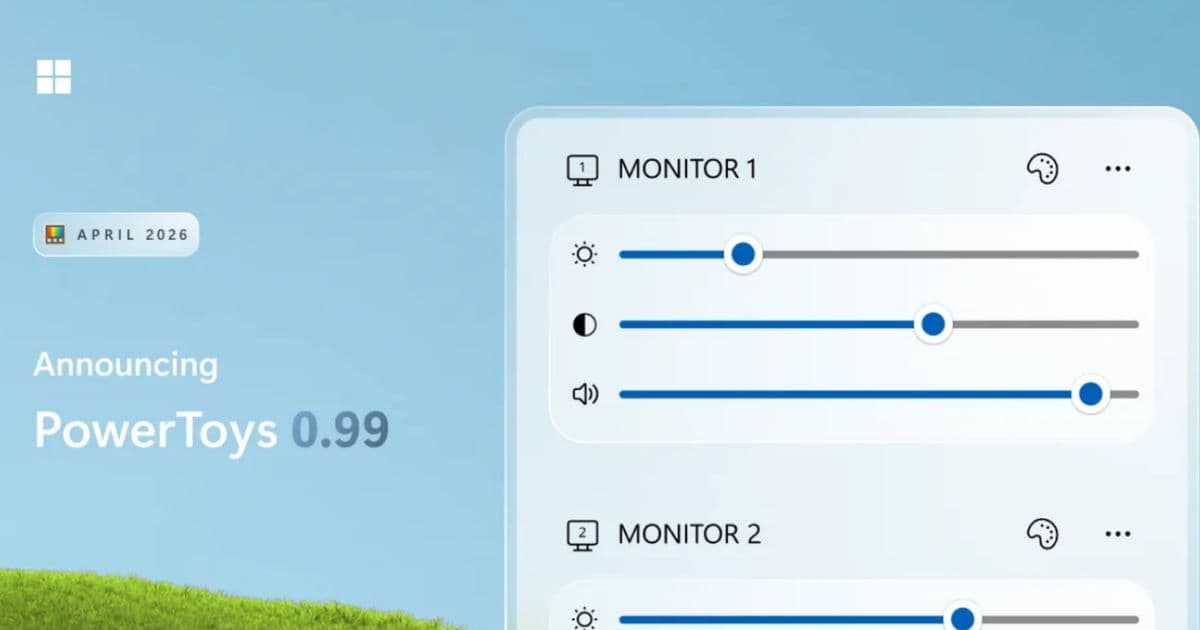
Microsoft PowerToys has released version 0.99, bringing significant improvements to user productivity and system control. The update introduces a new utility called Power Display, which allows users to manage external monitor settings directly from the Windows system tray. This includes adjustments for brightness, contrast, volume, and color profiles, with the added convenience of saving and switching between custom display setups.
Power Display also integrates with the Windows light/dark theme, enabling automatic adjustments to monitor settings. Another major addition is Grab And Move, a preview tool designed to simplify window management, especially on large displays or for windows that have moved off-screen. This feature allows users to reposition or resize windows from any part of the window using keyboard shortcuts and mouse clicks.
Further enhancements in this release include reliability and usability updates to the Command Palette, support for raw text and zoomable images in extensions, and persistent calculator history. Users will also benefit from improvements to Dock, Keyboard Manager, and a refreshed interface for the Image Resizer.
Advantages and Disadvantages
The new Power Display tool offers a streamlined way to manage monitor settings without needing to access physical buttons or complex menus, which is a significant advantage for users with multiple or external displays. The integration with the Windows theme for automatic adjustments adds a layer of convenience. Grab And Move addresses a common frustration with window management, making it easier to organize workspaces, particularly on high-resolution screens.
However, both Power Display and Grab And Move are introduced as preview tools. This means they may still have bugs or require further refinement. While PowerToys is generally stable, users should be aware that these new features are experimental. The complexity of PowerToys itself can also be a minor disadvantage for users seeking only a few specific functionalities, as the suite includes a wide array of tools that might not be relevant to everyone.
Explore related tools in our AI Marketplaces and Search Engine categories.
Conclusion
PowerToys 0.99 represents a strong step forward in enhancing the Windows user experience, particularly for those who juggle multiple monitors or require efficient window management. The introduction of Power Display and Grab And Move, along with refinements to existing tools like Command Palette, underscores Microsoft's commitment to providing powerful, open-source utilities that boost productivity. These updates make managing displays and organizing windows more intuitive and accessible, benefiting both casual users and power users alike. This release is a great addition for anyone looking to optimize their workflow, especially those interested in Productivity Hacks and improving their Automation Tools capabilities through better system integration.